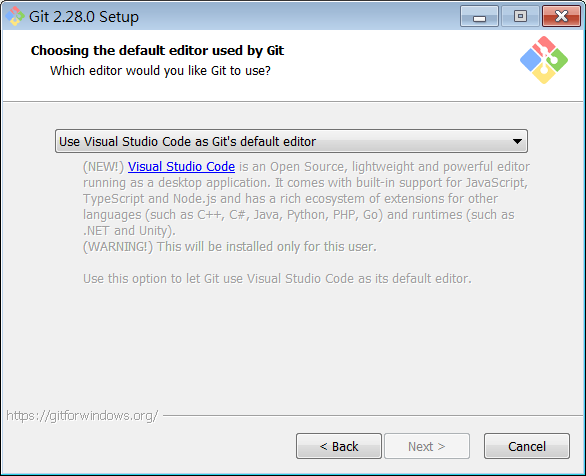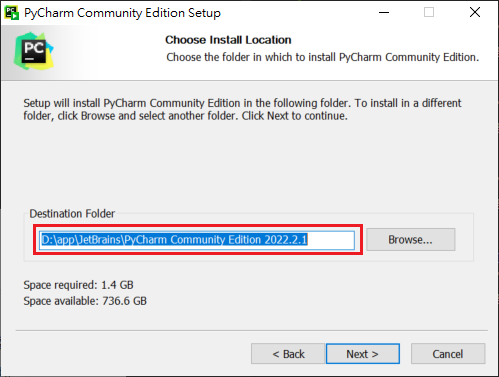
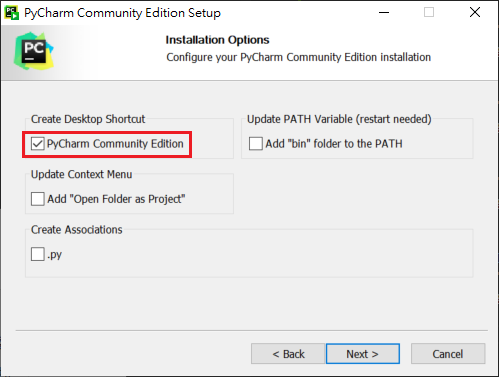
install(windows)

  • download PyCharm windows Community version
閱讀全文 »

control multiple version

1
2
3
4
5
6
7
8
9
# show version
py --version
Python 3.11.0
# show install
-V:3.11 * Python 3.11 (64-bit)
-V:3.10 Python 3.10 (64-bit)
-V:3.9
# active Virtual environment
d:\app\python_env\myenvflask_310\Scripts\activate

install(windows)

download python windows version
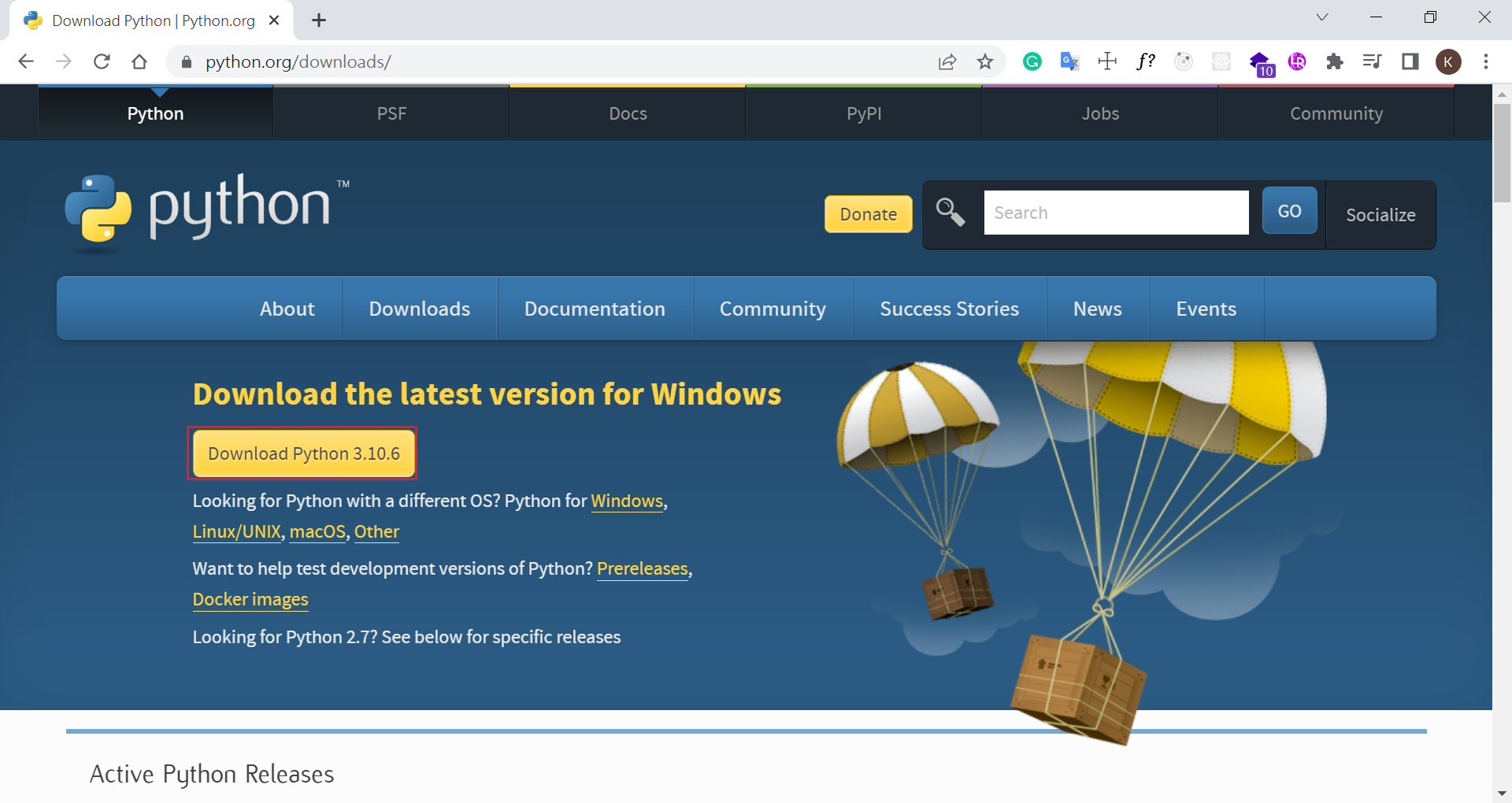
閱讀全文 »

gitk 中文亂碼

1
2
3
4
git config --global core.quotepath false   		 #顯示status編碼
git config --global gui.encoding utf-8 #圖形界面編碼
git config --global i18n.commit.encoding utf-8 #提交信息編碼
git config --global i18n.logoutputencoding utf-8 #輸出log編碼
閱讀全文 »

JPG, 也有人說是 JPEG - 大色素檔案,但不 support 透明檔案及動畫

JPG(Joint Photographic Experts Group)

  • 支持 24 位元影像
  • 是一種破壞性資料壓縮格式,壓縮比從 10:1 到 20:1 不等,大多數設計師選擇60%到70%範圍內
  • 不支持透明及動畫
  • JPG格式最常用於圖像,攝影和任何具有大量顏色的東西。
閱讀全文 »

基本原理

Git儲存每次專案更新時的快照

檔案沒有變更,Git不會再度儲存該檔案,而是記錄到前一次的相同檔案的連結。

閱讀全文 »

常用網頁

課程

Online Coding

網頁設計工具

閱讀全文 »

next

clone next theme

1
2
3
4
5
6
npm install hexo-theme-next --save
# copy next config to local
# windows command
copy node_modules\hexo-theme-next\_config.yml _config.next.yml
# linux command
cp node_modules/hexo-theme-next/_config.yml _config.next.yml

or

1
2
3
4
5
6
git clone https://github.com/next-theme/hexo-theme-next themes/next
# copy next config to local
# windows command
copy themes\next\_config.yml _config.next.yml
# linux command
cp themes/next/_config.yml _config.next.yml

_config.yml 設定

設定 theme

1
2
# theme: landscape
theme: next
閱讀全文 »

git 命令

常用命令

1
2
3
4
5
6
7
8
9
10
11
12
13
14
15
16
17
18
19
20
21
22
23
24
25
26
27
28
29
30
31
32
33
34
35
36
37
38
39
40
41
42
43
44
🔧 基本指令
git init – 初始化一個新的 Git 儲存庫。
git clone <repo_url> – 克隆遠端儲存庫。
git status – 檢查工作目錄的狀態。
git add <file> – 暫存要提交的變更。
git commit -m "message" – 提交暫存的變更並附帶一則訊息。
git push – 將本機提交推送到遠端儲存庫。
git pull – 從遠端倉庫取得並合併變更。
git diff – 顯示工作目錄中的變更(未提交的變更)。
git diff --staged – 顯示暫存區和上次提交之間的變化。

🛠️ 分支和合併
git branch – 列出分支。
git branch <branch_name> – 建立一個新分支。
git checkout <branch_name> – 切換到另一個分支。
git checkout -b <branch_name> – 建立並切換到新分支。
git merge <branch_name> – 將分支合併到目前分支。
git branch -d <branch_name> – 合併後刪除分支。
git branch -D <branch_name> – 強制刪除一個分支,即使它尚未合併。

🔄 同步
git fetch – 從遠端下載變更而不合併。
git rebase <branch> – 在另一個分支上重新套用提交以維護線性歷史記錄。
git pull --rebase – 取得並在最新的遠端變更之上重新套用您的變更。
git remote add <name> <url> – 新增一個新的遠端儲存庫。

🎯 高級 Git
git stash – 暫時儲存變更而不提交。
git stash pop – 重新套用儲存的變更。
git cherry-pick <commit> – 將特定提交套用到目前分支。
git log --oneline – 查看簡化的投稿歷史記錄。
git reflog – 顯示參考變更的歷史記錄(例如,簽出、重設)。
git log --graph --decorate --all – 顯示可視化的提交歷史記錄。

🚨 撤銷更改
git reset <file> – 取消暫存檔案。
git reset --soft <commit> – 重設為提交但保留工作目錄中的變更。
git reset --hard <commit> – 完全重設為上一次提交,丟棄更改。
git revert <commit> – 建立一個撤銷特定提交的新提交。

⚙️ 與他人合作
git fork – 在 GitHub 上 Fork 一個儲存庫(透過 UI)以開始貢獻。
git pull origin <branch> – 從原始遠端分支中提取變更。
git push origin <branch> – 將您的分支推送到原始儲存庫以進行協作。
閱讀全文 »

第一次備份

git init

1
2
cd blog
git init

建立新分支 backup

1
git checkout -b backup
閱讀全文 »