Dart & Flutter | The Complete Flutter Development Course - GoMood

Dart

variable

1
2
3
4
5
6
7
8
9
10
11
12
13
14
15
16
17
18
19
20
21
22
23
24
// variable
void main() {
var name = "Robert";
print(name);

// ?表示 lastName 是可空的字符串(String 或 null)。
// String? lastName = "Robert";
// print(lastName);
// A value of type 'int' can't be assigned to a variable of type 'String'.
// lastName = 2 ;

// late 必须 在使用之前赋值
// late String name ;
// name = "Robert";
// print(name);

// Can't assign to the final variable
// final num2 = 3;
// num2 = 2;

// Can't assign to the const variable
// const num3 = 3;
// num3 = 4;
}

variable type

1
2
3
4
5
6
7
8
9
10
11
12
13
14
15
16
17
18
19
// variable type
void main() {
int num1 = 2;
double num2 = 10.1;
print("num1=$num1 num2=$num2");

String firstName = "Robert";
String lastName = "Kao";
print("$firstName $lastName");

bool isTuesday = false;
print(isTuesday);

List list1 = ['A', 'B', 'C'];
Map map1 = {"firstName": "Robert", "lastName": "Kao",
"email": "robert@eamil.com"};
print(list1);
print(map1);
}

string

1
2
3
4
5
6
7
8
9
10
11
12
13
14
15
// string
void main() {
String firstName = "Robert";
String lastName = "Kao";
String fullName = "Rob/ert/Kao";
String fullName2 = " $firstName $lastName ";
print("${1 + 1} $firstName $lastName");
print(firstName.length);
print(firstName.isEmpty);
print(firstName.toUpperCase());
print(firstName.toLowerCase());
print("-" + fullName2.trim() + "-");
print(firstName.substring(2, 4));
print(fullName.split("/"));
}

number

1
2
3
4
5
6
7
8
9
10
11
12
13
14
15
16
17
18
19
20
21
22
23
24
25
26
27
28
29
// number
void main() {
int num1 = 10;
double num2 = 10.5;
var num3 = num1 + num2;
print(num3);

var num11 = num.parse('12');
var num12 = num.parse('12.56');
print(num12.isFinite);
print(num12.isInfinite);

var num13 = -12;
var num14 = 0;
print(num11.sign);
print(num13.sign);
print(num14.sign);
print(num13.isNegative);
// isNaN 代表 "是否为 NaN"(Not a Number),用于检查一个 double 是否是 NaN, 0/0 = NaN
print(num12.isNaN);

print(num11.toString());
// only for number
print(num12.toInt());
print(num11.toDouble());
print(num13.abs());
// int 4捨5入
print(num12.round());
}

function

1
2
3
4
5
6
7
8
9
10
11
12
13
14
15
16
17
// function
void main() {
printToConsole("Robert");
// 第二個 option 參數, 要加 extraString:
printToConsole("Robert", extraString: "Kao");
print(multiply(3, 3));
}

// extraString 為 option
void printToConsole(String str1, {String? extraString}) {
print(str1);
print(extraString);
}

int multiply(int num1, int num2) {
return num1 * num2;
}

if, switch case

1
2
3
4
5
6
7
8
9
10
11
12
13
14
15
16
17
18
19
20
21
22
23
24
25
26
27
28
29
// if, switch case
void main() {
bool didEatBreakFast = false;
bool didGoToGym = false;
if (didEatBreakFast && didGoToGym) {
print("2x :)");
} else if (didEatBreakFast || didGoToGym) {
print("1x :)");
} else {
print(":(");
}

var ateBreakfast = "Eggs";
switch(ateBreakfast) {
case "Eggs": {
print(":)");
}
break;
case "Milk": {
print(":|");
}
break;
default: {
print(":(");
}
break;
}

}

loop

1
2
3
4
5
6
7
8
9
10
11
12
13
14
15
16
17
18
19
20
21
22
23
24
25
26
27
28
// loop
void main() {
for (int i = 0; i<10 ; i++) {
print(i);
}

var list1 = ['A', 'B', 'C'];
for (var char in list1) {
print(char);
if (char == 'C') {
break;
}
}


var x = 0;
while( x< 10) {
print(x);
x += 1;
}

var n = 10;
do {
print(n);
n -= 1;
}
while (n>=0);
}

classes and objects

1
2
3
4
5
6
7
8
9
10
11
12
13
14
15
16
17
18
19
20
21
22
23
24
25
26
27
28
29
30
31
32
33
34
35
36
37
38
39
40
41
42
43
// classes and objects
void main() {
// Car car1 = new Car();
// Car car1 = new Car("v8");
// Car car2 = new Car("v6");
// car1.display();
// print(car2.engine);

Vehicle car1 = new Vehicle("v6");
Vehicle car2 = new Vehicle("v12");
// SuperCar car3 = new SuperCar();
SuperCar car3 = new SuperCar("v16");
car1.display();
print(car2.engine);
car3.display();
}

class Car {
// String engine = "V8";
String engine;
// 建構函數
// Car(this.engine);
Car(this.engine) {}

void display() {
print(engine);
}
}

class Vehicle {
String engine;
Vehicle(this.engine) {}

void display() {
print(engine);
}
}

// 繼承
class SuperCar extends Vehicle {
// SuperCar() : super("V8");
SuperCar(String engin) : super(engin);
}

map

1
2
3
4
5
6
7
8
9
10
11
12
// map
void main() {
var cars = {"Tesla": "Electric", "Toyota": "Gasline"};
print(cars);

var fruits = new Map();
fruits["Apple"] = "Red";
print(fruits);

var userAges = {"Jeff": 22, "George": 31};
print(userAges["George"]);
}

list

1
2
3
4
5
6
7
8
9
10
11
12
13
14
// list
void main() {
var list1 = ["A", "B", "C"];
print(list1);
print(list1[1]);
list1.add("D");
print(list1);
print(list1.first);
print(list1.isEmpty);
print(list1.length);

// no List()
// var list2 = new List();
}

future

1
2
3
4
5
6
7
8
9
10
11
12
13
14
// future
Future<String> fetchData() {
return Future.delayed(Duration(seconds: 2), () => "Data load complete");
}

void main() {
print("Ask data...");

fetchData().then((value) {
print(value); // 2s show Data load complete
});

print("Send ask, wait retuen...");
}

Async/Await

1
2
3
4
5
6
7
8
9
10
11
12
13
14
15
// Async/Await
// Future Done!
// Hello

// 如果不需要 await,可以省略 async,提高性能
void main() async {
await futureFunction();
print("Hello");
}

// 如果不需要 await,可以省略 async,提高性能
Future futureFunction() async {
await Future.delayed(Duration(seconds: 2))
.whenComplete(() => print("Future Done!"));
}

null Safety

1
2
3
4
5
6
7
8
9
10
11
12
13
14
15
16
17
18
19
20
21
22
23
24
25
26
27
28
29
30
31
// null Safety
void main() {
// String name;
// name = "Robert";
// print(name);

String? name;
print(name); // null

// Car car = Car();
// print(car.name);

// Car? car = Car();
// print(car); // Instance of 'Car'

late Car car; // car need be initialized
car = Car();
print(car); // Instance of 'Car'

Car2? car2;
print(car2!.name); // Uncaught Error, error: Error: Unexpected null value.
}

class Car {
String name = "Aston Martin";
}

class Car2 {
late final name;
Car2(this.name);
}

command

1
2
3
4
5
6
7
# ==== terminal fix dart ===
# 在終端機中運行可應用的修復:
dart fix --dry-run
# 自動套用這些修復
dart fix --apply
# check dart version
dart --version

Flutter

Basic Widgets

MaterialApp()(應用程式入口)

應用的最外層,通常在 main.dart 中作為根 Widget

1
2
3
4
5
6
7
void main() {
runApp(MaterialApp(
title: 'My Flutter App',
theme: ThemeData(primarySwatch: Colors.blue), // 設定主題顏色
home: MyHomePage(), // 設定主畫面
));
}
Scaffold()(頁面結構)

應用的主要畫面,每個頁面通常都會用 Scaffold 來包裹

1
2
3
4
5
6
7
8
9
10
11
12
13
class MyHomePage extends StatelessWidget {
@override
Widget build(BuildContext context) {
return Scaffold(
appBar: AppBar(title: Text('首頁')), // 設定標題列
body: Center(child: Text('Hello, Flutter!')), // 主要內容區域
floatingActionButton: FloatingActionButton(
onPressed: () {},
child: Icon(Icons.add),
), // 浮動按鈕
);
}
}
Container()(UI 佈局容器)

包裹其他 Widget,並控制其大小、間距、樣式
Container 是最基本的 佈局 Widget,可以用來:

  • 設定大小(width、height)
  • 設定背景顏色(color)
  • 設定邊距(margin)、內距(padding)
  • 設定裝飾(BoxDecoration,如圓角、陰影)
    1
    2
    3
    4
    5
    6
    7
    8
    9
    10
    11
    12
    13
    14
    Container(
    width: 200,
    height: 100,
    margin: EdgeInsets.all(20),
    padding: EdgeInsets.all(10),
    decoration: BoxDecoration(
    color: Colors.blue,
    borderRadius: BorderRadius.circular(10),
    ),
    child: Text(
    '這是一個 Container',
    style: TextStyle(color: Colors.white),
    ),
    )

Widget Example

App
1
2
3
4
5
6
7
8
9
10
11
12
13
14
15
16
17
18
19
// add class App extends from Stateless widget 
class App extends StatelessWidget {
// 建構函數
// const StatelessWidget 不可變
// kyp : change for key
const App({super.key});

@override
Widget build(BuildContext context) {
return MaterialApp(
title: "GoMoon",
theme: ThemeData(
// set inside scaffoldBackgroundColor
scaffoldBackgroundColor: Color.fromRGBO(31, 31, 31, 1.0),
),
home: HomePage(),
);
}
}
Page
1
2
3
4
5
6
7
8
9
10
11
12
13
14
15
16
17
18
19
20
21
22
23
24
25
26
27
28
29
30
31
32
33
34
35
36
37
38
39
40
41
class HomePage extends StatelessWidget {
late double _deviceHeight, _deviceWidth;
// kyp : change for key
HomePage({super.key});

@override
Widget build(BuildContext context) {
_deviceHeight = MediaQuery.of(context).size.height;
_deviceWidth = MediaQuery.of(context).size.width;
return Scaffold(
// kyp: set safe area
body: SafeArea(
child: Container(
// color: Colors.red,
height: _deviceHeight,
width: _deviceWidth,
padding: EdgeInsets.symmetric(horizontal: _deviceWidth * 0.05),
child: Stack(
children: [
Column(
mainAxisAlignment: MainAxisAlignment.spaceBetween,
// main axis : can min or mx
mainAxisSize: MainAxisSize.max,
// cross axis alignment
crossAxisAlignment: CrossAxisAlignment.start,
children: [
_pageTitle(),
_bookRideWidget(),
],
),
Align(
alignment: Alignment.centerRight,
child: _astroImageWidget(),
),
],
),
)
),
);
}
}
Add Widget
1
2
3
4
5
6
7
8
9
10
11
12
13
14
15
16
17
18
19
20
21
22
23
24
25
26
27
28
29
30
31
32
33
34
35
36
37
38
39
40
class CustomDropDownButtonClass extends StatelessWidget {
List<String> values;
double width;

CustomDropDownButtonClass({required this.values, required this.width});

@override
Widget build(BuildContext context) {
// Container,內含 DropdownButton, 內容為剛剛建立的 _items
return Container(
padding: EdgeInsets.symmetric(horizontal: width * 0.05),
width: width,
decoration: BoxDecoration(
color: Color.fromRGBO(53, 53, 53, 1.0),
borderRadius: BorderRadius.circular(10),
),
child: DropdownButton(
// 第一個值被選中
value: values.first,
onChanged: (_) {},
items: values.map(
// 將這些字串轉換成 DropdownMenuItem<String>
// child: Text(e): 這是顯示在下拉選單的文字。
// value: e: 這是選項對應的值。
(e) {
return DropdownMenuItem(
child: Text(e),
value: e,
);
}
).toList(),
// default under line 被取消
underline: Container(),
// set dropdown color
dropdownColor: Color.fromRGBO(53, 53, 53, 1.0),
style: const TextStyle(color: Colors.white),
),
);
}
}
StatefulWidget
1
2
3
4
5
6
7
8
9
10
11
12
13
14
15
16
17
18
19
20
21
22
23
24
25
26
27
28
29
30
31
32
33
34
35
36
37
38
39
40
41
42
43
44
45
46
47
48
49
50
51
52
53
54
55
56
57
58
59
60
61
62
63
class TimerScreen extends StatefulWidget{
@override
State<StatefulWidget> createState() {
return TimerScreenState();
}
}

// class TimerScreenState extends StatelessWidget{
// TimerScreen's state control
class TimerScreenState extends State<TimerScreen>{
int secondPassed = 0;
int displaySecs = 0;
int displayMins = 0;
int displayHours = 0;
// _ 表示它是私有變數
Timer? _timer;
bool isTimerActive = false;

@override
Widget build(BuildContext context) {
// kyp : Scaffold - phone 範圍
return Scaffold(
// push 到本頁會自動加返回箭頭
appBar: AppBar(
title: Text("Timer Screen"),
),
body: Center(
child : Column(
mainAxisAlignment: MainAxisAlignment.center,
children: [
Row(
mainAxisAlignment: MainAxisAlignment.spaceEvenly,
// mainAxisSize: MainAxisSize.,
children: [
TimerContainer(timerLabel: "Hous",timerVlaue: displayHours.toString(),),
TimerContainer(timerLabel: "Mins",timerVlaue: displayMins.toString(),),
TimerContainer(timerLabel: "Secs",timerVlaue: displaySecs.toString(),),
],
),
FilledButton(
onPressed: (){
if (isTimerActive == false) {
isTimerActive = true;
_timer = Timer.periodic(Duration(seconds:1), (timer){
calculateTime();
});
}
},
child: Text("Start Timer"),
),
ElevatedButton(
onPressed: (){
_timer?.cancel();
isTimerActive = false;
},
child: Text("Stop Timer"),
),
],
),
),
);
}
}

Condition process

dispose, cancel timer
1
2
3
4
5
6
7
8
9
// 當這個畫面(widget)被關閉或銷毀(dispose)時,要記得:
// 先停止 _timer,不讓它繼續跑(避免資源浪費或錯誤)
// 再呼叫父類別的 dispose() 方法,讓 Flutter 幫你清掉其他資源
@override
void dispose() {
// 如果 _timer 不是 null 才呼叫 cancel()
_timer?.cancel();
super.dispose();
}
SetState(check mounted)
1
2
3
4
5
6
7
8
9
10
11
12
void calculateTime(){
secondPassed++;
displaySecs = secondPassed % 60;
// ~ 傳回整數
displayMins = (secondPassed ~/ 60) % 60;
displayHours = secondPassed ~/ 3600;
// 安全地更新 UI
// true 這個 widget 還活著,可以安全使用 setState()
if (mounted) {
setState(() {});
}
}

Function

option iOS ot Android

Cupertino Widget 本質上仍然是 Flutter Widget,所以在 Android 上仍然可以顯示,但它的外觀和行為會保持 iOS 風格

1
2
3
4
5
6
7
8
9
10
11
12
13
14
15
16
17
18
19
import 'dart:io'; // 用來檢查 Platform
import 'package:flutter/cupertino.dart';
import 'package:flutter/material.dart';

class AdaptiveButton extends StatelessWidget {
@override
Widget build(BuildContext context) {
return Platform.isIOS
? CupertinoButton(
color: CupertinoColors.activeBlue,
onPressed: () {},
child: Text('iOS 按鈕'),
)
: ElevatedButton(
onPressed: () {},
child: Text('Android 按鈕'),
);
}
}
Text
1
2
3
4
5
6
7
8
9
10
Widget _pageTitle() {
return Text(
"#GoMoon",
style: TextStyle(
color: Colors.white,
fontSize: 60,
fontWeight: FontWeight.w800,
)
);
}
Image
1
2
3
4
5
6
7
8
9
10
11
12
13
14
15
// _ begin mean private 
Widget _astroImageWidget() {
return Container(
height: _deviceHeight * 0.50,
width: _deviceWidth * 0.65,
decoration: const BoxDecoration(
// color: Colors.red,
image: DecorationImage(
// kyp : image fit setting
fit: BoxFit.fill,
image: AssetImage("assets/images/astro_moon.png"),
),
),
);
}
Column
1
2
3
4
5
6
7
8
9
10
11
12
13
14
15
Widget _bookRideWidget() {
return Container(
height: _deviceHeight * 0.25,
child: Column(
mainAxisAlignment: MainAxisAlignment.spaceBetween,
mainAxisSize: MainAxisSize.max,
crossAxisAlignment: CrossAxisAlignment.center,
children: [
_destionationDropDownWidget(),
_travellersInformationWidget(),
_rideButton(),
],
)
);
}
Row
1
2
3
4
5
6
7
8
9
10
11
12
13
14
15
16
17
18
19
20
21
22
23
24
25
26
27
Widget _travellersInformationWidget() {
return Row(
mainAxisAlignment: MainAxisAlignment.spaceBetween,
mainAxisSize: MainAxisSize.max,
crossAxisAlignment: CrossAxisAlignment.center,
children: [
CustomDropDownButtonClass(
values: const [
'1',
'2',
'3',
'4',
],
width: _deviceWidth * 0.45,
),
CustomDropDownButtonClass(
values: const [
'Economy',
'Business',
'First',
'Private',
],
width: _deviceWidth * 0.4,
),
],
);
}
Button
1
2
3
4
5
6
7
8
9
10
11
12
13
14
15
16
17
18
19
20
21
22
23
24
25
26
27
28
29
30
31
32
33
34
35
36
// #1  MaterialButton 無外框
Widget _rideButton( ){
return Container(
margin: EdgeInsets.only(bottom: _deviceHeight * 0.01),
width: _deviceWidth,
decoration: BoxDecoration(
color: Colors.white,
borderRadius: BorderRadius.circular(10),
),
child: MaterialButton(
onPressed: (){},
child: const Text(
"Book Ride!",
style: TextStyle(
color: Colors.black,
)
),
),
);
}

// #2 暗色框
FilledButton(
onPressed: (){
Navigator.push(context, MaterialPageRoute(builder: (context) => BmiCalculatorScreen()));
},
child: Text("Start BMI Calculator"),
),

// #3 淺色框
ElevatedButton(
onPressed: (){
Navigator.push(context, MaterialPageRoute(builder: (context) => PageViewDemonstrationScreen()));
},
child: Text("Start Page Views"),
),
PageView

PageView 是 Fl​​utter 中用於實現頁面滑動切換的核心控件,廣泛應用於 Tab 切換、引導頁、圖片輪播、短視頻上下滑等場景

属性 作用说明
children 直接傳入頁面 Widget 列表,適合頁面數量較少時使用
controller 透過 PageController 控制和監聽頁面切換
scrollDirection 設定滑動方向,預設為 Axis.horizo​​ntal(水平),可設為 Axis.vertical(垂直)
onPageChanged 頁面切換時的回調,返回目前頁面索引
pageSnapping 是否自動吸附到頁面(預設為 true)
physics 控制滑動的物理效果,如阻尼、彈性等
allowImplicitScrolling 是否允許隱式滾動,提升體驗,預設為 false
1
2
3
4
5
6
7
8
9
10
11
12
13
14
PageController _pageController = PageController(initialPage: 0);

PageView(
controller: _pageController,
scrollDirection: Axis.horizontal, // 或 Axis.vertical
onPageChanged: (index) {
print('当前页面索引: $index');
},
children: [
Page1(),
Page2(),
Page3(),
],
)
ListView
1
2
3
4
5
6
7
8
9
10
11
12
13
14
15
16
17
18
19
20
21
22
23
24
25
26
27
28
29
30
31
32
33
34
35
36
37
38
39
40
41
42
43
44
45
46
47
48
49
50
51
52
53
54
55
56
57
58
59
60
61
62
63
64
65
66
67
68
69
70
71
72
73
74
75
76
77
78
79
80
81
82
83
84
85
86
87
88
89
90
91
92
// #1 build 
import 'package:flutter/material.dart';

List<String> countriesList = [
"India",// 0
"United State of America",// 1
"Canada",// 2
"Mexico",
"Srilanka",
"Qatar",
];

class Page1 extends StatelessWidget{
@override
Widget build(BuildContext context) {
return Scaffold(
appBar: AppBar(
title: Text("Simple List"),
),
body: Center(
// child: Text("Inside page 1"),

// child: ListView.builder(
// itemCount: 99,
// itemBuilder: (BuildContext context, int index){
// return Text("Hello $index");
// }
// ),

child: ListView.builder(
itemCount: countriesList.length,
itemBuilder: (BuildContext context, int index){
return ListTile(
leading: Icon(Icons.ac_unit),
title: Text(countriesList[index]),
trailing: Icon(Icons.access_alarm_sharp),
);
}
),
),
);
}
}

// #2 normal
import 'package:flutter/material.dart';

class Page2 extends StatelessWidget{
List<String> officeToList = [
"Metting 10:30 am",
"Task Before Lunch",
"Task After Lunch",
"TCalls from Client",
"Task Before Lunch",
"Prepare report",
] ;

// 這個 context 是 Flutter 中非常重要的參數,用來:
// 存取 Theme, Navigator, MediaQuery, Scaffold, 等上層 widget 的資料或功能。
// ListTile.divideTiles 就需要這個 context 來取得主題資料(像是分隔線的顏色等)。
@override
Widget build(BuildContext contextPassed) {
return Scaffold(
appBar: AppBar(
title: Text("Weird Design List"),
),
body: Center(
child: ListView(
// 幫你自動在 ListTile 中間插入分隔線(Divider)
children: ListTile.divideTiles(
context: contextPassed,
tiles: [
ListTile(
leading: Icon(Icons.accessibility_new_rounded),
title: Text(officeToList[0]),
),
ListTile(
title: Text(officeToList[1]),
trailing: Icon(Icons.account_circle),
),
ListTile(
leading: Icon(Icons.add),
title: Text(officeToList[2]),
trailing: Icon(Icons.account_circle),
),
],
).toList(),
),
),
);
}
}
Card
屬性 說明
color 設定卡片背景色
shape 設定卡片形狀(如圓角大小)
margin 設定外邊距
elevation 設定陰影高度,數值越大陰影越明顯
clipBehavior 控制內容溢出時的裁剪方式
child 放置卡片內的內容 Widget(如 Column、Row 等)
1
2
3
4
5
6
7
8
9
10
11
12
13
14
15
Card(
elevation: 5.0,
shape: RoundedRectangleBorder(borderRadius: BorderRadius.circular(10.0)),
child: Row(
children: <Widget>[
Image.network('https://example.com/image.jpg', height: 100.0, width: 100.0, fit: BoxFit.cover),
Expanded(
child: Padding(
padding: EdgeInsets.all(10.0),
child: Text('This is a custom card with an image and text.'),
),
),
],
),
)
Expand

Expanded 是 Flutter 中用於彈性佈局的 Widget,常搭配 Row、Column 或 Flex 使用。它的主要功能是讓子元件自動填滿主軸(水平或垂直)上的剩餘空間,並可透過 flex 屬性調整多個子元件之間的空間分配比例

1
2
3
4
5
6
7
8
9
10
11
12
Row(
children: [
Expanded(
flex: 2,
child: Container(color: Colors.red),
),
Expanded(
flex: 1,
child: Container(color: Colors.blue),
),
],
)
CircleAvatar

CircleAvatar 是 Flutter 中專為顯示「圓形頭像」設計的元件,廣泛應用於用戶列表、個人資料、聊天應用等場景。它遵循 Material Design 的風格,能輕鬆實現圓形圖片、圖標或文字的展示

屬性 說明
backgroundColor 背景顏色
backgroundImage 圓形背景圖片(ImageProvider,如 NetworkImage/AssetImage)
foregroundColor 前景色,作用於 child 文字或圖標
radius 圓形半徑(預設 20.0)
minRadius/maxRadius 最小/最大半徑
child 圓形內的 Widget,通常為文字或圖標
1
2
3
4
5
6
7
8
9
10
11
12
13
CircleAvatar(
child: Text('A'),
)

CircleAvatar(
backgroundImage: NetworkImage('https://example.com/avatar.png'),
radius: 40,
)

CircleAvatar(
child: Icon(Icons.person),
backgroundColor: Colors.blue,
)

Plugin

add plugin
add plugin - pubspec.yaml
1
2
# Implementing carousel animations in app
carousel_slider: ^5.0.0
load plugin
1
Cmd + shift + p
check load complete - pubspec.lock
1
2
3
4
5
6
7
8
carousel_slider:
dependency: "direct main"
description:
name: carousel_slider
sha256: "7b006ec356205054af5beaef62e2221160ea36b90fb70a35e4deacd49d0349ae"
url: "https://pub.dev"
source: hosted
version: "5.0.0"
想知道哪些可以升級
1
2
3
4
5
6
7
8
9
10
11
12
13
14
15
16
17
18
19
20
21
22
23
24
gaoyiping@gaoyipingdeMacBook-Pro programminghub % flutter pub outdated
Showing outdated packages.
[*] indicates versions that are not the latest available.

Package Name Current Upgradable Resolvable Latest

direct dependencies: all up-to-date.

dev_dependencies: all up-to-date.

transitive dependencies:
async *2.12.0 *2.12.0 *2.12.0 2.13.0
fake_async *1.3.2 *1.3.2 *1.3.2 1.3.3
leak_tracker *10.0.8 *10.0.8 *10.0.8 11.0.1
leak_tracker_flutter_testing *3.0.9 *3.0.9 *3.0.9 3.0.10
leak_tracker_testing *3.0.1 *3.0.1 *3.0.1 3.0.2
material_color_utilities *0.11.1 *0.11.1 *0.11.1 0.12.0
vector_math *2.1.4 *2.1.4 *2.1.4 2.1.5
vm_service *14.3.1 *14.3.1 *14.3.1 15.0.0

transitive dev_dependencies:
lints *5.1.1 *5.1.1 *5.1.1 6.0.0
all dependencies are up-to-date.
gaoyiping@gaoyipingdeMacBook-Pro programminghub %
套件相依關係樹狀圖
1
2
3
4
5
6
7
8
9
10
11
12
13
14
15
16
17
18
19
20
21
22
23
24
25
26
27
28
29
30
31
32
gaoyiping@gaoyipingdeMacBook-Pro programminghub % flutter pub deps
Dart SDK 3.7.0
Flutter SDK 3.29.1
programminghub 1.0.0+1
├── carousel_slider 5.0.0
└── flutter...
├── cupertino_icons 1.0.8
├── firebase_core 3.13.0
├── firebase_core_platform_interface 5.4.0
├── plugin_platform_interface 2.1.8
└── meta...
├── collection...
├── flutter...
├── flutter_test...
└── meta...
├── firebase_core_web 2.22.0
├── flutter_web_plugins 0.0.0
├── characters...
├── collection...
├── flutter...
├── material_color_utilities...
├── meta...
└── vector_math...
├── web 1.1.1
├── firebase_core_platform_interface...
├── flutter...
└── meta...
├── flutter...
└── meta...
├── firebase_storage 12.4.5
├── firebase_storage_platform_interface 5.2.5
......

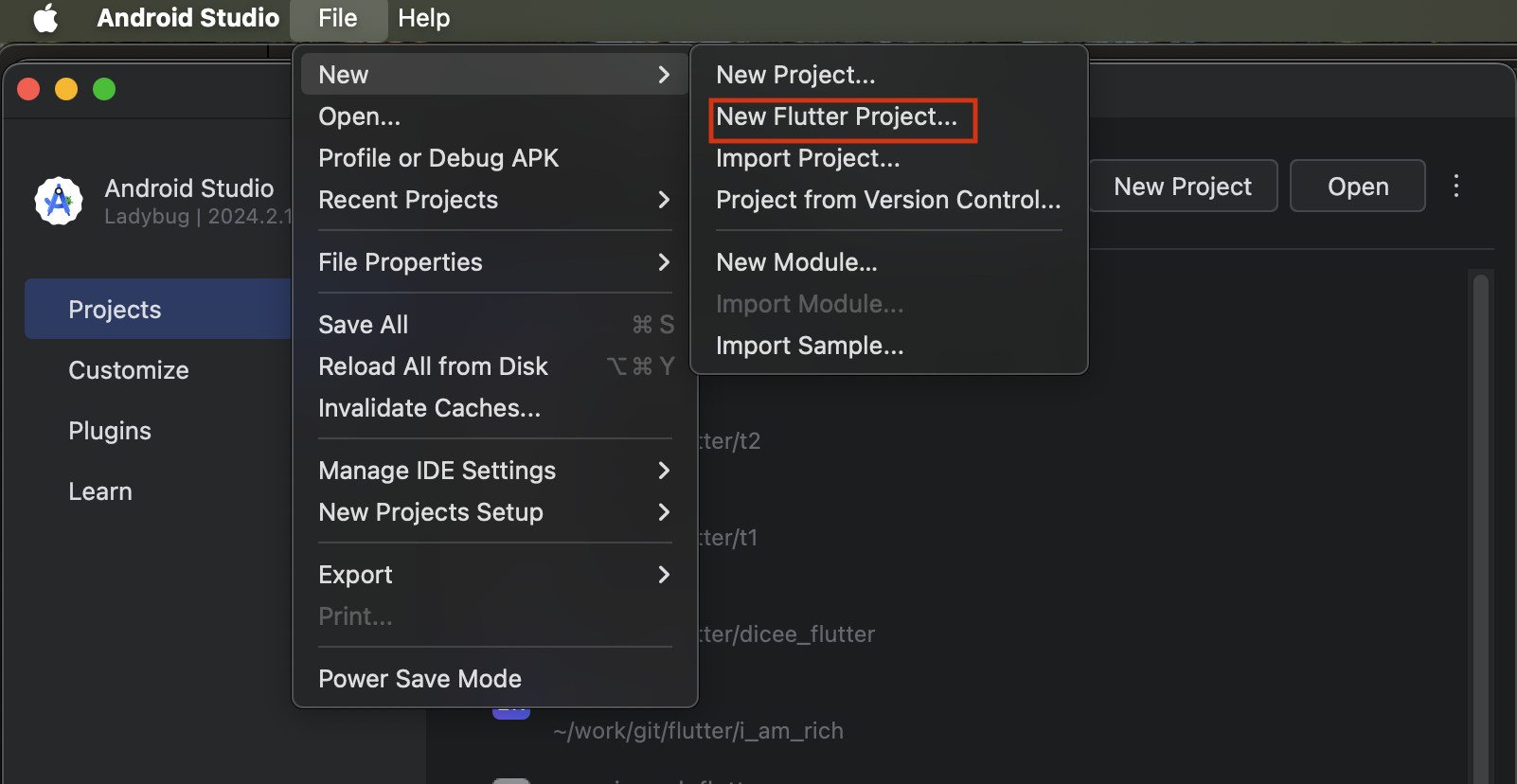
GoMood

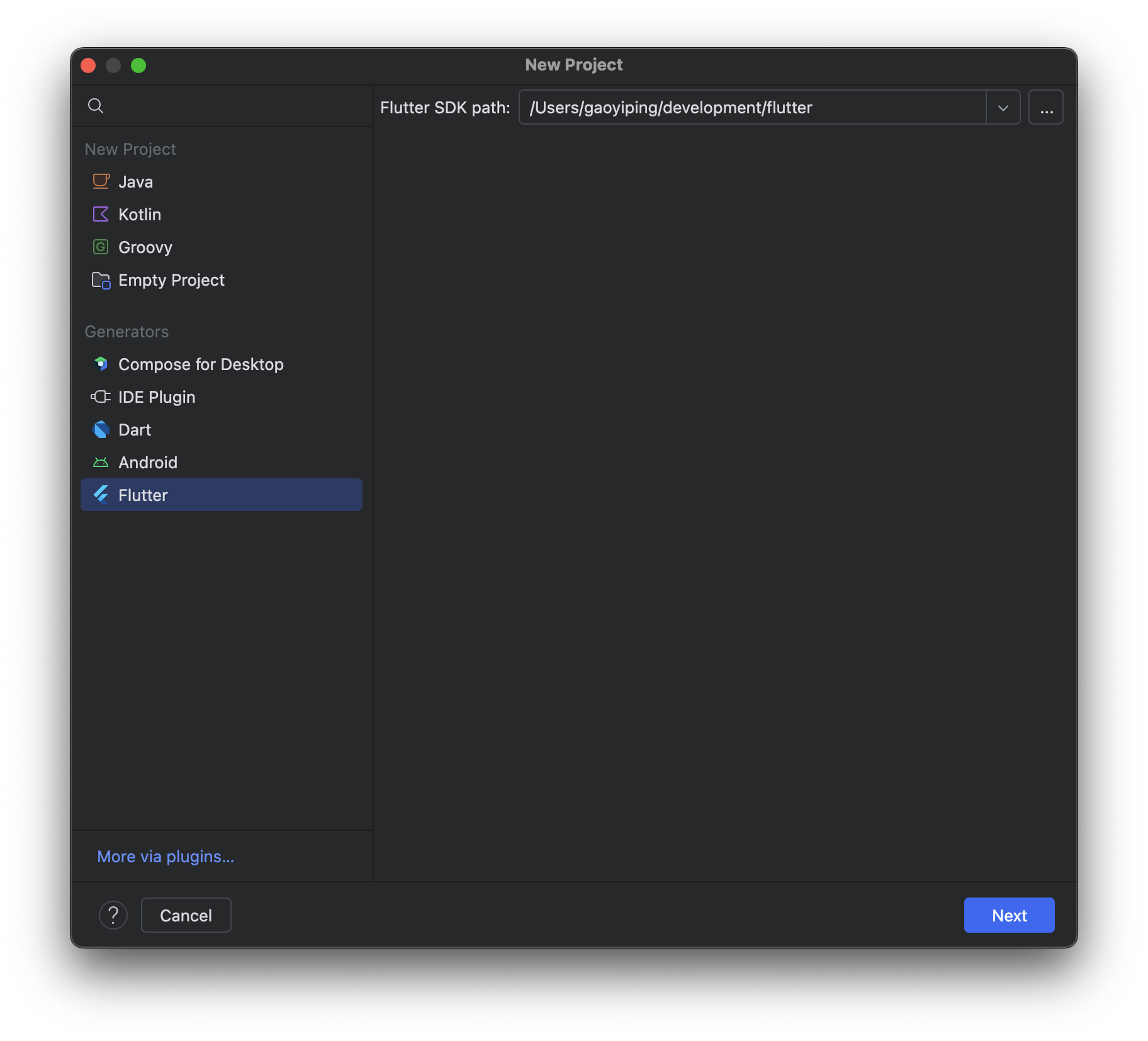
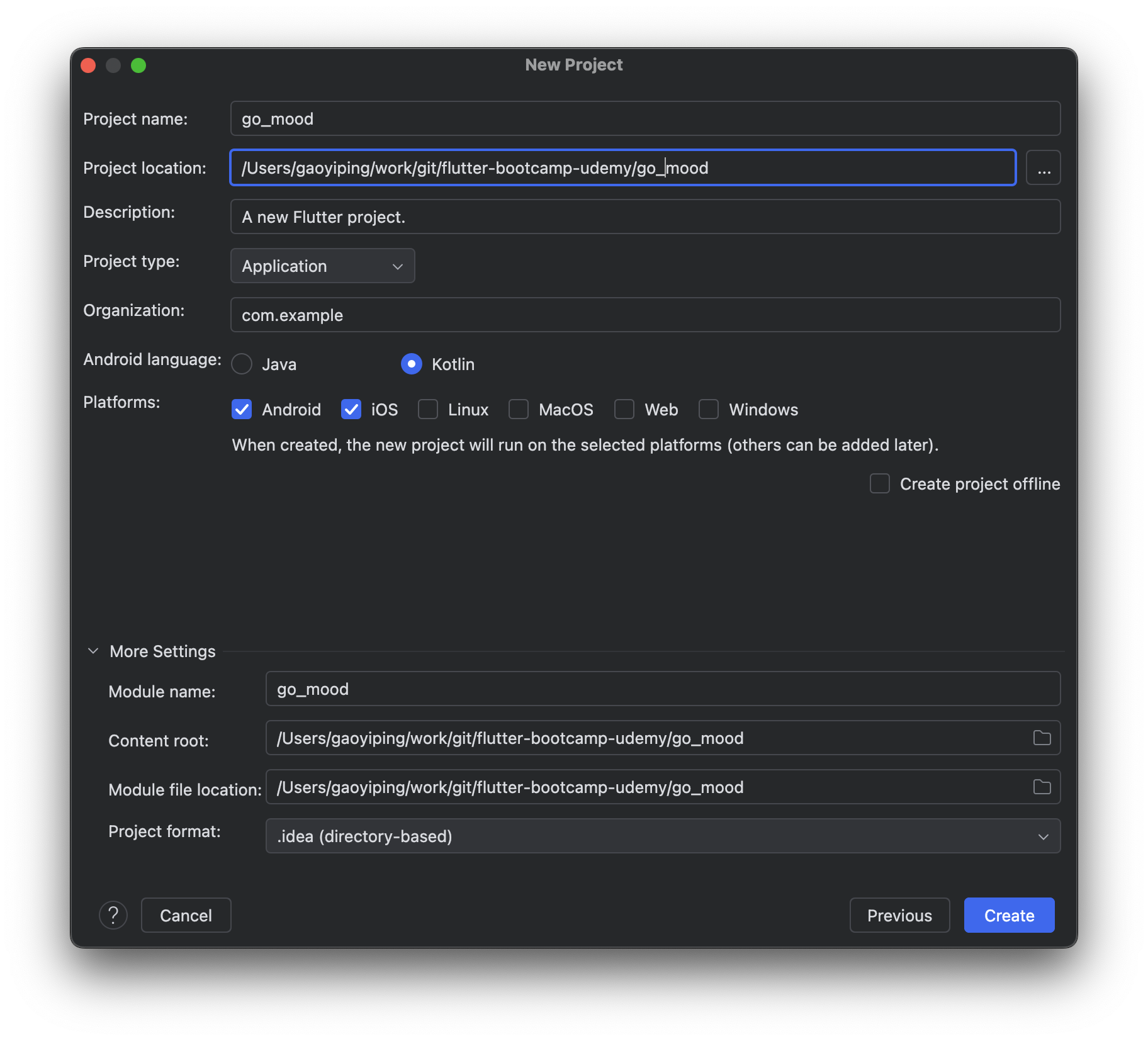
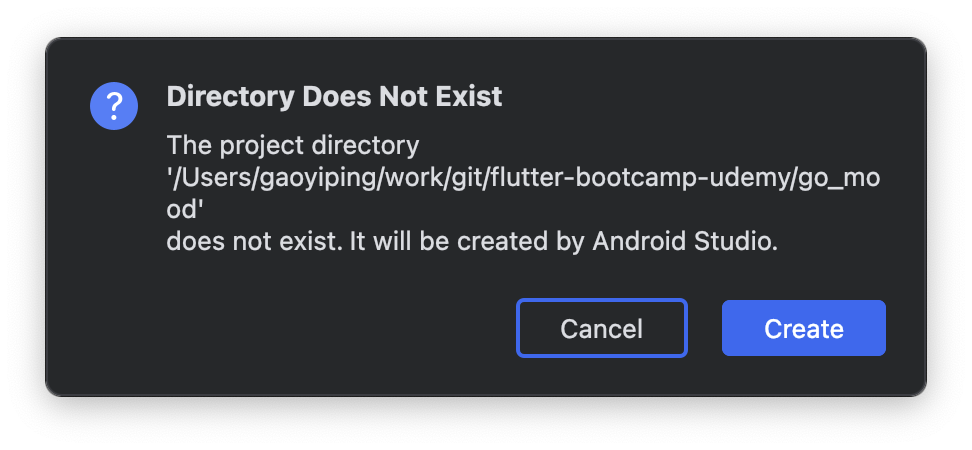
create project

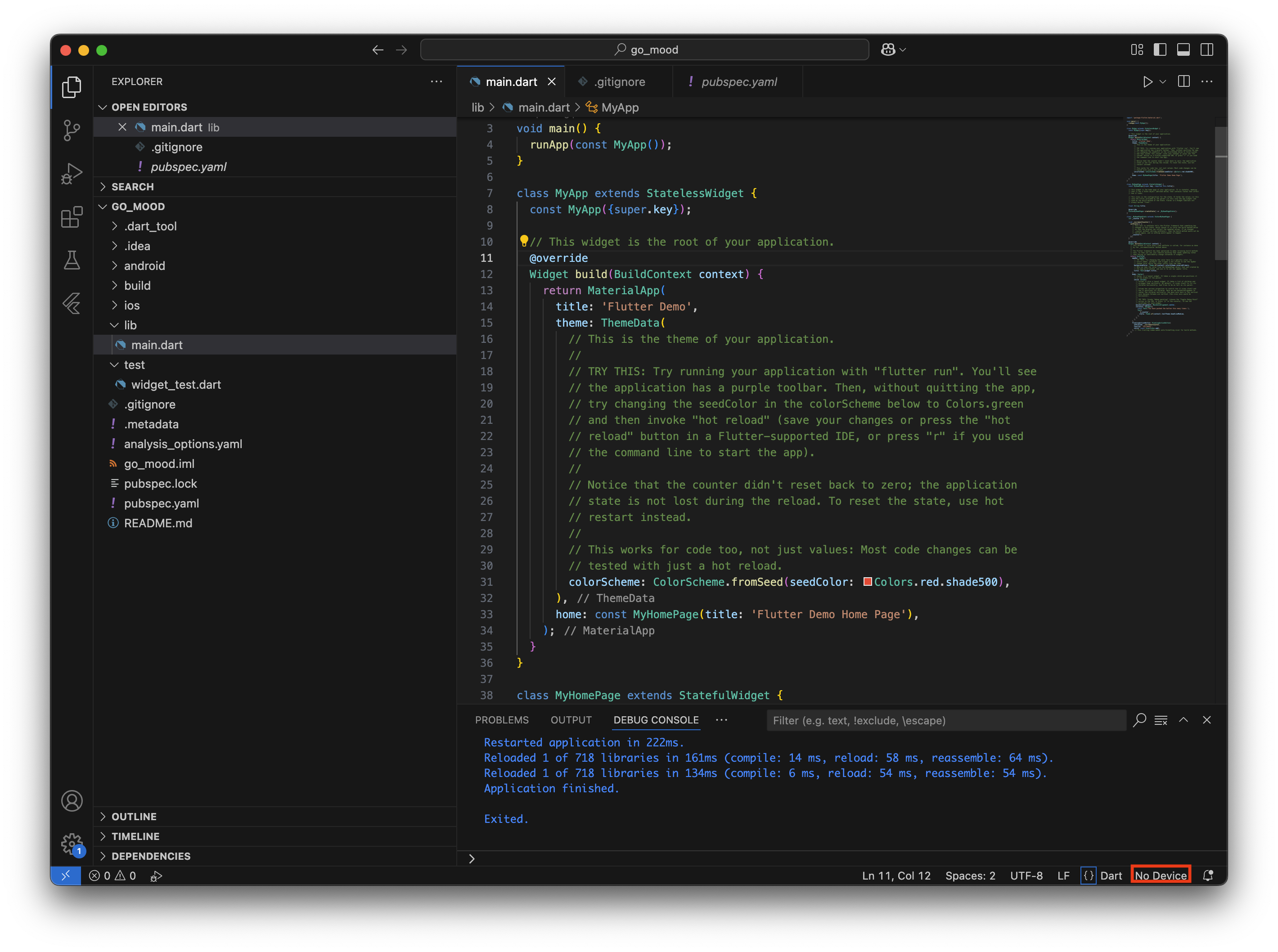
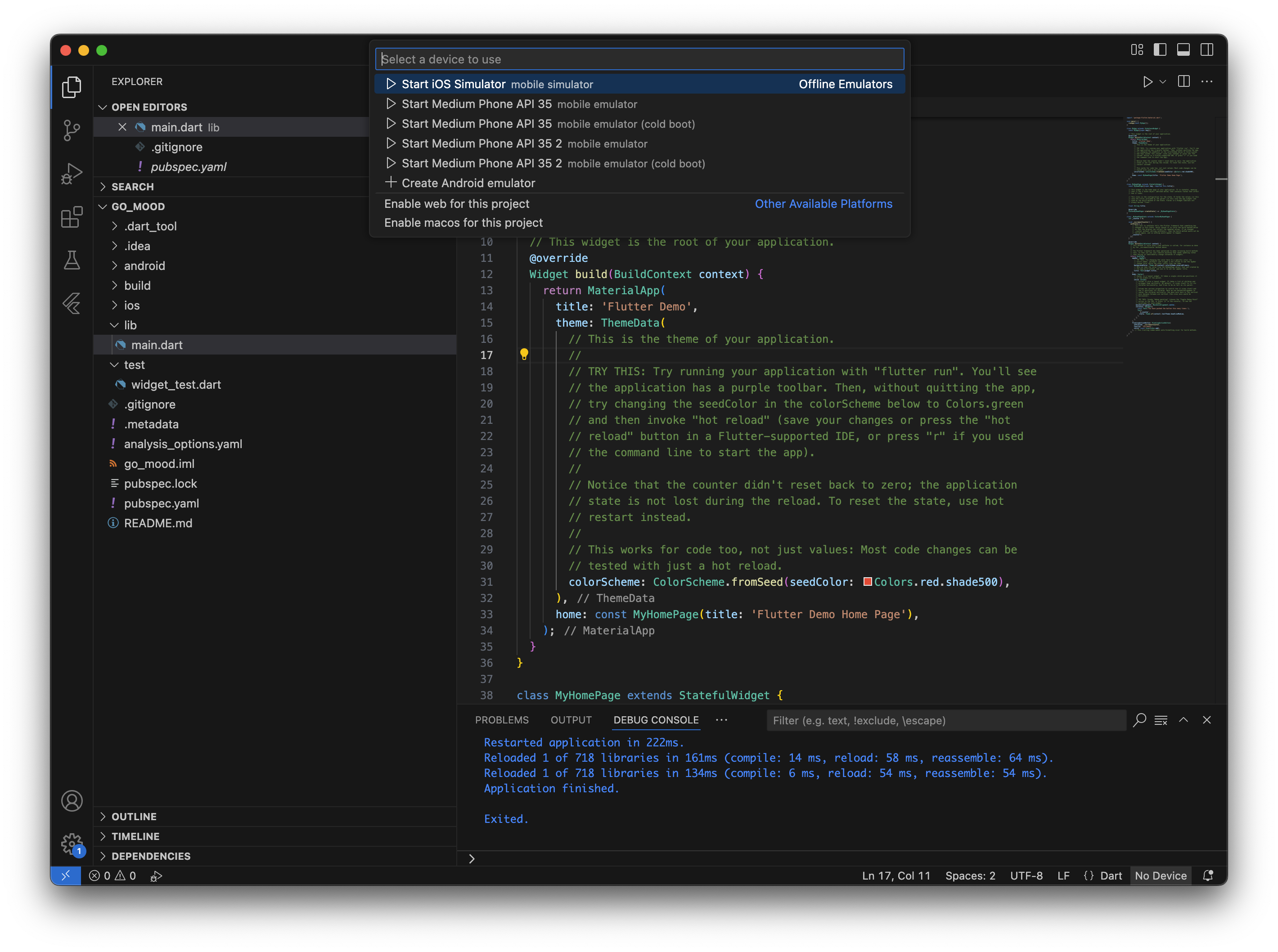
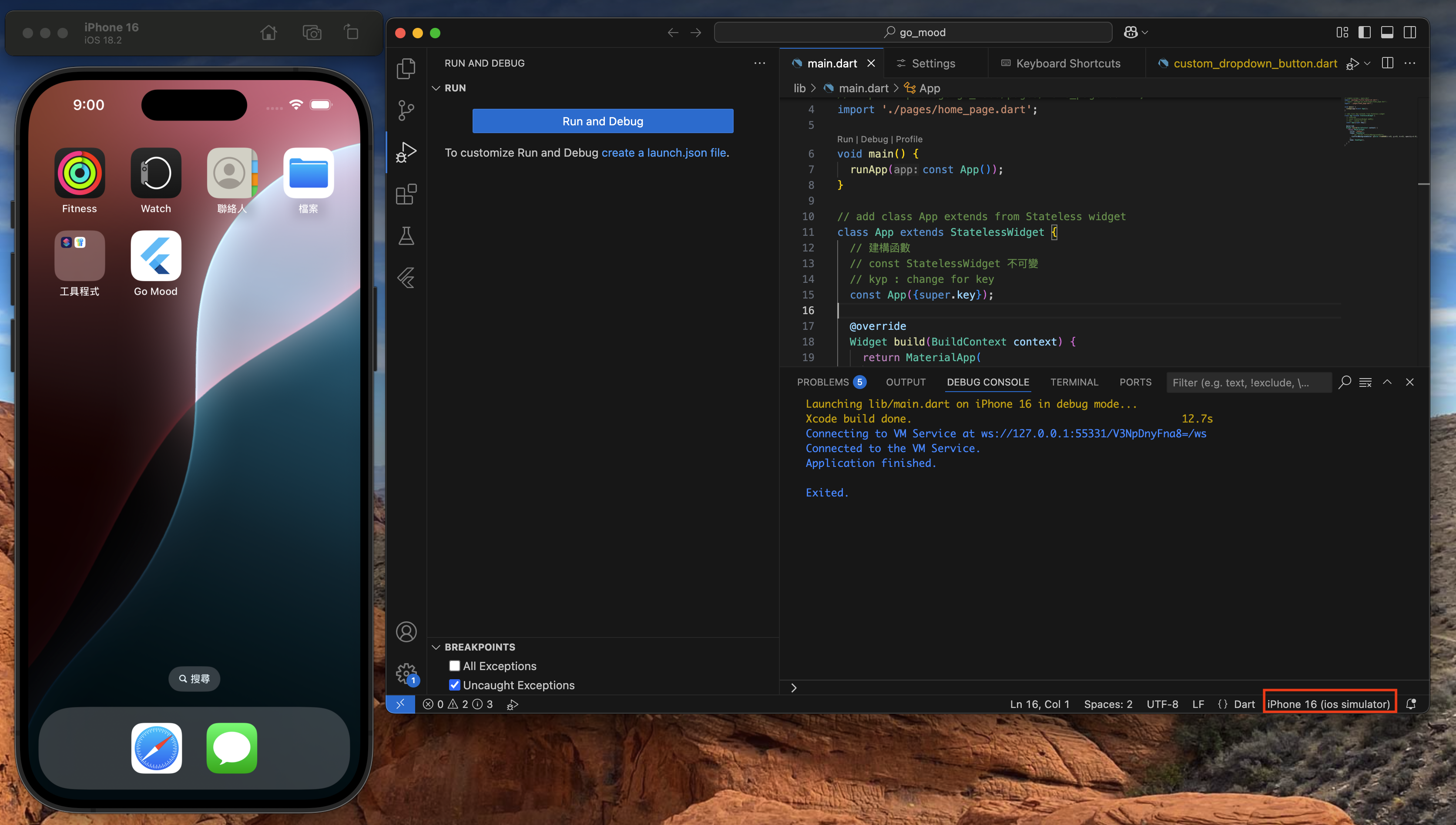
open device

Coding

Simple Screen
1
2
3
4
5
6
7
8
9
10
11
12
13
14
15
16
17
18
19
20
21
22
23
24
25
26
27
28
29
30
31
32
33
34
// simple screen - main.dart
import 'package:flutter/material.dart';

void main() {
runApp(const App());
}

// add class App extends from Stateless widget
class App extends StatelessWidget {
// 建構函數
// ? option
// const StatelessWidget 不可變
const App({Key? key}) : super(key: key);

@override
Widget build(BuildContext context) {
return MaterialApp(
title: "GoMoon",
theme: ThemeData(
// set inside scaffoldBackgroundColor
scaffoldBackgroundColor: Color.fromRGBO(100, 31, 31, 1.0),
),
home: Scaffold(
// set Scaffold background
// backgroundColor: Color.fromRGBO(31, 31, 31, 1.0),
),
);

}
}

// **********
// remove test folder - we're not going to be any tests
// **********
Add Image
lib/main.dart
1
2
3
4
5
6
7
8
9
10
11
12
13
14
15
16
17
18
19
20
21
22
23
24
25
26
27
28
29
// simple screen - main.dart
import 'package:flutter/material.dart';
// import 'package:go_mood/pages/home_page.dart';
import './pages/home_page.dart';

void main() {
runApp(const App());
}

// add class App extends from Stateless widget
class App extends StatelessWidget {
// 建構函數
// const StatelessWidget 不可變
// kyp : change for key
const App({super.key});

@override
Widget build(BuildContext context) {
return MaterialApp(
title: "GoMoon",
theme: ThemeData(
// set inside scaffoldBackgroundColor
scaffoldBackgroundColor: Color.fromRGBO(31, 31, 31, 1.0),
),
home: HomePage(),
);

}
}
lib/pages/home_page.dart
1
2
3
4
5
6
7
8
9
10
11
12
13
14
15
16
17
18
19
20
21
22
import 'package:flutter/material.dart';

class HomePage extends StatelessWidget {
// kyp : change for key
const HomePage({super.key});

@override
Widget build(BuildContext context) {
return Scaffold(
body: Container(
decoration: const BoxDecoration(
color: Colors.red,
image: DecorationImage(
// kyp : image fit setting
fit: BoxFit.fill,
image: AssetImage("assets/images/astro_moon.png"),
),
),
),
);
}
}
assets/images/astro_moon.png
pubspec.yaml
1
2
3
# kyp : add assets for image
assets:
- assets/images/
Add Text Widget
lib/pages/home_page.dart
1
2
3
4
5
6
7
8
9
10
11
12
13
14
15
16
17
18
19
20
21
22
23
24
25
26
27
28
29
30
31
32
33
34
35
36
37
38
39
40
import 'package:flutter/material.dart';

class HomePage extends StatelessWidget {
// kyp : change for key
const HomePage({super.key});

@override
Widget build(BuildContext context) {
return Scaffold(
// kyp: set safe area
body: SafeArea(),
// body: _pageTitle(),
);
}

Widget _pageTitle() {
return const Text(
"#GoMood",
style: TextStyle(
color: Colors.white,
fontSize: 70,
fontWeight: FontWeight.w800,
)
);
}

// _ begin mean private
Widget _astroImageWidget() {
return Container(
decoration: const BoxDecoration(
// color: Colors.red,
image: DecorationImage(
// kyp : image fit setting
fit: BoxFit.fill,
image: AssetImage("assets/images/astro_moon.png"),
),
),
);
}
}
Safe Area
lib/pages/home_page.dart
1
2
3
4
5
6
7
8
9
10
11
12
13
14
15
16
17
18
19
20
21
22
23
24
25
26
27
28
29
30
31
32
33
34
35
36
37
38
import 'package:flutter/material.dart';

class HomePage extends StatelessWidget {
// kyp : change for key
const HomePage({super.key});

@override
Widget build(BuildContext context) {
return Scaffold(
// kyp: set safe area
body: SafeArea(
child: Container(
child: _pageTitle(),
)
),

// body: SafeArea(
// child: Container(
// color: Colors.red
// )
// ),

// body: _pageTitle(),
);
}


Widget _pageTitle() {
return const Text(
"#GoMood",
style: TextStyle(
color: Colors.white,
fontSize: 70,
fontWeight: FontWeight.w800,
)
);
}
}
Access Device’s Height and Width
lib/pages/home_page.dart
1
2
3
4
5
6
7
8
9
10
11
12
13
14
15
16
17
18
19
20
21
22
23
24
25
26
27
28
29
30
31
32
33
34
35
import 'package:flutter/material.dart';

class HomePage extends StatelessWidget {
late double _deviceHeight, _deviceWidth;
// kyp : change for key
HomePage({super.key});

@override
Widget build(BuildContext context) {
_deviceHeight = MediaQuery.of(context).size.height;
_deviceWidth = MediaQuery.of(context).size.width;
return Scaffold(
// kyp: set safe area
body: SafeArea(
child: Container(
// color: Colors.red,
height: _deviceHeight,
width: _deviceWidth,
child: _pageTitle(),
)
),
);
}

Widget _pageTitle() {
return const Text(
"#GoMood",
style: TextStyle(
color: Colors.white,
fontSize: 70,
fontWeight: FontWeight.w800,
)
);
}
}
lib/pages/home_page.dart
1
2
3
4
5
6
7
8
9
10
11
12
13
14
15
16
17
18
19
20
21
22
23
24
25
26
27
28
29
30
31
32
33
34
35
36
37
38
39
40
41
42
43
44
45
46
47
48
49
50
import 'package:flutter/material.dart';

class HomePage extends StatelessWidget {
late double _deviceHeight, _deviceWidth;
// kyp : change for key
HomePage({super.key});

@override
Widget build(BuildContext context) {
_deviceHeight = MediaQuery.of(context).size.height;
_deviceWidth = MediaQuery.of(context).size.width;
return Scaffold(
// kyp: set safe area
body: SafeArea(
child: Container(
// color: Colors.red,
height: _deviceHeight,
width: _deviceWidth,
padding: EdgeInsets.symmetric(horizontal: _deviceWidth * 0.05),
child: _destionationDropDownWidget(),
// child: _pageTitle(),
)
),
);
}

Widget _destionationDropDownWidget() {
List<DropdownMenuItem<String>> _items = [
'James Webb Station',
'Preneure Station',
].map(
// 將這些字串轉換成 DropdownMenuItem<String>
// child: Text(e): 這是顯示在下拉選單的文字。
// value: e: 這是選項對應的值。
(e) {
return DropdownMenuItem(
child: Text(e),
value: e,
);
}
).toList();
// Container,內含 DropdownButton, 內容為剛剛建立的 _items
return Container(
child: DropdownButton(
onChanged: (_) {},
items: _items,
),
);
}
}
Column Widget
lib/pages/home_page.dart
1
2
3
4
5
6
7
8
9
10
11
12
13
14
15
16
17
18
19
20
21
22
23
24
25
26
27
@override
Widget build(BuildContext context) {
_deviceHeight = MediaQuery.of(context).size.height;
_deviceWidth = MediaQuery.of(context).size.width;
return Scaffold(
// kyp: set safe area
body: SafeArea(
child: Container(
// color: Colors.red,
height: _deviceHeight,
width: _deviceWidth,
padding: EdgeInsets.symmetric(horizontal: _deviceWidth * 0.05),
child: Column(
mainAxisAlignment: MainAxisAlignment.spaceBetween,
// main axis : can min or mx
mainAxisSize: MainAxisSize.max,
// cross axis alignment
crossAxisAlignment: CrossAxisAlignment.start,
children: [
_pageTitle(),
_destionationDropDownWidget(),
],
),
)
),
);
}
Widget Style Alignment
lib/pages/home_page.dart
1
2
3
4
5
6
7
8
9
10
11
12
13
14
15
16
17
18
19
20
21
22
23
24
25
26
27
28
29
30
31
32
33
34
35
36
Widget _destionationDropDownWidget() {
List<String> _items = [
'James Webb Station',
'Preneure Station',
];
// Container,內含 DropdownButton, 內容為剛剛建立的 _items
return Container(
padding: EdgeInsets.symmetric(horizontal: _deviceWidth * 0.05),
width: _deviceWidth,
decoration: BoxDecoration(
color: Color.fromRGBO(53, 53, 53, 1.0),
borderRadius: BorderRadius.circular(10),
),
child: DropdownButton(
// 第一個值被選中
value: _items.first,
onChanged: (_) {},
items: _items.map(
// 將這些字串轉換成 DropdownMenuItem<String>
// child: Text(e): 這是顯示在下拉選單的文字。
// value: e: 這是選項對應的值。
(e) {
return DropdownMenuItem(
child: Text(e),
value: e,
);
}
).toList(),
// default under line 被取消
underline: Container(),
// set dropdown color
dropdownColor: Color.fromRGBO(53, 53, 53, 1.0),
style: const TextStyle(color: Colors.white),
),
);
}
lib/pages/home_page.dart
1
2
3
4
5
6
7
8
9
10
11
12
13
14
15
16
17
18
19
20
21
Widget _destionationDropDownWidget() {
return CustomDropDownButtonClass(
values: const [
'James Webb Station',
'Preneure Station',
],
width: _deviceWidth,
);
}

Widget _travellersInformationWidget() {
return CustomDropDownButtonClass(
values: const [
'1',
'2',
'3',
'4',
],
width: _deviceWidth * 0.45,
);
}
lib/widgets/custom_dropdown_button.dart
1
2
3
4
5
6
7
8
9
10
11
12
13
14
15
16
17
18
19
20
21
22
23
24
25
26
27
28
29
30
31
32
33
34
35
36
37
38
39
40
41
42
import 'package:flutter/material.dart';

class CustomDropDownButtonClass extends StatelessWidget {
List<String> values;
double width;

CustomDropDownButtonClass({required this.values, required this.width});

@override
Widget build(BuildContext context) {
// Container,內含 DropdownButton, 內容為剛剛建立的 _items
return Container(
padding: EdgeInsets.symmetric(horizontal: width * 0.05),
width: width,
decoration: BoxDecoration(
color: Color.fromRGBO(53, 53, 53, 1.0),
borderRadius: BorderRadius.circular(10),
),
child: DropdownButton(
// 第一個值被選中
value: values.first,
onChanged: (_) {},
items: values.map(
// 將這些字串轉換成 DropdownMenuItem<String>
// child: Text(e): 這是顯示在下拉選單的文字。
// value: e: 這是選項對應的值。
(e) {
return DropdownMenuItem(
child: Text(e),
value: e,
);
}
).toList(),
// default under line 被取消
underline: Container(),
// set dropdown color
dropdownColor: Color.fromRGBO(53, 53, 53, 1.0),
style: const TextStyle(color: Colors.white),
),
);
}
}
Row, Column Widget
lib/pages/home_page.dart
1
2
3
4
5
6
7
8
9
10
11
12
13
14
15
16
17
18
19
20
21
22
23
24
25
26
27
28
29
30
31
32
33
34
35
36
37
38
39
40
41
42
43
44
45
46
47
48
49
50
51
52
53
54
55
56
57
58
59
60
61
62
63
64
65
66
67
68
69
70
71
72
73
74
75
76
77
78
79
80
81
82
83
84
85
86
87
88
89
90
91
92
93
94
95
96
97
98
99
100
import 'package:flutter/material.dart';
import 'package:go_mood/widgets/custom_dropdown_button.dart';

class HomePage extends StatelessWidget {
late double _deviceHeight, _deviceWidth;
// kyp : change for key
HomePage({super.key});

@override
Widget build(BuildContext context) {
_deviceHeight = MediaQuery.of(context).size.height;
_deviceWidth = MediaQuery.of(context).size.width;
return Scaffold(
// kyp: set safe area
body: SafeArea(
child: Container(
// color: Colors.red,
height: _deviceHeight,
width: _deviceWidth,
padding: EdgeInsets.symmetric(horizontal: _deviceWidth * 0.05),
child: Column(
mainAxisAlignment: MainAxisAlignment.spaceBetween,
// main axis : can min or mx
mainAxisSize: MainAxisSize.max,
// cross axis alignment
crossAxisAlignment: CrossAxisAlignment.start,
children: [
_pageTitle(),
_bookRideWidget(),
],
),
)
),
);
}

Widget _pageTitle() {
return Text(
"#GoMoon",
style: TextStyle(
color: Colors.white,
fontSize: 60,
fontWeight: FontWeight.w800,
)
);
}

Widget _bookRideWidget() {
return Container(
height: _deviceHeight * 0.25,
child: Column(
mainAxisAlignment: MainAxisAlignment.spaceBetween,
mainAxisSize: MainAxisSize.max,
crossAxisAlignment: CrossAxisAlignment.center,
children: [
_destionationDropDownWidget(),
_travellersInformationWidget(),
],
)
);
}

Widget _destionationDropDownWidget() {
return CustomDropDownButtonClass(
values: const [
'James Webb Station',
'Preneure Station',
],
width: _deviceWidth,
);
}

Widget _travellersInformationWidget() {
return Row(
mainAxisAlignment: MainAxisAlignment.spaceBetween,
mainAxisSize: MainAxisSize.max,
crossAxisAlignment: CrossAxisAlignment.center,
children: [
CustomDropDownButtonClass(
values: const [
'1',
'2',
'3',
'4',
],
width: _deviceWidth * 0.45,
),
CustomDropDownButtonClass(
values: const [
'Economy',
'Business',
'First',
'Private',
],
width: _deviceWidth * 0.4,
),
],
);
}
}
Material Button Widget
lib/pages/home_page.dart
1
2
3
4
5
6
7
8
9
10
11
12
13
14
15
16
17
18
19
Widget _rideButton( ){
return Container(
margin: EdgeInsets.only(bottom: _deviceHeight * 0.01),
width: _deviceWidth,
decoration: BoxDecoration(
color: Colors.white,
borderRadius: BorderRadius.circular(10),
),
child: MaterialButton(
onPressed: (){},
child: const Text(
"Book Ride!",
style: TextStyle(
color: Colors.black,
)
),
),
);
}
Stack nd Align Widget
lib/pages/home_page.dart
1
2
3
4
5
6
7
8
9
10
11
12
13
14
15
16
17
18
19
20
21
22
23
24
25
26
27
28
29
30
31
32
33
34
35
36
37
38
39
40
41
42
43
44
45
46
47
48
49
50
51
52
53
54
55
56
57
58
59
60
61
62
63
64
65
66
67
68
69
70
71
72
73
74
75
76
77
78
79
80
81
82
83
84
85
86
87
88
89
90
91
92
93
94
95
96
97
98
99
100
101
102
103
104
105
106
107
108
109
110
111
112
113
114
115
116
117
118
119
120
121
122
123
124
125
126
127
128
129
130
131
132
133
134
135
136
137
138
139
140
141
142
143
144
145
import 'package:flutter/material.dart';
import 'package:go_mood/widgets/custom_dropdown_button.dart';

class HomePage extends StatelessWidget {
late double _deviceHeight, _deviceWidth;
// kyp : change for key
HomePage({super.key});

@override
Widget build(BuildContext context) {
_deviceHeight = MediaQuery.of(context).size.height;
_deviceWidth = MediaQuery.of(context).size.width;
return Scaffold(
// kyp: set safe area
body: SafeArea(
child: Container(
// color: Colors.red,
height: _deviceHeight,
width: _deviceWidth,
padding: EdgeInsets.symmetric(horizontal: _deviceWidth * 0.05),
child: Stack(
children: [
Column(
mainAxisAlignment: MainAxisAlignment.spaceBetween,
// main axis : can min or mx
mainAxisSize: MainAxisSize.max,
// cross axis alignment
crossAxisAlignment: CrossAxisAlignment.start,
children: [
_pageTitle(),
_bookRideWidget(),
],
),
Align(
alignment: Alignment.centerRight,
child: _astroImageWidget(),
),
],
),
)
),
);
}

Widget _pageTitle() {
return Text(
"#GoMoon",
style: TextStyle(
color: Colors.white,
fontSize: 60,
fontWeight: FontWeight.w800,
)
);
}

// _ begin mean private
Widget _astroImageWidget() {
return Container(
height: _deviceHeight * 0.50,
width: _deviceWidth * 0.65,
decoration: const BoxDecoration(
// color: Colors.red,
image: DecorationImage(
// kyp : image fit setting
fit: BoxFit.fill,
image: AssetImage("assets/images/astro_moon.png"),
),
),
);
}

Widget _bookRideWidget() {
return Container(
height: _deviceHeight * 0.25,
child: Column(
mainAxisAlignment: MainAxisAlignment.spaceBetween,
mainAxisSize: MainAxisSize.max,
crossAxisAlignment: CrossAxisAlignment.center,
children: [
_destionationDropDownWidget(),
_travellersInformationWidget(),
_rideButton(),
],
)
);
}

Widget _destionationDropDownWidget() {
return CustomDropDownButtonClass(
values: const [
'James Webb Station',
'Preneure Station',
],
width: _deviceWidth,
);
}

Widget _travellersInformationWidget() {
return Row(
mainAxisAlignment: MainAxisAlignment.spaceBetween,
mainAxisSize: MainAxisSize.max,
crossAxisAlignment: CrossAxisAlignment.center,
children: [
CustomDropDownButtonClass(
values: const [
'1',
'2',
'3',
'4',
],
width: _deviceWidth * 0.45,
),
CustomDropDownButtonClass(
values: const [
'Economy',
'Business',
'First',
'Private',
],
width: _deviceWidth * 0.4,
),
],
);
}

Widget _rideButton( ){
return Container(
margin: EdgeInsets.only(bottom: _deviceHeight * 0.01),
width: _deviceWidth,
decoration: BoxDecoration(
color: Colors.white,
borderRadius: BorderRadius.circular(10),
),
child: MaterialButton(
onPressed: (){},
child: const Text(
"Book Ride!",
style: TextStyle(
color: Colors.black,
)
),
),
);
}
}

reference