chatgpt for coding

QR code API

add virtual machine

1
2
3
4
5
6
7
8
py --version
Python 3.11.0
py --list
-V:3.11 * Python 3.11 (64-bit)
-V:3.10 Python 3.10 (64-bit)
-V:3.9
py -3.10 -m virtualenv myenvflask_310
d:\app\python_env\myenvflask_310\Scripts\activate

ask chatgpt

1
2
please help generate the code, and some comment in clode, also give example how to run
code for python flask api server that tahe 'GET' request with url as string and conver it to qr code image and send it back as api response

install package

1
2
3
4
pip install flask
python.exe -m pip install --upgrade pip
pip install qrcode
pip install Pillow

qr.py file

1
2
3
4
5
6
7
8
9
10
11
12
13
14
15
16
17
18
19
20
21
22
23
24
25
26
27
28
29
from flask import Flask, request, send_file
import qrcode
from PIL import Image
from io import BytesIO

app = Flask(__name__)

@app.route('/qrcode', methods=['GET'])
def generate_qr():
# get the url parameter from the query string
url = request.args.get('url')

# generate the QR code image
qr = qrcode.QRCode(version=1, box_size=10, border=5)
qr.add_data(url)
qr.make(fit=True)
img = qr.make_image(fill_color='black', back_color='white')

# save the image to a file-like object
img_file = BytesIO()
img.save(img_file, 'PNG')
img_file.seek(0)

# return the image as an API response
return send_file(img_file, mimetype='image/PNG')

# add run app
if __name__=="__main__":
app.run()

run

1
python qr.py

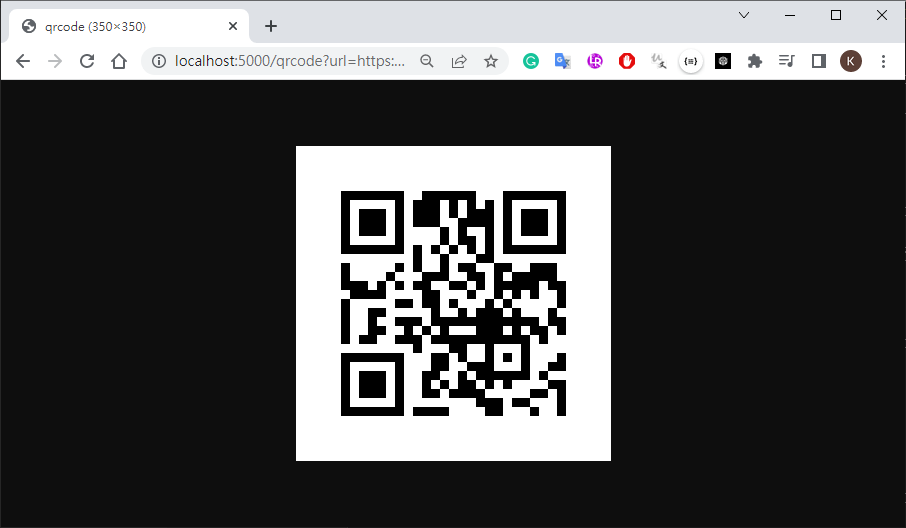
http://localhost:5000/qrcode?url=https://www.pchome.com.tw

ask chatgpt #2

1
how to make response downloadable?

qr.py modify(the QR code dave to download directory)

1
2
3
4
5
6
7
8
9
10
11
12
13
14
15
16
17
18
19
20
21
22
23
24
25
26
27
28
29
30
31
32
33
34
35
from flask import Flask, request, send_file, make_response
import qrcode
from PIL import Image
from io import BytesIO

app = Flask(__name__)

@app.route('/qrcode', methods=['GET'])
def generate_qr():
# get the url parameter from the query string
url = request.args.get('url')

# generate the QR code image
qr = qrcode.QRCode(version=1, box_size=10, border=5)
qr.add_data(url)
qr.make(fit=True)
img = qr.make_image(fill_color='black', back_color='white')

# save the image to a file-like object
img_file = BytesIO()
img.save(img_file, 'PNG')
img_file.seek(0)

# create a response object with the image data
response = make_response(img_file.getvalue())

# set the headers for the response
response.headers.set('Content-Type', 'image/png')
response.headers.set('Content-Disposition', 'attachment', filename='qrcode.png')
return response

# add run app
if __name__=="__main__":
app.run()

說明

  • Python Flask : Flask是一個使用Python編寫的輕量級Web應用框架

Ref

  • Rapid API:RapidAPI 收集了網路上各式各樣的 API
  • PythonAnywhere:提供python環境,免費帳號限制如下
    • 只能建立一個 App (應用程式)
    • 網外存取 Internet 有限制
    • CPU 與儲存有限制 (一天 100 秒 CPU 時間, 512MB 儲存)
    • 不提供 Jupyter (但有 IPython)
    • 只能有兩個 Console (Bash 與 Python)