OpenAI 說明

1st example

install openai

1
npm install openai

index.js(copy from openai)

1
2
3
4
5
6
7
8
9
10
11
12
13
14
// const { Configuration, OpenAIApi } = require("openai");
import { Configuration, OpenAIApi } from "openai";

const configuration = new Configuration({
apiKey: "copy key from openai",
});
const openai = new OpenAIApi(configuration);
const response = await openai.createCompletion({
model: "text-davinci-003",
prompt: "Say this is a test",
max_tokens: 7,
temperature: 0,
});
console.log(response.data)
1
2
3
4
5
6
7
8
9
10
11
12
13
14
15
16
17
18
19
20
21
import { Configuration, OpenAIApi } from "openai";

const configuration = new Configuration({
apiKey: "copy key from openai",
});
const openai = new OpenAIApi(configuration);

// give chatGPT role
var message = "should i get fishing"
const response = await openai.createCompletion({
model: "text-davinci-003",
prompt: `Pretend ypu are Steve Jobs. Answer with motivation content.
Stevn: How can I help you today?
Person: I want some motivation.
Steve: You are amazing, you can create any tyoe of business you want.
Person: ${message}
`,
max_tokens: 100,
temperature: 0,
});
console.log(response.data)

package.json add “type”: “module”

1
2
3
4
5
6
{
"type": "module",
"dependencies": {
"openai": "^3.2.1"
}
}

run

1
2
3
4
5
6
7
8
9
10
11
12
13
14
15
16
D:\work\run\openapi>node index.js
{
id: 'cmpl-6s1VJXc3rceBSkKcEszIe4Mwgyeir',
object: 'text_completion',
created: 1678333513,
model: 'text-davinci-003',
choices: [
{
text: '\n\nThis is indeed a test',
index: 0,
logprobs: null,
finish_reason: 'length'
}
],
usage: { prompt_tokens: 5, completion_tokens: 7, total_tokens: 12 }
}

course - Content Creation with Midjourney

Entering Effective prompt

  • Be Specific(具體)
  • Command List (midjourney command)
  • include context(上下文)
  • Take advantage of images database(參考其他生成圖像)

midjourney

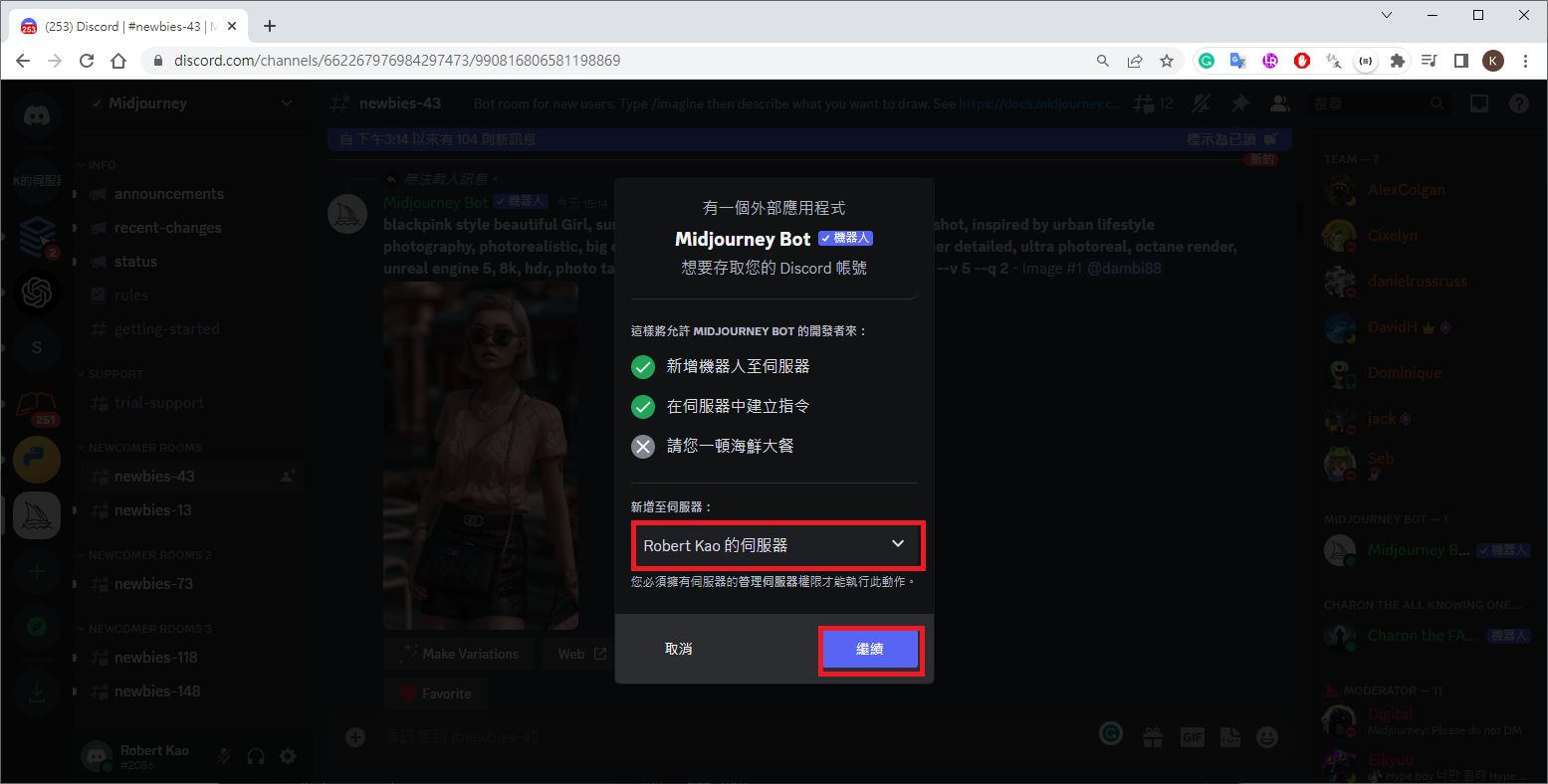
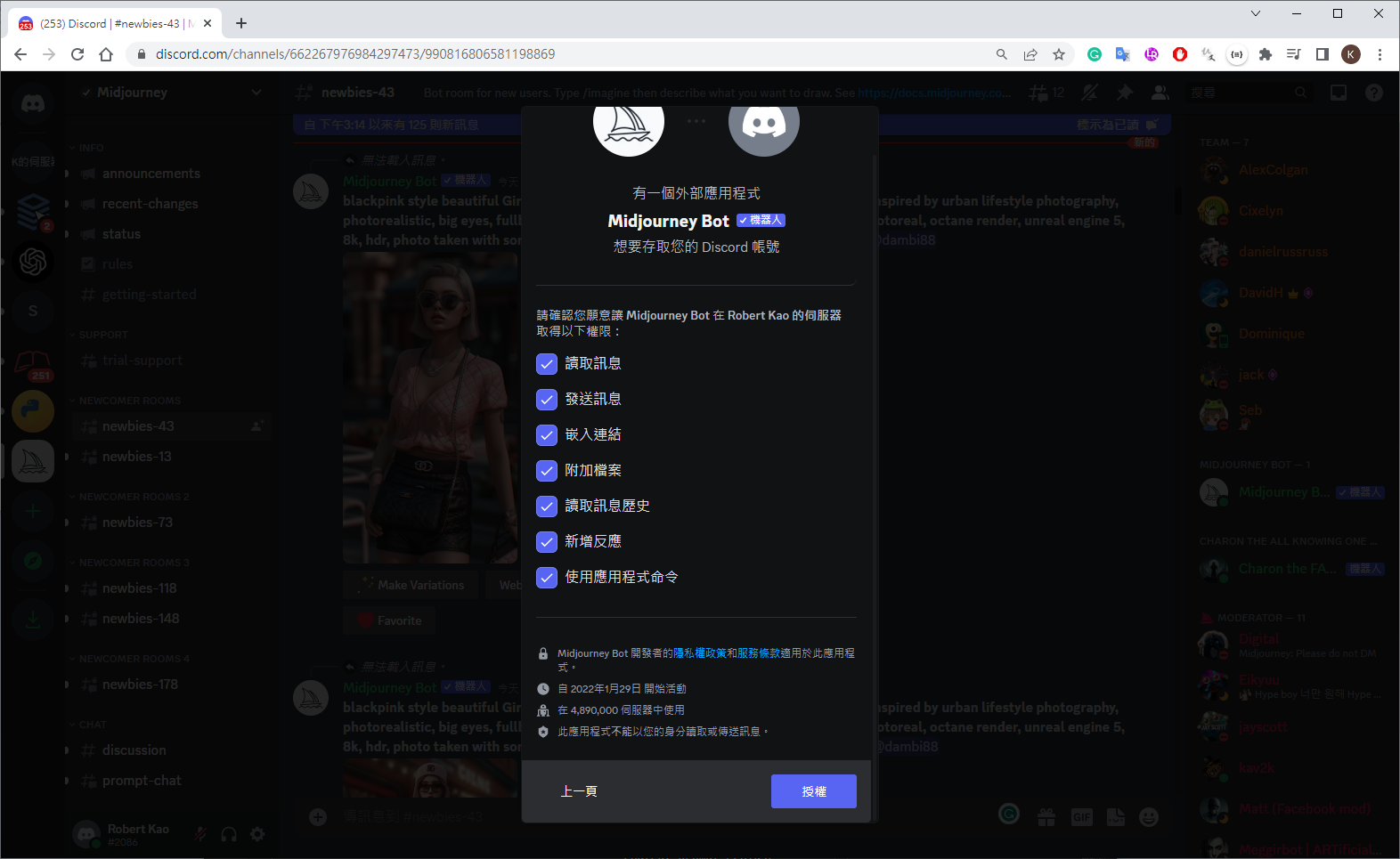
login Discord

login Midjourney

command

1
2
3
4
5
6
7
8
9
10
11
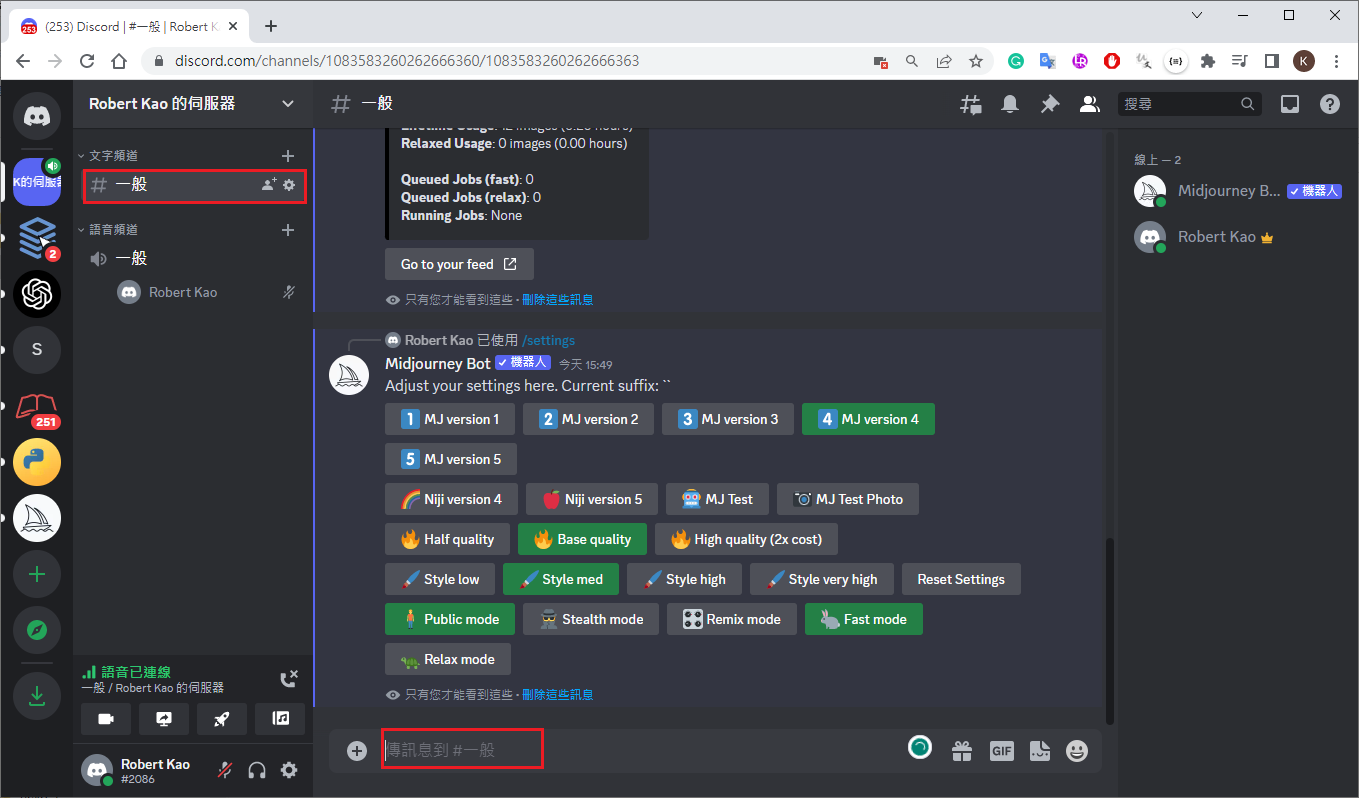
# info : see account information
/info

# image generate
/imagine prompt:

# show setting
/settings

回推這張圖片的提示詞
/describe

prompt

  • 主題跟背景
  • 風格與媒介:插畫,平面設計,照片(illustraion,painting,phtograph)
  • 顏色與氛圍
parameter
1
2
3
4
5
6
7
8
9
10
11
12
13
14
15
16
17
18
19
20
21
22
23
24
25
26
27
28
29
30
31
32
33
34
35
36
37
38
39
40
41
42
43
44
45
46
47
48
49
50
51
52
53
54
55
56
57
58
59
60
61
62
63
64
65
66
# 主題, 畫風, 顏色/光線, 作畫模式 ....(", " 分開)
# ===========================================
# --v 1,--v 2,--v 3,--v 4,--v 5,--v 5.1,--niji 4,--niji 5
# --v 4 : version 4 (好像比較華麗,有氛圍感)
# --v 5 : version 5 (比較逼真)
# --v 5.1 : 帶個人觀點,短的prompt校變更好,較像V5
# --niji 4,--niji 5 : 漫畫風格
# ===========================================
# raw mode:較像v5,擅長處理很長的prompt
# --style raw: 僅 v 5.1 提供, 強調盡量符合使用者提示
# ===========================================
# --q .5 : Quality, changes how much time is spent generating an image(精細程度)
# .25, .5, and 1(default),2
# ===========================================
# --s 0-1000 : Stylize - 數值愈大藝術性越高(與提示相關越小)
# Low stylization values produce images that closely match the prompt but are less artistic.
# High stylization values create images that are very artistic but less connected to the prompt.
# ===========================================
# remix mode: Variations 可輸入提示
# ===========================================
# --ar 16:10 : 比例
# --ar 16:10 A computer screen might have a ratio of
# --ar 1:1 Default aspect ratio.
# --ar 5:4 Common frame and print ratio.
# --ar 3:2 Common in print photography.
# --ar 7:4 Close to HD TV screens and smartphone screens.
# ===========================================
# --no leaf : 不要什麼元素(葉子)
# --no water trees
# ===========================================
# 提示圖像: 1.load picture, 2.drop to command, 3.add other promp
# --iw:.5~2(v5), 越大相關性越高
# prompt example: /imagine prompt flowers.jpg birthday cake --iw .5
# ===========================================
# ::多提示
# hot:: dog produced a dog that is hot.
# hot::2, dog::1 = makes the word hot twice as important as the word dog
# ===========================================
# /blend :混和兩張圖
# ===========================================
# --seed : 0–4294967295,uses a seed number to create a field of visual noise,相同的數值可產生相近的圖
# ===========================================
# video only support version 3 (4 and 5 not support, add envolope can see it)
# a hacker sitting in front of a computer::3, and hacking:2, in a dock enviornment, duotone green::3 and blcke::1 --video --v 3
# ===========================================
# --chaos
# --c 0-100 : 數字愈高畫風愈特別
# ===========================================
# --repeat 4 : 重複送出4次
# ===========================================
# --seed :取得這張圖的編號
# --iw 0.9 : Image Weight(圖像佔有的比重)
# --niji : 二次元化(不能同時用-iw)
# --video : create a short movie
# ============================
# --stop : accepts values: 10–100, 較小值產生模糊效果
# --tile : generates images that can be used as repeating
# --r : parameter runs a Job multiple times
# --repeat is available for Standard and Pro subscribers
# --repeat accepts values 2–10 for Standard subscribers.
# --repeat accepts values 2–40 for Pro subscribers.
# ============================
# yellow palette : 黃色風格
# octane render : 3D
# =============================
# --test --creative : 官方測試較細膩(不知是否還有用)
option(自訂 parameter)
1
2
3
4
5
6
7
8
9
10
# --cb : color book
# vector lines style of comic, style of coloring book, thick, clear, lines, black, and white --ar 2:3
/prefer option set option:cb value:vector lines style of comic, style of coloring book, thick, clear, lines, black, and white --ar 2:3
# outline border, vector lines style of comic, style of coloring book, thick, clear, lines, black, and white --ar 2:3
/prefer option set option:cb value:outline border, vector lines style of comic, style of coloring book, thick, clear, lines, black, and white --ar 2:3

# list option
/prefer option list
wallpaper: --w 1920 --h 1024 --hd
cb: vector lines style of comic, style of coloring book, thick, clear, lines, black, and white --ar 2:3
prompt example
  • t-shirt design graphic of a synth-wave chicken wearing sunglasses in front of a minimalistic sunset with a contour and dark background –no mockup –v 4
prompt subset
  • Andreas Achenbach style
special words
  • 32 bit isometric : 3D

  • water sketch : 水素描

  • movie poster : 電影海報

  • anime : 動畫

  • minimalist : 極簡主義

  • 8k

  • softly blended hues : 柔和的混合色調

  • timeless beauty : 永恆的美麗

  • Photobash : 照片

  • 32k uhd : 超高清

  • realistic : 寫實

  • desertwave : 沙漠波

  • reportage style : 報導文學風格

  • Wide-angle lens : 廣角鏡頭

  • –q 2 : 高精細程度

  • –style raw : 盡量符合使用者提示(v 5.1)

  • –ar 4:3 : 相片比例

  • –v 5.1

  • Simple and engaging : 簡單而引人入勝

  • low - detailed illustrations : 低細節圖

  • black and white coloring page for kids cartoon

How to Create Consistent Characters in Midjourney
  • draw 1 charater likest, –ar 3:2 the upscare
  • Upload Your Image
  • …, full body image –ar 3:2
  • get seed : seed 1083266338( give name Magnus)
other control
  • develop : 可收到4張分開圖,及 seed 值
T-shirt
1
2
3
4
5
6
7
8
9
10
11
12
Etsy
2000

+ [Etsy](https://www.etsy.com/)
+ [TMhunt](http://tmhunt.com/]): check trademark
+ [replicate nightmareai](https://replicate.com/nightmareai/real-esrgan): 放大 size
T-shirt: 1024*6
W:4500, H:5400, resolution:300, orientation:portrait mode,
DPI
Kittl
Canva
photopea
web design
Midjourney Web Design: The Complete Prompt Guide
1
2
3
4
5
6
7
8
9
10
11
12
13
14
15
# web design for... or modern web design for...
# web design for a generic SaaS startup --ar 3:2
# web design for a flight discount service
# web design for a flight discount service --no shading realism photo details
# Use "--ar 3:2" if you are creating web designs
# web design for a plant database, minimal vector flat --no photo detail realistic
# web design for a plant database, minimal vector flat --no photo detail realistic --ar 3:2
# web design for a plant database, minimal vector flat --no photo detail realistic
# web design for a plant database, minimal vector flat --no photo detail realistic --ar 3:2
# To frame or not to frame? - macbook m1 mockup (macbook m1 樣機)
# web design for a hotel website --no shading realism details --seed 1024912
# web design for a hotel website macbook m1 mockup --no shading realism details --seed 1024912
# Design only device - computer window
# web design for a flight discount service --no shading realism photo details --seed 1024912
# web design for a flight discount service --no shading realism photo details device computer window --seed 1024912
How to Build the Best Midjourney Web Designs

Setup Your Own Midjourney Server
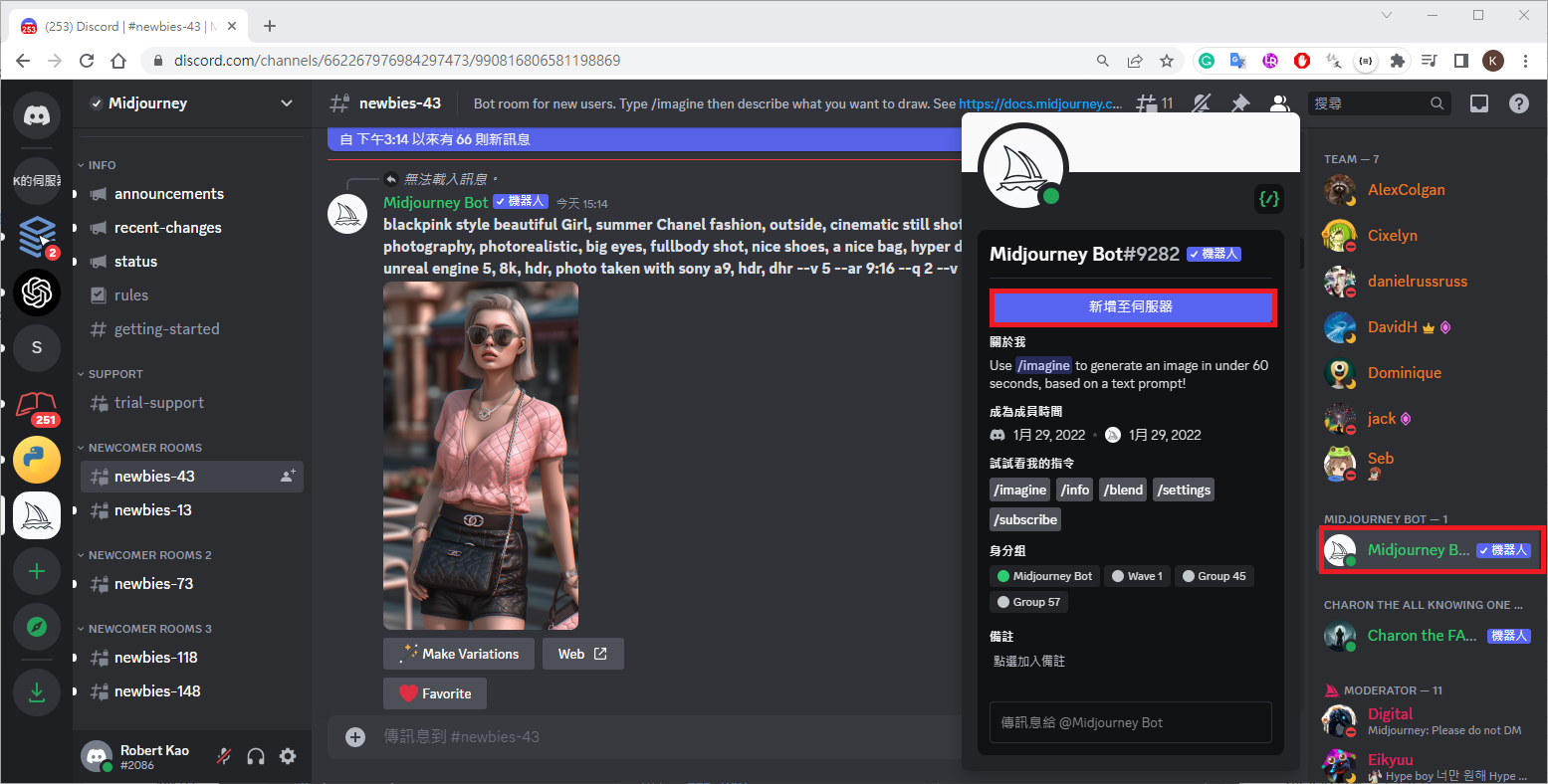
COMMINITY FORUMS

  • prompt-faqs

chatGPT generate prompt

蘋果妹
1
2
3
4
5
I'm using an image generating ai called Midjourney. I want you to act as a Midjourney prompt generator.I will add/before the subject I want to generate. you are going generate
appropriate prompts under different circumstances, For example, if I type /sports shoes
product image, you are going to generate prompts like"Realistic true details photography
of sports shoes, y2k, lively, bright colors, product photography, Sony A7R IV, clean sharp
focus"

style reference

Midjourney Keywords & Styles

info record

2023/05/10
1
2
3
4
5
6
7
8
9
10
Subscription: Basic (Active monthly, renews next on 2023年5月23日 11:54)
Job Mode: Fast
Visibility Mode: Public
Fast Time Remaining: 107.72/200.0 minutes (53.86%)
Lifetime Usage: 158 images (3.81 hours)
Relaxed Usage: 0 images (0.00 hours)

Queued Jobs (fast): 0
Queued Jobs (relax): 0
Running Jobs: None
2023/05/10-2
1
2
3
4
5
6
7
8
9
10
Subscription: Basic (Active monthly, renews next on 2023年5月23日 11:54)
Job Mode: Fast
Visibility Mode: Public
Fast Time Remaining: 106.90/200.0 minutes (53.45%)
Lifetime Usage: 159 images (3.82 hours)
Relaxed Usage: 0 images (0.00 hours)

Queued Jobs (fast): 0
Queued Jobs (relax): 0
Running Jobs: None

DALL-E2

ideas

  • chatgpt midjourney picture book

Tool

Ref