MongoDB docker

MongoDB install to docker

get image

1
docker pull mongo

create and run

1
2
3
4
5
# doesn't set port
docker run --name ithome-mongo2 -e MONGO_INITDB_ROOT_USERNAME=mongoadmin -e MONGO_INITDB_ROOT_PASSWORD=mg123456 -v D:\app\docker\ithome2\mongo:/data/db -d mongo

# set port 27017
docker run --name ithome-mongo -e MONGO_INITDB_ROOT_USERNAME=mongoadmin -e MONGO_INITDB_ROOT_PASSWORD=mg123456 -v D:\app\docker\ithome\MonoDbData:/data/db -p 27017:27017 -d mongo

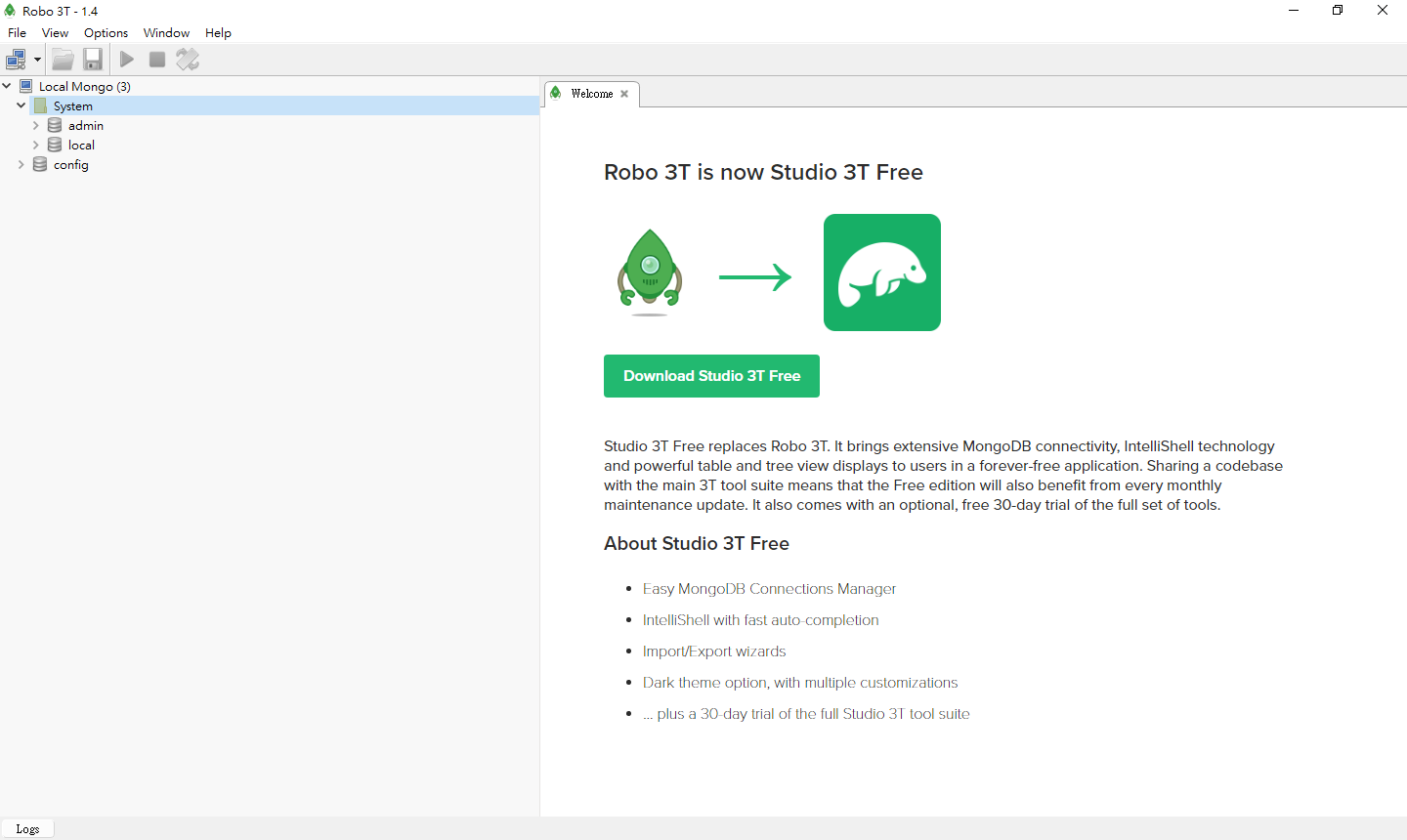
Management - Robo 3T

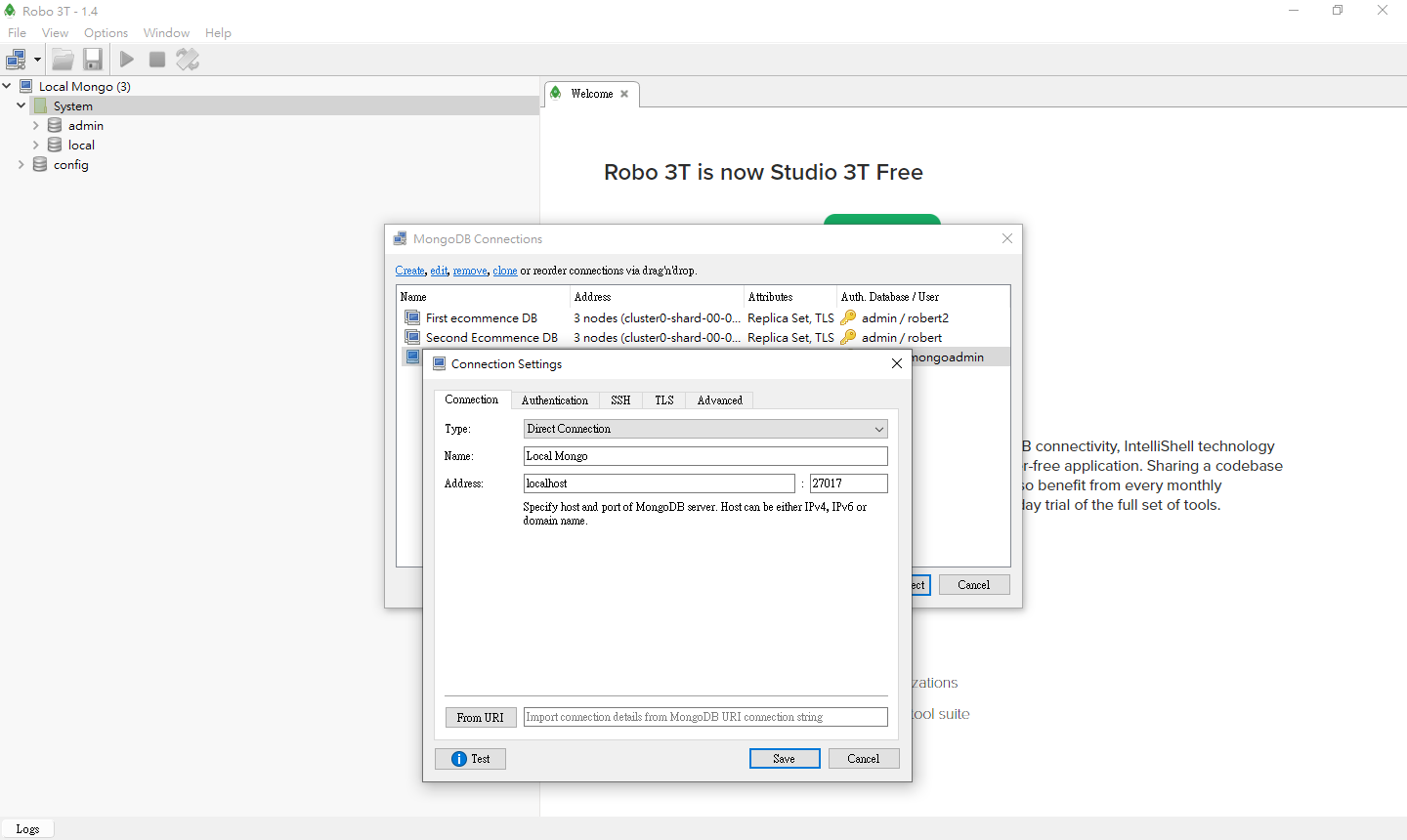
create connect

mongoadmin:mg123456

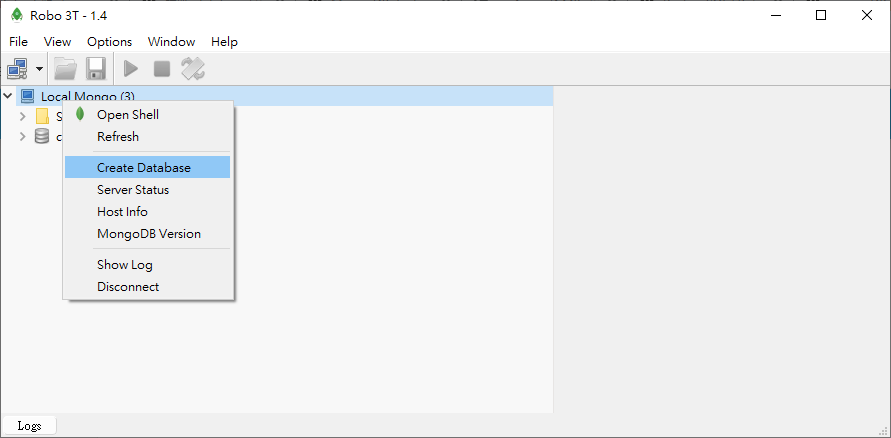
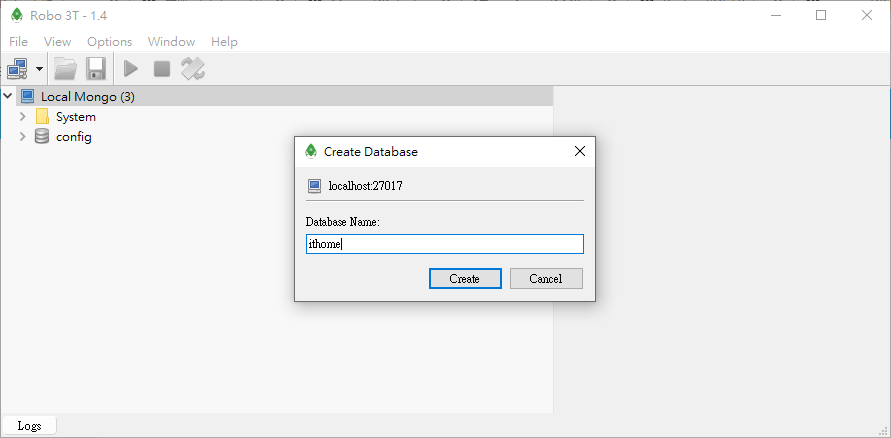
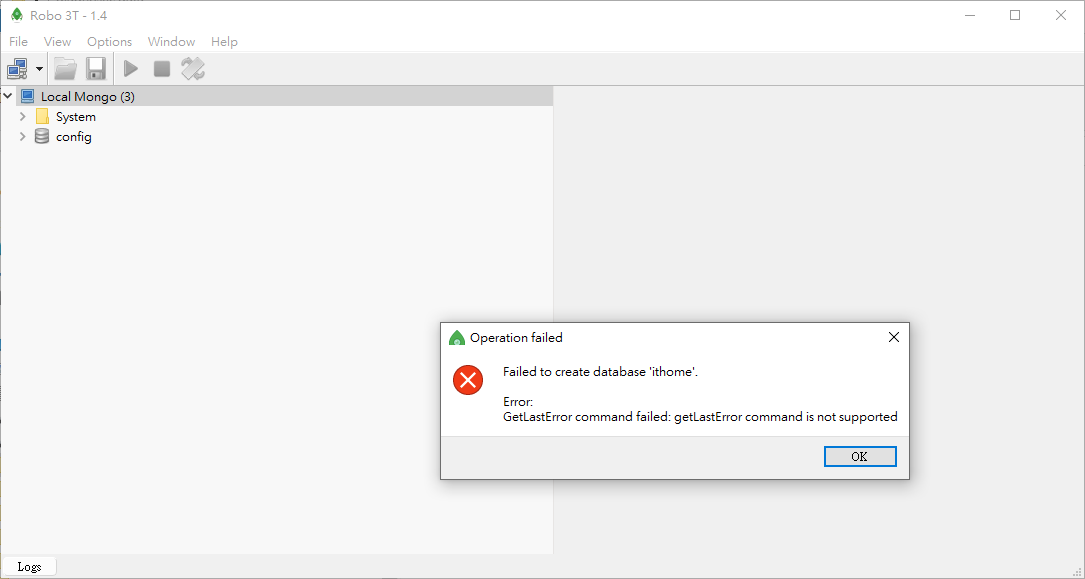
create database

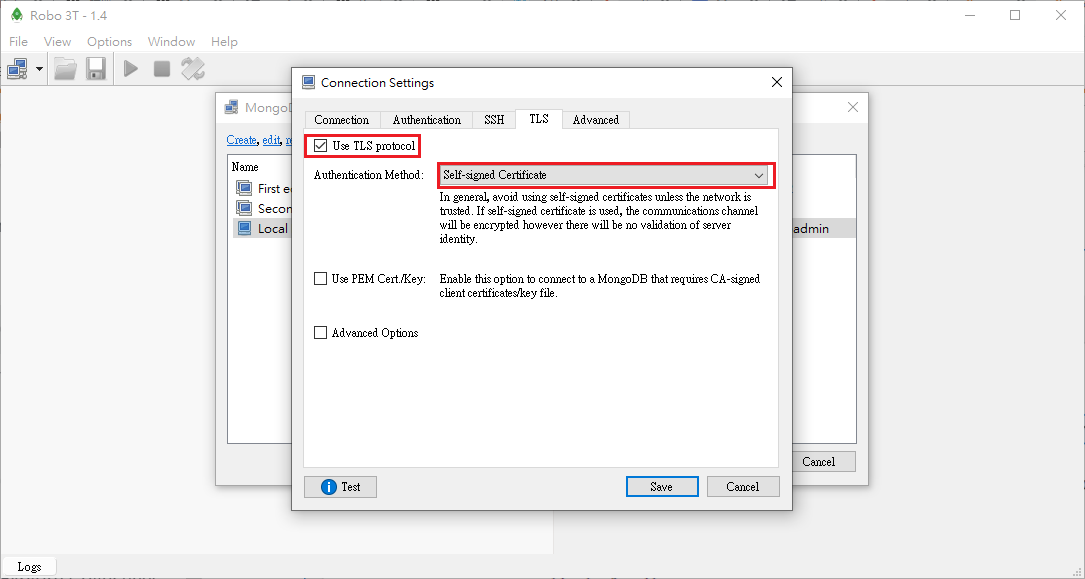
getLastError command is not supported

  • docker MongoDB default not support TLS
    • if MongoDB support TLS, and set TLS then ok

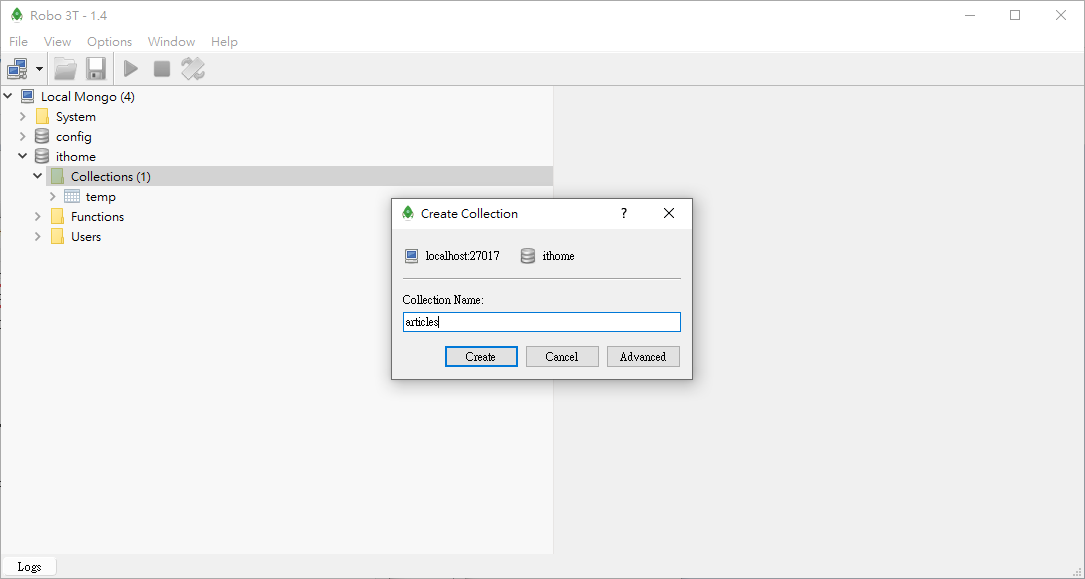
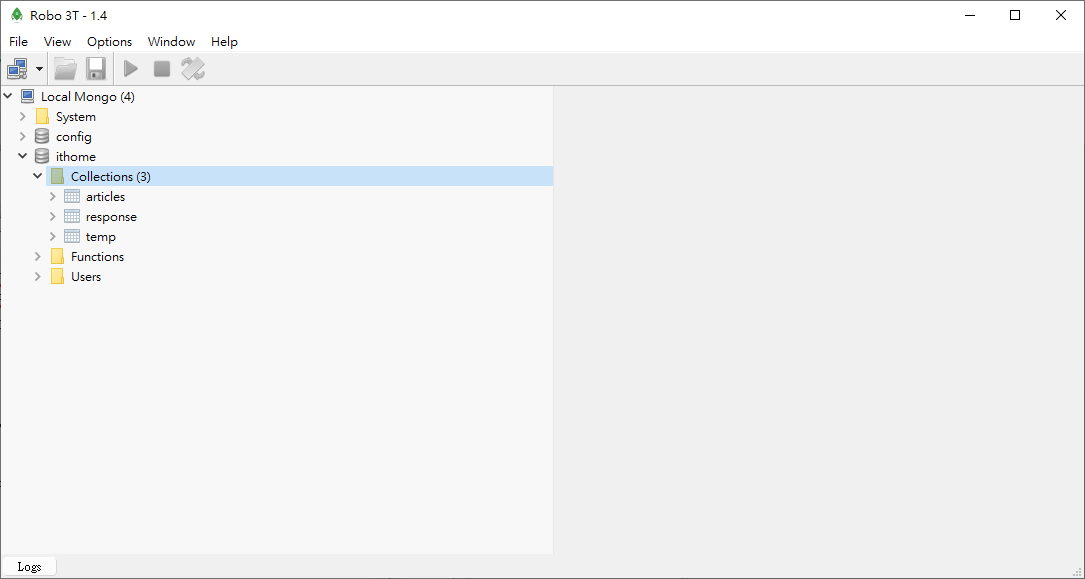
create collection

run shell

1
2
3
4
5
6
7
8
9
10
11
12
13
14
15
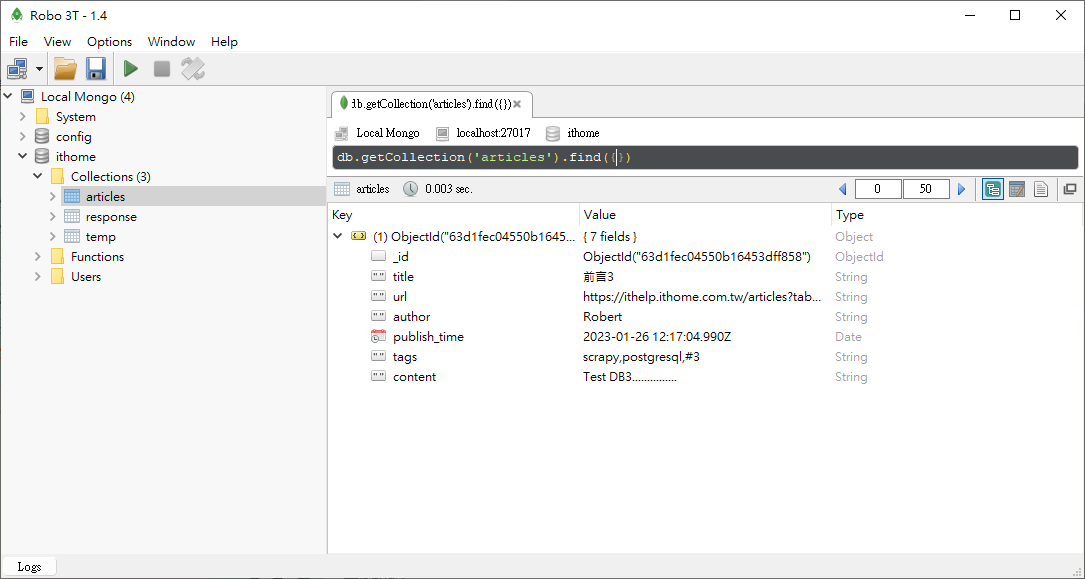
# show articles data (max 50)
db.getCollection('articles').find({})

# show all articles rows
db.getCollection('articles').find({}).count()

# show all articles rows(max 10)
db.getCollection('articles').find().limit(10)

# show articles data : skip 20 then show 10 max
db.getCollection('articles').find().skip(20).limit(10)

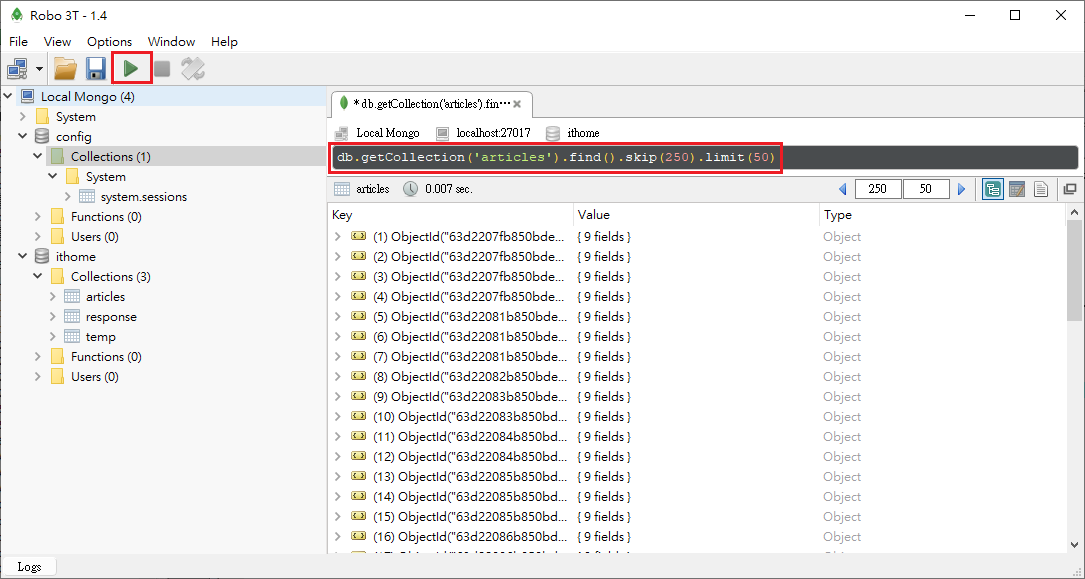
# show articles data : skip 250 then show 50 max
# it can show data after 50 ...
db.getCollection('articles').find().skip(250).limit(50)

access DB

install pymongo

1
pip install pymongo

db_mongo.py - add data

1
2
3
4
5
6
7
8
9
10
11
12
13
14
15
16
17
18
19
20
21
22
23
24
25
26
27
28
29
30
31
32
33
from pymongo import MongoClient
from datetime import datetime


# DB 不用先建也 ok
host = 'localhost'
dbname = 'ithome'

client = MongoClient('mongodb://%s:%s@%s:%s/' % (
'mongoadmin', # 資料庫帳號
'mg123456', # 資料庫密碼
'localhost', # 資料庫位址
'27017' # 資料庫埠號
))
print('資料庫連線成功!')


db = client[dbname]
article_collection = db.articles

article = {
'title': '前言3',
'url': 'https://ithelp.ithome.com.tw/articles?tab=tech',
'author': 'Robert',
'publish_time': datetime.now(),
'tags': 'scrapy,postgresql,#3',
'content': 'Test DB3...............'
}
article_id = article_collection.insert_one(article).inserted_id

print(f'資料新增成功!ID: {article_id}')

client.close()

run

1
2
3
(myenv10_scrapy) D:\work\git\python_crawler\109-scrapy-practice2\ithome\ithome>python db_mongo.py
資料庫連線成功!
資料新增成功!ID: 63d1fca4cb5fa5cb3cb8fd7d

show DB

Coding

pipelines.py
1
2
3
4
5
6
7
8
9
10
11
12
13
14
15
16
17
18
19
20
21
22
23
24
25
26
27
28
29
30
31
32
33
34
35
36
37
38
39
40
# useful for handling different item types with a single interface
from itemadapter import ItemAdapter
import psycopg2
from pymongo import MongoClient
from datetime import datetime
import ithome.env as env
import ithome.mongodb_altas as mongodb_altas

class MongoPipeline:
def open_spider(self, spider):
# DB 不用先建也 ok
# user = env.MONGO_USER
# password = env.MONGO_PASSWORD
# host = 'localhost'
# port = 27017
# dbname = 'ithome'


# MONGO_URI = f'mongodb://{user}:{password}@{host}:{port}/'
# self.client = MongoClient(MONGO_URI)

dbname = 'IMDB'
MONGO_URI = mongodb_altas.mogodb_link
self.client = MongoClient(MONGO_URI)

# self.client = MongoClient('mongodb://%s:%s@%s:%s/' % (
# 'mongoadmin', # 資料庫帳號
# 'mg123456', # 資料庫密碼
# 'localhost', # 資料庫位址
# '27017' # 資料庫埠號
# ))
print('資料庫連線成功!')


self.db = self.client[dbname]
self.article_collection = self.db.articles
self.response_collection = self.db.response

def close_spider(self, spider):
self.client.close()

multiple collection

settings.py
1
2
3
4
5
6
# Configure item pipelines
# See https://docs.scrapy.org/en/latest/topics/item-pipeline.html
ITEM_PIPELINES = {
'ithome2.pipelines.Ithome2Pipeline': 300,
'ithome2.pipelines.MongoPipeline': 300,
}
pipelines.py
1
2
3
4
5
6
7
8
9
10
11
12
13
14
15
16
17
18
19
20
21
22
23
24
25
26
27
28
29
30
31
32
33
34
35
36
37
38
39
40
41
42
43
44
45
46
47
48
49
50
51
52
53
54
55
56
57
58
59
60
61
62
63
64
65
66
67
68
69
70
71
# useful for handling different item types with a single interface
from itemadapter import ItemAdapter
from scrapy.exceptions import DropItem
from pymongo import MongoClient
from datetime import datetime
import ithome2.items as items

class Ithome2Pipeline:
def process_item(self, item, spider):
if type(item).__name__ == 'IthomeArticleItem':
if item['view_count'] < 100:
raise DropItem(f'[{item["title"]}] 瀏覽數小於 100')

return item


class MongoPipeline:
collection_article = 'articles'
collection_response = 'response'

def open_spider(self, spider):
# DB 不用先建也 ok
host = 'localhost'
dbname = 'ithome2'

self.client = MongoClient('mongodb://%s:%s@%s:%s/' % (
'mongoadmin', # 資料庫帳號
'mg123456', # 資料庫密碼
'localhost', # 資料庫位址
'27017' # 資料庫埠號
))
print('資料庫連線成功!')

self.db = self.client[dbname]

def close_spider(self, spider):
self.client.close()

def process_item(self, item, spider):
# if type(item).__name__ == 'IthomeArticleItem':
if type(item) is items.IthomeArticleItem:
# 查詢資料庫中是否有相同網址的資料存在
doc = self.db[self.collection_article].find_one({'url': item['url']})
item['update_time'] = datetime.now()

if not doc:
# 沒有就新增
item['_id'] = str(self.db[self.collection_article].insert_one(dict(item)).inserted_id)
else:
# 已存在則更新
self.db[self.collection_article].update_one(
{'_id': doc['_id']},
{'$set': dict(item)}
)
item['_id'] = str(doc['_id'])

# if type(item).__name__ == 'IthomeReplyItem':
if type(item) is items.IthomeReplyItem:
document = self.db[self.collection_response].find_one(item['_id'])

if not document:
insert_result = self.db[self.collection_response].insert_one(dict(item))
else:
del item['_id']
self.db[self.collection_response].update_one(
{'_id': document['_id']},
{'$set': dict(item)},
upsert=True
)

return item
items.py
1
2
3
4
5
6
7
8
9
10
11
12
13
14
15
16
17
18
19
import scrapy

class IthomeArticleItem(scrapy.Item):
_id = scrapy.Field()
url = scrapy.Field()
author = scrapy.Field()
publish_time = scrapy.Field()
view_count = scrapy.Field()
title = scrapy.Field()
tags = scrapy.Field()
content = scrapy.Field()
update_time = scrapy.Field()

class IthomeReplyItem(scrapy.Item):
_id = scrapy.Field()
article_id = scrapy.Field()
author = scrapy.Field()
publish_time = scrapy.Field()
content = scrapy.Field()

IT邦幫忙

settings.py

1
2
3
4
5
6
7
8
9
# Configure item pipelines
# See https://docs.scrapy.org/en/latest/topics/item-pipeline.html
#ITEM_PIPELINES = {
# 'ithome.pipelines.IthomePipeline': 300,
#}
ITEM_PIPELINES = {
# 'ithome.pipelines.PostgreSqlPipeline': 300,
'ithome.pipelines.MongoPipeline': 300,
}

pipelines.py

1
2
3
4
5
6
7
8
9
10
11
12
13
14
15
16
17
18
19
20
21
22
23
24
25
26
27
28
29
30
31
32
33
34
35
36
37
38
39
40
41
42
43
44
45
46
47
48
49
50
51
52
53
54
55
56
57
58
59
60
61
62
63
64
65
66
67
68
69
70
71
72
73
74
75
76
77
78
from itemadapter import ItemAdapter
import psycopg2
from pymongo import MongoClient
from datetime import datetime
# import env


class IthomePipeline:
def process_item(self, item, spider):
return item


class MongoPipeline:
def open_spider(self, spider):
# DB 不用先建也 ok
host = 'localhost'
dbname = 'ithome'

self.client = MongoClient('mongodb://%s:%s@%s:%s/' % (
'mongoadmin', # 資料庫帳號
'mg123456', # 資料庫密碼
'localhost', # 資料庫位址
'27017' # 資料庫埠號
))
print('資料庫連線成功!')


self.db = self.client[dbname]
self.article_collection = self.db.articles
self.response_collection = self.db.response

def close_spider(self, spider):
self.client.close()

def process_item(self, item, spider):
article = {
'title': item.get('title'),
'url': item.get('url'),
'author': item.get('author'),
'publish_time': item.get('publish_time'),
'tags': item.get('tags'),
'content': item.get('content'),
'view_count': item.get('view_count')
}

# 查詢資料庫中是否有相同網址的資料存在
doc = self.article_collection.find_one({'url': article['url']})
article['update_time'] = datetime.now()

if not doc:
# 沒有就新增
article_id = self.article_collection.insert_one(article).inserted_id
else:
# 已存在則更新
self.article_collection.update_one(
{'_id': doc['_id']},
{'$set': article}
)
article_id = doc['_id']

article_responses = item.get('responses')
for article_response in article_responses:
response = {
'_id': article_response['resp_id'],
'article_id': article_id,
'author': article_response['author'],
'publish_time': article_response['publish_time'],
'content': article_response['content'],
}

self.response_collection.update_one(
{'_id': response['_id']},
{'$set': response},
upsert=True
)

# print(f"{item.get('index')}資料新增成功!")
return item

run

1
(myenv10_scrapy) D:\work\git\python_crawler\109-scrapy-practice2\ithome>scrapy crawl articles