說明
command
1
2
3
4
5
6
7
8
9
10
11
12
13
14
15
16
17
18
19
20
21
22
23
24
25
26
|
docker pull postgres
docker images
docker images -a
docker save -o webdemou12.tar joshhu/webdemo:u12
docker load --input webdemou12.tar
docker rmi --no-prune=true joshhu/webdemo:u12
docker rmi -f $(docker images -aq)
docker tag joshhu/webdemo:latest joshhu/webdemo:u14
docker push joshhu/webdemo:u12
|
run
1
2
3
4
5
6
7
8
9
10
11
12
13
14
15
|
docker pull postgres
docker create --name my-postgres -p 8080:5432 -e POSTGRES_PASSWORD=admin postgres
docker start my-postgres
docker run -d --name my-postgres -p 8080:5432 -e POSTGRES_PASSWORD=admin postgres
docker run --name ithome-postgres -e POSTGRES_PASSWORD=mysecretpassword -v D:\app\docker\ithome\postgres:/var/lib/postgresql/data -d postgres
|
Issue
Hardware assisted virtualization
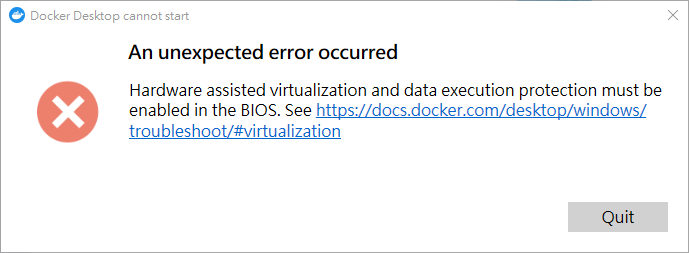
Hardware assisted virtualization and data execution protection must be enabled in the BIOS
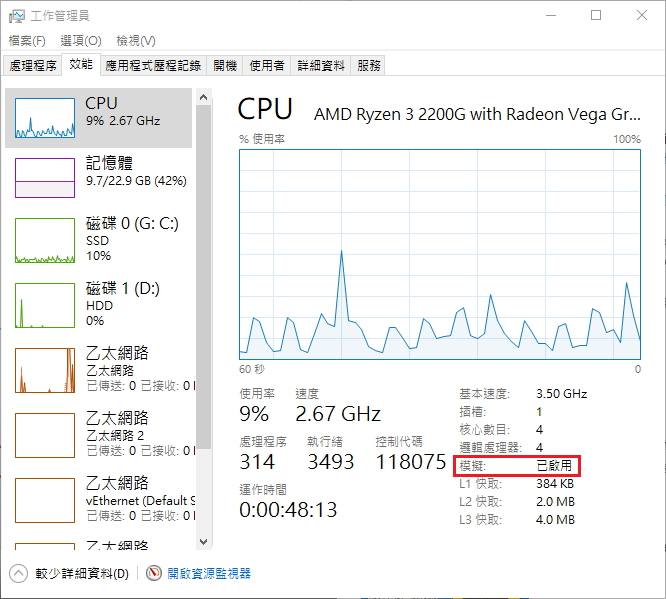
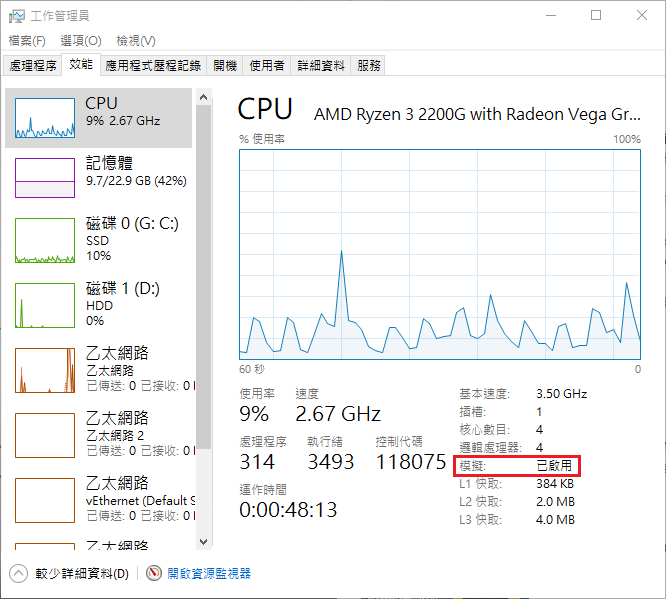
check virtualization ebnable
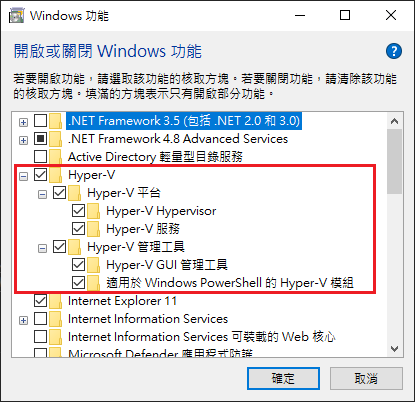
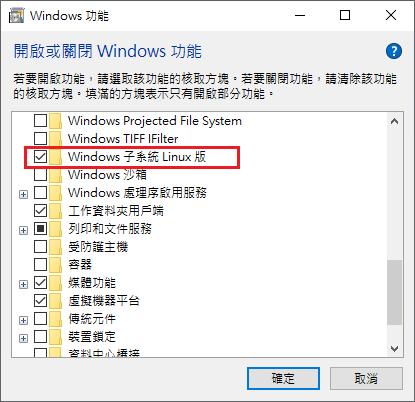
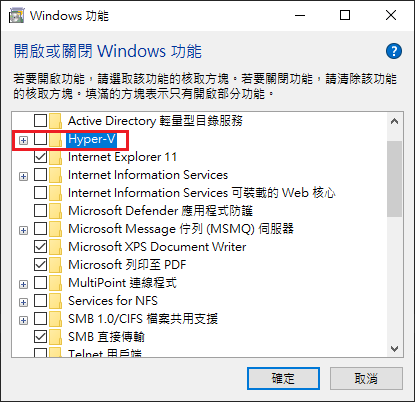
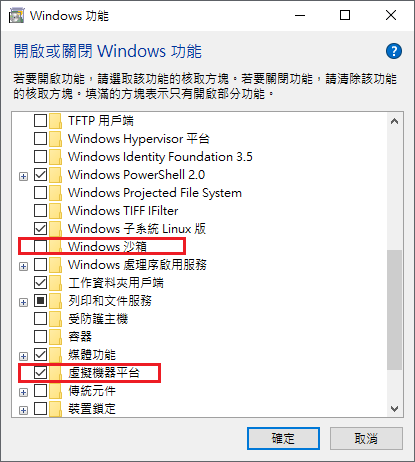
check Windows feature on or off
控制台 –> 程式集 –> 解除安裝程式 –> 開啟或關閉 Windows 功能
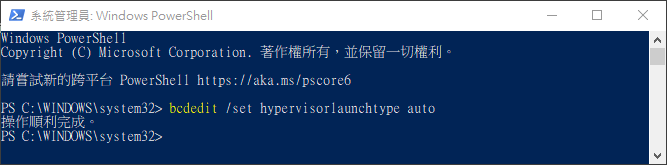
run powerShell - administrator
bcdedit /set hypervisorlaunchtype auto
reboot windows then run docker
VirtualBox issue
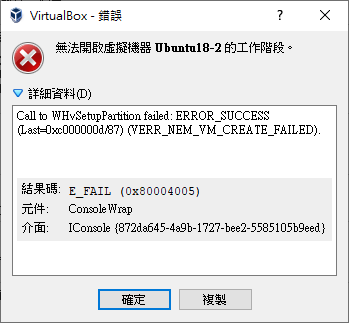
Call to WHvSetupPartition failed: ERROR_SUCCESS
check virtualization ebnable
check Windows feature on or off
控制台 –> 程式集 –> 解除安裝程式 –> 開啟或關閉 Windows 功能
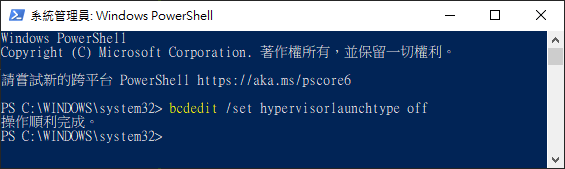
run powerShell - administrator
bcdedit /set hypervisorlaunchtype off
reboot windows then run docker
set virtualBox 6 與 Hyper-V 共存
run command line
1
2
3
4
5
|
VBoxManage setextradata "<虛擬器名稱>" "VBoxInternal/NEM/UseRing0Runloop" 0
VBoxManage setextradata global "VBoxInternal/NEM/UseRing0Runloop" 0
|
run PowerShell
1
2
3
4
5
|
./VBoxManage.exe setextradata "<虛擬器名稱>" "VBoxInternal/NEM/UseRing0Runloop" 0
./VBoxManage.exe setextradata global "VBoxInternal/NEM/UseRing0Runloop" 0
|
Ref