Python 說明

MAP

select python

1
2
3
4
5
6
7
8
9
10
11
12
13
14
15
16
17
18
19
20
21
# check which python 
python -c "import sys; print(sys.executable)"
D:\app\Python310\python.exe

# chick install package
pip3 list
Package Version
------------------ ------------
apricot-select 0.6.1
attrs 20.3.0
....
# change env for python
# run by cmd
D:\app\python_env\myenv11_01\Scripts\activate.bat

# check which python
python -c "import sys; print(sys.executable)"
D:\app\Python310\python.exe

# select by vScode
F1 --> python:select Interpreter

基本

import

1
2
3
4
5
6
7
8
9
10
11
# 一般 import
import turtle
timmy = turtle.Turtle()
# import 內容(簡單使用)
from turtle import Turtle, Screen
# import all ,可能不知出處,避免使用
from turtle import *
from tkinter import *
# module 太長,給予別名
import turtle as t
timmy = t.Turtle()

pass

1
pass

運算元

1
2
3
4
5
6
7
8
9
10
11
12
13
14
15
16
17
18
19
print(f'10 == 10 : {10 == 10}')
print(f'10 != 10 : {10 != 10}')
print(f'10 > 10 : {10 > 10}')
print(f'10 < 10 : {10 < 10}')
print(f'10 == 10 : {10 == 10}')

print(f'5 & 7 : {5 & 7:x}')
print(f'5 | 7 : {5 | 7:x}')
print(f'5 ^ 7 : {5 ^ 7:x}')
print(f'~ 5 : {~5 :x}')
print(f'5 >> 1 : {5 >> 1:x}')
print(f'5 << 1 : {5 << 1:x}')

x = 7
print(f'x < 5 and x < 10 : {x < 5 and x < 10}')
print(f'x < 5 or x < 4 : {x < 5 or x < 4}')
print(f'not(x < 5 and x < 10) : {not (x < 5 and x < 10)}')
1
2
3
4
5
6
7
8
9
10
11
12
13
14
15
16
17
>>> type(3.5)
<class 'float'>
>>> float(5)
5.0
>>> int(3.5)
3
>>> print(type(3))
<class 'int'>
>>> 10/3
3.3333333333333335
# 整數
>>> 10//3
3
>>> 10%3
1
>>> 2**3
8

global function and variable

1
2
3
4
5
6
7
8
import os

def main():
global os

STOCK_DB_FILE = 'stockPrice.db'
if os.path.isfile(STOCK_DB_FILE):
os.remove(STOCK_DB_FILE)

條件式

1
2
3
4
5
6
7
8
9
10
11
12
a = 200
b = 33
if b > a:
print("b is greater than a")
elif a == b:
print("a and b are equal")
else:
print("a is greater than b")

# one line if
def is_even(n)
return True if n % 2 == 0 else False
1
2
3
4
5
6
7
8
9
10
11
12
13
14
# match
name = input("What's your name? ")

match name:
case "Harry" | "Hermione" | "Ron":
print("Gryffidor")
case "Draco":
print("Slytherin")
case _:
print("Who?")
# What's your name? Ron
# Gryffidor
# What's your name? Ted
# Who?

迴圈

1
2
3
4
5
6
7
8
9
10
11
12
13
14
15
16
17
18
19
20
21
22
23
24
25
26
27
28
29
30
31
32
33
34
35
36
37
38
39
40
fruits = ["apple", "banana", "cherry"]
for x in fruits:
print(x)

for x in "banana":
print(x)

for x in range(6): # 0,1, ..5
print(x)

for x in range(2, 6): # 2,3, ..5
print(x)

for x in range(2, 30, 3): # 2,5,8 ..29
print(x)

# pass statement to avoid getting an error
for x in [0, 1, 2]:
pass

# not need variable
for _ in range(3):
print("meow")

# while
i = 1
while i < 6:
print(i)
i += 1

for n in range(5):
...
for I in range(7,10):
...
for I in range(5,11,2):
...

# add index
for index, data in enumerate(datas):
data_preview = json.loads(data['data-preview'])

function

1
2
3
4
5
6
7
8
9
10
11
12
13
14
15
16
17
18
19
20
21
22
23
24
25
26
27
28
29
30
31
32
33
34
35
36
37
38
39
# comment 
def my_function(fname, lname):
""" function description """
print(fname + " " + lname)
my_function("Emil", "Refsnes")

def my_function(*kids):
print("The youngest child is " + kids[2])
my_function("Emil", "Tobias", "Linus")

# If the number of keyword arguments is unknown, add a double ** before the parameter name:
def my_function(**kid):
print("His last name is " + kid["lname"])
my_function(fname="Tobias", lname="Refsnes")

# return value
def my_function(x):
return 5 * x
print(my_function(3))

# return multiple value(return tuple)
def get_student():
name = input("Name: ")
house = input("House: ")
return (name, house)
# name , house = get_student()
# print(f"{name} from {house}")
student = get_student()
print(f"{student[0]} from {student[1]}")

# default parameter
def hello(to="world"):
print("hello,", to)
hello()
name = input("What's your name?")
hello(name)
# hello, world
# What's your name?Robert
# hello, Robert

classes

example
1
2
3
4
5
6
7
8
9
10
11
12
13
14
15
16
# simple 
class Student:
...

def main():
student = get_student()
print(f"{student.name} from {student.house}")

def get_student():
student = Student()
student.name = input("Name: ")
student.house = input("House: ")
return student

if __name__ == "__main__":
main()
1
2
3
4
5
6
7
8
9
10
11
12
13
14
15
16
17
18
19
20
21
22
23
24
25
26
27
28
29
30
31
32
33
34
35
36
37
38
39
40
41
42
43
44
45
46
47
48
49
# example
class Student:
def __init__(self, name, house):
# 因內部呼叫也會呼叫 .house(), __init__ 所以不用 check
# if house not in ["Gryffindor", "Hufflenuff", "Ravenclaw", "Slytherin"]:
# raise ValueError("Invalid house")
self.name = name
self.house = house
def __str__(self):
return f"{self.name} from {self.house}"

@property # _name's getter
def name(self):
# 因 function house same as variable house所以 variable 改為 _house
return self._name

@name.setter # _name's setter
def name(self,name):
# 'not name' same as 'name == ""'
if not name:
raise ValueError("Missing name")
self._name = name

@property # _house's getter
def house(self):
# 因 function house same as variable house所以 variable 改為 _house
return self._house

@house.setter # _house's setter
def house(self,house):
if house not in ["Gryffindor", "Hufflenuff", "Ravenclaw", "Slytherin"]:
raise ValueError("Invalid house")
# 因 function house same as variable house所以 variable 改為 _house
self._house = house

def main():
student = get_student()
# _variable mean private, no modify it(but it can change)
# student._house = "Taipei"
print(student)


def get_student():
name = input("Name: ")
house = input("House: ")
return Student(name, house)

if __name__ == "__main__":
main()
class method
1
2
3
4
5
6
7
8
9
10
11
12
13
14
# class method
# hat.py
import random

class Hat:
houses = ["Gryffindor", "Hufflenuff", "Ravenclaw", "Slytherin"]

# class method
@classmethod
# cls class 簡寫
def sort(cls, name):
print(name, "is in", random.choice(cls.houses))

Hat.sort("Harry")
1
2
3
4
5
6
7
8
9
10
11
12
13
14
15
16
17
18
19
20
21
22
# class method - create instance
# students.py
class Student:
def __init__(self, name, house):
self.name = name
self.house = house

def __str__(self):
return f"{self.name} from {self.house}"

@classmethod
def get(cls):
name = input("Name: ")
house = input("House: ")
return cls(name, house)

def main():
student = Student.get()
print(student)

if __name__ == "__main__":
main()
inheritance
1
2
3
4
5
6
7
8
9
10
11
12
13
14
15
16
17
18
19
20
21
22
23
24
# inheritance
# wizard.py

class Wizard:
def __init__(self, name):
if not name:
raise ValueError("Missing name")
self.name = name

class Student(Wizard):
def __init__(self, name, house):
# call parent class __init__()
super().__init__(name)
self.house = house

class Professor(Wizard):
# call parent class __init__()
def __init__(self, name, subject):
super().__init__(name)
self.subject = subject

wizard = Wizard("Albus")
student = Student("Harry", "Gryffindor")
processor = Professor("Severus", "Defense Against the Dark Arts")
operation overload
1
2
3
4
5
6
7
8
9
10
11
12
13
14
15
16
17
18
19
20
21
22
23
# operation overload
# vault.py
class Vault:
def __init__(self, galleous=0, sickles=0, knuts=0):
self.galleous = galleous
self.sickles = sickles
self.knuts = knuts

def __str__(self):
return f"{self.galleous} galleous, {self.sickles} sickles,{self.knuts} knuts"

def __add__(self, other):
galleous = self.galleous + other.galleous
sickles = self.sickles + other.sickles
knuts = self.knuts + other.knuts
return Vault(galleous, sickles, knuts)

potter = Vault(100, 50,25)
print(potter)
ron = Vault(25, 50, 100)
print(ron)
total = potter + ron
print(total)

非被引用才執行

1
2
3
4
5
6
7
8
9
10
def main():
name = input("What's your name?")
hello(name)

def hello(to="world"):
print("hello,", to)

# 非被引用才執行
if __name__ == '__main__':
main()

create library

1
2
3
4
5
6
7
8
9
10
11
12
13
14
# sayings.py

def main():
hello("world")
goodbye("world")

def hello(name):
print(f"hello, {name}")

def goodbye(name):
print(f"goodbye, {name}")

if __name__ == "__main__":
main()
1
2
3
4
5
6
7
# say.py

import sys
from sayings import hello

if len(sys.argv) == 2:
hello(sys.argv[1])
1
python say.py Robert

變數

  • array VS list
    • array 屬於 Python 模組 numpy 裡的一種數據類型,所包含的所有元素類型都必須相同
    • list 是 Python 內建的數據類型,可以包含不同的元素類型

None(空值)

1
2
if resp is None:
return None

變數與型態

1
2
3
4
5
6
7
8
9
10
11
12
13
14
15
money = 100
name = "Robert"
temperature = 25.2
flag = True
print(type(money)) # <class 'int'>
print(type(name)) # <class 'str'>
print(type(temperature)) # <class 'float'>
print(type(flag)) # <class 'bool'>
print('Hi {name} give you {money} dollars, the temperature is {temp}'.format(name=name, money=money, temp=temperature))
# reference glbal variable
def make_coff(coffee, money):
global profile
for item in MENU:
resources[item] -= MENU[choice]["ingredients"][item]
profile += money

string

1
2
3
4
5
6
7
8
9
10
11
12
13
14
15
16
17
18
19
20
21
22
23
24
25
26
27
28
# join 

# array join to string
# .join() with sets
test = {'2', '1', '3'}
s = ', '
print(s.join(test))
# 2, 3, 1
test = {'Python', 'Java', 'Ruby'}
s = '->->'
print(s.join(test))
# Python->->Ruby->->Java
''.join(response.xpath("//ul[@class='ipc-inline-list ipc-inline-list--show-dividers sc-8c396aa2-0 kqWovI baseAlt']/li[3]/text()").getall())

# string show hex
result = ' '.join(hex(ord(char)) for char in h1_str)
print(result) # 👉️ 0x61 0x70 0x70 0x6c 0x65

# split by hex code 0x0a
h1_str = soup2.find('h1').text.strip().split('\x0a')

# replace
image_name = post.get('titleImage').get('asset').get('_ref').replace('image-', '').replace('-', '.')

# directory
bakfile = 'data//YF_%s_%s_%s_stock_daily_adj.csv' % (prod, st, en)
if os.path.exists(bakfile):
data = pd.read_csv(bakfile)
1
2
3
4
5
6
7
8
9
10
11
12
13
14
15
16
17
18
19
20
21
22
23
24
25
26
27
greet = "hi" + " " + " " + "Robert"
3 * "eric"
len("eric")
"eric"[0]
"eric"[1:ˇ2]
"eric"[:3]
"eric"[1:]
"eric"[:]

x = 1
x_str = str(x)

# remove head and tail space
url = input("URL:").strip()

# split string
comapny = job.select_one(".company a").text.split('|')
# 第一個 "," 分割字串
split_datas = resp.text.split(",", 1)
print(len(split_datas))
# 前2個 "," 分割字串
split_datas = resp.text.split(",", 2)
print(len(split_datas))

# replace string
# df.str.replace(old,new) 替換文字
df_sample['job'] = df_sample['job'].str.replace(' ', '')

list

1
2
3
4
5
6
7
8
9
10
11
12
13
14
15
16
17
18
19
20
21
22
23
24
25
26
27
28
29
30
31
32
33
34
35
36
37
38
39
40
41
42
43
44
45
46
47
48
49
# remove 1 item
del tables[0]

# 生成空 list
info = list()
record = {
'日期': data[0],
'開盤價': data[3],
'收盤價': data[6],
'成交筆數': data[8]
}
info.append(record)

rticles = []
divs = soup.find_all('div', 'r-ent')
for d in divs:
if d.find('a'):
href = d.find('a')['href']
title = d.find('a').text
author = d.find('div', 'author').text if d.find('div', 'author') else ''
articles.append({
'title': title,
'href': href,
'author': author
})

# list strip
new_tags = [item.strip() for item in tags]

# list for generate
article_upvotes =[int(score.text.split()[0]) for score in soup.find_all("span", class_='score')]

# for reverse
for movie in reversed(movies):
file.write(f"{movie.text}\n")

#get index
largest_number = max(article_upvotes)
largest_index = article_upvotes.index(largest_number)

# change list process sequence
numbers = [3,5,7,9,11]
for number in numbers[len(numbers)::-1]:
print(number)
# 11
# 9
# 7
# 5
# 3

tuple - 不能修改的List

Dictionaries

1
2
3
4
5
6
7
8
9
10
11
12
13
14
15
16
17
18
19
20
21
22
23
24
25
26
27
28
29
30
31
32
33
34
35
36
37
38
39
40
41
42
43
44
45
46
47
48
49
50
51
MENU = {
"espresso": {
"ingredients": {
"water": 50,
"coffee": 18,
},
"cost": 1.5,
},
"latte": {
"ingredients": {
"water": 200,
"milk": 150,
"coffee": 24,
},
"cost": 2.5,
},
"cappuccino": {
"ingredients": {
"water": 250,
"milk": 100,
"coffee": 24,
},
"cost": 3.0,
}
}

resources = {
"water": 300,
"milk": 200,
"coffee": 100,
}
# check item
for item in MENU:
print(f'{item}')
# check item
choice = input('What would you like? (espresso/latte/cappuccino):')
if choice in MENU:
print(f'{item}')
else:
print('input error')

# case 2
students = {
"Harry":"Gryffidor",
"Hermione":"Gryffidor",
"Ron":"Gryffidor",
"Draco": "Slytherin"
}

for student in students:
print(student, students[student], sep=", ")

set() 集合

基本
1
2
3
4
5
6
7
8
9
10
11
12
13
14
15
16
17
18
19
20
21
22
23
24
25
26
27
28
29
30
31
32
33
34
35
36
# 集合 set()
# 集合資料不重複
# 執行set(), 會刪除重複,但順序可能會被打亂
lang = {"Python", "C", "Java"}
A = set("Deepmind")
print(type(lang), lang)
print(type(A), A)
# <class 'set'> {'Python', 'C', 'Java'}
# <class 'set'> {'d', 'i', 'p', 'D', 'm', 'e', 'n'}

# 空集合要用 set()
empty_dict = {}
empty_set = set()
print(type(empty_dict))
print(type(empty_set))
# <class 'dict'>
# <class 'set'>

# 轉成 set() 刪除重複資料
fruits1 = ["apple", "orange", "banana", "apple", "orange"]
x = set(fruits1)
fruits2 = list(x)
print(fruits2)
# ['orange', 'apple', 'banana']

# set() add, remove
data_list = ['Python', 'Java', 'English']
languages = set()
for item in data_list:
languages.add(item)
print(type(languages), languages)
# remove English from the set
languages.remove('English')
print(type(languages), languages)
# <class 'set'> {'Python', 'Java', 'English'}
# <class 'set'> {'Python', 'Java'}
1
2
3
4
5
6
7
8
9
10
11
12
13
14
15
16
# set() : 儲存不重複
# houses.py
students = [
{"name": "Harry", "house": "Gryffidor"},
{"name": "Hermione", "house": "Gryffidor"},
{"name": "Ron", "house": "Gryffidor"},
{"name": "Draco", "house": "Slytherin"},
{"name": "Padma", "house": "Ravenclaw"},
]

houses = set()
for student in students:
houses.add(student["house"])

for house in sorted(houses):
print(house)
集合操作
1
2
3
4
5
6
7
8
9
10
11
12
13
14
15
16
17
18
19
20
21
22
23
24
25
# 集合操作
# & 交集 intersection
# | 聯集 union
# - 差集 difference
# ^ 對稱差集 symmetric_difference
math = {"Kevin", "Peter", "Eric"}
physics = {"Peter", "Nelson", "Tom"}
print(f"聯 集1: {math|physics}")
print(f"交 集1: {math&physics}")
print(f"差 集1: {math-physics}")
print(f"對稱差集1: {math^physics}")

print(f"聯 集2: {math.union(physics)}")
print(f"交 集2: {math.intersection(physics)}")
print(f"差 集2: {math.difference(physics)}")
print(f"對稱差集2: {math.symmetric_difference(physics)}")
# 聯 集1: {'Eric', 'Tom', 'Nelson', 'Kevin', 'Peter'}
# 交 集1: {'Peter'}
# 差 集1: {'Eric', 'Kevin'}
# 對稱差集1: {'Eric', 'Tom', 'Kevin', 'Nelson'}
#
# 聯 集2: {'Eric', 'Tom', 'Nelson', 'Kevin', 'Peter'}
# 交 集2: {'Peter'}
# 差 集2: {'Eric', 'Kevin'}
# 對稱差集2: {'Eric', 'Tom', 'Kevin', 'Nelson'}
子集(subset), 宇集(superset) and 補集(屬於A, 但不在B)
1
2
3
4
5
6
7
8
9
10
11
12
13
14
15
16
17
18
19
20
21
22
23
24
25
26
27
28
29
30
31
32
33
34
# 子集(subset), 宇集(superset) and 補集(屬於A, 但不在B)

# 子集(subset)
A2 = {1, 2, 3}
B2 = set()
# B 屬於 A
print(f"B2 為 A2 之 subset:{B2 <= A2}")
# B 是 A 的 subset
print(f"B2 為 A2 之 subset:{B2.issubset(A2)}")
print(f"A2 為 A2 之 subset:{A2 <= A2}")
# ========================
A = {1, 2, 3, 4, 5, 6}
B = {1, 3, 5}
# B2 屬於 A2
print(f"B 為 A 之 subset:{B <= A}")
# B 是 A 的 subset
print(f"B 為 A 之 subset:{B.issubset(A)}")
# B2 為 A2 之 subset:True
# A2 為 A2 之 subset:True
# B 為 A 之 subset:True

# 宇集(superset)
# A 是 B2 的 superset
print(f"B 為 A 之 superset:{A >= B}")
# A 是 B2 的 superset
print(f"B 為 A 之 superset:{A.issuperset(B)}")
# B 為 A 之 superset:True

# 補集(屬於A, 但不在B)
print(A-B)
# {1, 2, 3}
集合新增刪除
1
2
3
4
5
6
7
8
9
10
11
12
13
14
15
16
17
18
19
20
# 集合新增刪除
# add() 新增
# remove() 刪除
# pop() 隨機刪除並回傳
# clear() 清除所有元素
A ={1, 2, 5}
A.add(3)
print(A)
A.remove(2)
print(A)
ret = A.pop()
print(f"pop {ret}")
print(A)
A.clear()
print(A)
# {1, 2, 3, 5}
# {1, 3, 5}
# pop 1
# {3, 5}
# set() : 表空集合
sympy 模組與集合
集合相乘 - 笛卡兒積
1
2
3
4
5
6
7
8
9
10
11
12
13
14
15
16
17
18
19
20
21
22
23
24
25
26
27
28
29
30
31
32
33
34
35
36
37
38
39
40
41
42
43
44
45
46
# 集合相乘 - 笛卡兒積
# 笛卡兒積指從2個集合各提出一個元素,所有可能集合,元素內容是元祖(tuple)
from sympy import *
A = FiniteSet("a", "b")
B = FiniteSet("c", "d")
AB = A * B
for ab in AB:
print(f"{type(ab)} {ab}")
# <class 'tuple'> (a, c)
# <class 'tuple'> (b, c)
# <class 'tuple'> (a, d)
# <class 'tuple'> (b, d)

C = FiniteSet("a", "b", "c", "d", "e")
D = FiniteSet("f", "q")
CD = C * D
print(f"len of CD : {len(CD)}")
for cd in CD:
print(f"{cd}")
# len of CD : 10
# (a, f)
# (b, f)
# (a, q)
# (c, f)
# (b, q)
# (d, f)
# (c, q)
# (e, f)
# (d, q)
# (e, q)

# 集合的 n 次方
AA = FiniteSet("a", "b")
AAA = AA**3
print(f"len of AAA : {len(AAA)}")
for a in AAA:
print(f"{a}")
# len of AAA : 8
# (a, a, a)
# (b, a, a)
# (a, b, a)
# (b, b, a)
# (a, a, b)
# (b, a, b)
# (a, b, b)
# (b, b, b)

syntax

anonymous functions

1
2
testGreedy(foods, maxUnits,
lambda x: 1/Food.getCost(x))
1
2
3
4
5
6
7
8
9
10
11
12
13
>>> f1 = lambda x: x
>>> f1(2)
2

>>> f2 = lambda x,y: x + y
>>> f2("Jery", "Tom")
'JeryTom'

>>> f3 = lambda x,y: 'factor' if (x%y ==0) else 'not factor'
>>> f3(4,2)
'factor'
>>> f3(4,3)
'not factor'

if + assign value

1
2
3
4
5
6
7
import re

name = input("What's your name? ").strip()
# if matches := ...
if matches := re.search(r"^(.+), *(.+)$", name):
name = matches.group(2) + ' ' + matches.group(1)
print(f"hello, {name}")

class print function : string

1
2
3
4
5
6
7
8
9
10
11
12
13
14
class Food(object):
def __init__(self, n, v, w):
self.name = n
self.value = v
self.calories = w
def getValue(self):
return self.value
def getCost(self):
return self.calories
def density(self):
return self.getValue()/self.getCost()
def __str__(self):
return self.name + ': <' + str(self.value)\
+ ', ' + str(self.calories) + '>'

@classmethod

1
2
3
4
5
6
7
8
9
10
11
12
13
14
15
16
17
18
19
20
21
22
23
24
25
class MyClass:
class_variable = "I am a class variable"

def __init__(self, instance_variable):
self.instance_variable = instance_variable

# Regular instance method
def instance_method(self):
print(f"Instance method called with instance variable: {self.instance_variable}")

# Class method decorated with @classmethod
@classmethod
def class_method(cls):
print(f"Class method called with class variable: {cls.class_variable}")

# Creating an instance of MyClass
obj = MyClass("I am an instance variable")

# Calling the instance method
obj.instance_method()

# Calling the class method
MyClass.class_method()

# class_method is a class method decorated with @classmethod. It can only access class variables, not instance variables. The first parameter, conventionally named cls, refers to the class itself.

dict - key by tuple

1
2
3
4
5
6
7
8
9
10
11
12
13
14
15
16
17
18
19
self.q = dict()
self.q[tuple(state), action] = new_q

def get_q_value(self, state, action):
"""
Return the Q-value for the state `state` and the action `action`.
If no Q-value exists yet in `self.q`, return 0.
"""
try:
return self.q[tuple(state), action]
except KeyError:
return 0

# other exception
for move in moves:
try:
q = self.q[tuple(state), move]
except:
q = 0

assert

1
2
3
4
5
6
7
8
9
def divide(a, b):
# 若條件成立產生中斷
assert b != 0, "Division by zero is not allowed"
return a / b
# AssertionError: Division by zero is not allowed

# 無條件產生中斷
assert False
# AssertionError

code style

1
2
3
4
5
6
7
# install
pip3 install black
# convert house.py meet PEP 8(auto)
black house.py

# another for code style
#pip3 install pylint

global - 在 function global variable 內寫入時要加 global variable

1
2
3
4
5
6
7
8
9
10
11
12
13
14
15
16
17
18
19
# bank.py
balance = 3

def main():
print("Balance:", balance)
deposit(100)
withdraw(50)
print("Balance:", balance)

def deposit(n):
global balance
balance += n

def withdraw(n):
global balance
balance -= n

if __name__ == "__main__":
main()

constant - 大寫表常數,但使用上還是可以被更改

1
2
3
4
# constant
MEOWS = 3
for _ in range(MEOWS):
print("meow")
1
2
3
4
5
6
7
8
9
10
# constant
class Cat:
MEOWS = 3

def meow(self):
for _ in range(Cat.MEOWS):
print("meow")

cat = Cat()
cat.meow()

unpack - *:list, **:dict., (*args, **kwargs): multi parameter

1
2
3
4
5
6
7
8
9
10
# unpack.py
def total(galleons, sickles, knuts):
return (galleons * 17 + sickles) *29 + knuts

coins = [100, 50, 25]
# * unpack list
print(total(*coins), "Knuts")

# python unpack.py
# 50775 Knuts
1
2
3
4
5
6
7
8
9
10
# unpack.py
def total(galleons, sickles, knuts):
return (galleons * 17 + sickles) *29 + knuts

coins = {"galleons": 100, "sickles": 50, "knuts": 25}
# ** unpack dict
print(total(**coins), "Knuts")

# python unpack.py
# 50775 Knuts
1
2
3
4
5
6
7
8
9
10
11
12
13
14
15
16
17
18
19
20
21
22
23
24
# unpack.py
def f(*args, **kwargs):
print("Positional:", args)
print("named:", kwargs)

f(100, 50, 25)
# return turple
# Positional: (100, 50, 25)
# named: {}
f(100)
# Positional: (100,)
# named: {}

f(galleons=100, sickles=50, knuts=25)
# Positional: ()
# return dict
# named: {'galleons': 100, 'sickles': 50, 'knuts': 25}

def print_mine(*args, **kwargs):
print("Positional:", args)
print("named:", kwargs)
print_mine("This", "is", "CS50", sep='_', end='*')
# Positional: ('This', 'is', 'CS50')
# named: {'sep': '_', 'end': '*'}

IO

input

1
2
3
coin = float(input('    How many quarters?:'))
coin = int(input(' How many quarters?:'))
name = input()

print

1
2
3
4
5
6
7
8
9
10
11
12
13
14
15
16
17
18
19
20
21
22
23
24
25
26
27
28
29
30
31
32
33
34
35
36
37
38
39
40
41
42
# print(*objects, sep=' ', end='\n', file=None, flush=False)
money = 100
name = "Robert"
temperature = 25.2
print('Hi {name} give you {money} dollars, the temperature is {temp}'.format(name=name, money=money, temp=temperature))

# show by format
print('hex number={:x}'.format(23)) # hex number=17
print(f' money= ${insert_money:.2f}, cost= ${cost}')

# 使用 format
num = 3.14159
formatted_num = "{:.2f}".format(num)
print(formatted_num) # 輸出: 3.14

# string direct using variable
print(f'I am {name}') # I am Robert

# 運算式
a = 10
b = 200
print(f'a + b ={a + b}') # a + b =210

# print - not change line and direct output
while current_articles:
print('.', end="",flush=True)

# alignemnt position
print(f'{i:02d} {time_tag:16s} {title}')
print(f'({i:02d}) {article["ip"]:15s}-{article["location_data"]["country"]:15s} {article["title"]}')

# int add ,
z = 1023
print(f"{z:,}")
# 1,023

# float print format
z = 2/3
print(z)
# 0.6666666666666666
print(f"{z:.2f}")
# 0.67

file I/O

1
2
3
4
5
6
7
8
9
10
11
12
13
14
15
16
17
18
19
20
21
22
23
24
25
26
27
28
29
30
31
32
33
34
35
36
37
38
# access_mode
# r : read
# rb : read binary
# r+ : read and write
# rb+ : read and write(binary)
# w : write
# wb : write binary
# w+ : write and read
# wb+ : write and read(binary)
# a : appending
# ab : appending binary
# a+ : appending and read
# ab+ : appending and read(binary)

# open and write(json)
with open('gossiping.json', 'w', encoding='UTF-8') as file:
# ensure_ascii=False 輸出中文
# sort_keys=True 按 key 順序排列
json.dump(articles, file, indent=2, sort_keys=True, ensure_ascii=False)

# open and write(csv)
import csv
with open('stockThisMonth.csv', 'w', encoding='UTF-8', newline='') as file: # excel 開檔,中文有問題
# with open('stockThisMonth.csv', 'w', newline='') as file:
writer = csv.writer(file)
writer.writerow(['日期', '開盤價', '收盤價', '成交筆數'])
for info in collected_info:
print(info)
writer.writerow([info['日期'], info['開盤價'], info['收盤價'], info['成交筆數']])

# simple open json file
# encoding='utf-8', load 中文正常
f = open(file_name, 'r', encoding='utf-8')
content = f.read()
# print(content)
dcard_shwo_api_title(content)
print("get from file....")
f.close()
1
2
3
4
5
6
7
8
# remove file
import os
if os.path.exists(file_job):
os.remove(file_job)

# create folder
if not os.path.exists(FOLDER) :
os.makedirs(FOLDER)
1
2
3
4
5
6
7
8
9
10
11
12
13
14
15
16
17
18
19
20
21
22
23
24
25
26
27
28
29
import os

# set() support 加入資料唯一
# 儲存不重複
words_set = set()
while True:
article = input("transfer article : ")
name_files = article.split(".")
# check file exist
if len(name_files[0]) != 0:
if os.path.exists(article):
# read file
with open(article, "r") as file:
for line in file:
words = line.split(" ")
for word in words:
words_set.add(word.strip())
# sort set() to list
words_sort = sorted(words_set)

words_file_name = f"words_{name_files[0]}.txt"
# write text file
with open(words_file_name, "w") as file:
for item in words_sort:
file.write(item + "\n")
else:
print(f"not found file {article}")
else:
exit(0)

sorted

1
2
3
4
5
6
7
8
9
10
11
12
13
14
15
16
17
18
19
20
21
22
23
24
# sorted(iterable, /, *, key=None, reverse=False)
def buildMenu(names, values, calories):
"""names, values, calories lists of same length.
name a list of strings
values and calories lists of numbers
returns list of Foods"""
menu = []
for i in range(len(values)):
item = Food(names[i], values[i], calories[i])
menu.append(Food(names[i], values[i],
calories[i]))
return menu

def greedy(items, maxCost, keyFunction):
itemsCopy = sorted(items, key = keyFunction,
reverse = True)


names = ['wine', 'beer', 'pizza', 'burger', 'fries',
'cola', 'apple', 'donut', 'cake']
values = [89,90,95,100,90,79,50,10]
calories = [123,154,258,354,365,150,95,195]
foods = buildMenu(names, values, calories)
testGreedy(foods, 1000, Food.getValue)

zip

1
2
3
4
5
6
7
8
9
10
# example 
a = ("John", "Charles", "Mike")
b = ("Jenny", "Christy", "Monica")
x = zip(a, b)
print(tuple(x))
# (('John', 'Jenny'), ('Charles', 'Christy'), ('Mike', 'Monica'))

# run
for actual, predicted in zip(y_testing, predictions):
....

copy

1
2
# copy to new variable
state = game.piles.copy()

items

1
2
3
4
5
6
7
8
9
10
11
12
13
14
15
16
# self.q.items() returns a view of the dictionary's key-value pairs,
class MyClass:
def __init__(self):
# Assume self.q is a dictionary
self.q = {'key1': 'value1', 'key2': 'value2', 'key3': 'value3'}

def iterate_dictionary(self):
# Using .items() to iterate over keys and values
for key, value in self.q.items():
print(f'Key: {key}, Value: {value}')

# Creating an instance of MyClass
obj = MyClass()

# Calling the method to iterate over the dictionary
obj.iterate_dictionary()

tuple - list –> tuple

1
q = self.q[tuple(state), move]

specific operation

get page

1
2
3
4
5
6
7
8
9
10
11
12
13
14
15
import requests

# include cookies
def get_web_page(url):
resp = requests.get(url=url, cookies={'over18': '1'})
if resp.status_code != 200:
print('Invalid url:', resp.url)
return None
else:
return resp.text

# get json(include agent head)
headers = {'user-agent': 'Mozilla/5.0 (Macintosh Intel Mac OS X 10_13_4) AppleWebKit/537.36 (KHTML, like Gecko) Chrome/66.0.3359.181 Safari/537.36'}
def get_location(ip):
response = requests.get(f'https://ipapi.co/{ip}/json/', headers=headers).json()

get local ip & ip location

1
2
3
4
5
6
7
8
9
10
11
12
13
14
def get_local_ip():
response = requests.get('https://api64.ipify.org?format=json').json()
return response["ip"]

headers = {'user-agent': 'Mozilla/5.0 (Macintosh Intel Mac OS X 10_13_4) AppleWebKit/537.36 (KHTML, like Gecko) Chrome/66.0.3359.181 Safari/537.36'}
def get_location(ip):
response = requests.get(f'https://ipapi.co/{ip}/json/', headers=headers).json()
location_data = {
"ip": ip,
"city": response.get("city"),
"region": response.get("region"),
"country": response.get("country_name")
}
return location_data

Unit test - pytest

case 1
1
2
3
4
5
6
7
8
9
10
11
# calculator.py
def main():
x = int(input("What's x?"))
print("x squared is", square(x))

def square(n):
# return n * n
return n + n

if __name__ == "__main__":
main()
1
2
3
4
5
6
7
8
9
10
11
12
13
14
15
16
17
18
# test_calculator.py
import pytest
from calculator import square

def test_positive():
assert square(2) == 4
assert square(3) == 9

def test_nagative():
assert square(-2) == 4
assert square(-3) == 9

def test_zero():
assert square(0) == 0

def test_str():
with pytest.raises(TypeError):
square("cat")
1
2
3
4
5
6
7
8
9
10
11
12
13
14
15
16
17
18
19
20
21
22
23
24
25
26
27
28
29
30
31
32
33
34
35
36
37
38
39
40
41
pytest .\test_calculator.py
========================================================================= test session starts ==========================================================================
platform win32 -- Python 3.11.0, pytest-8.0.1, pluggy-1.4.0
rootdir: D:\work\run\python\python_100ds\cs50p
collected 4 items
test_calculator.py .... [100%]
========================================================================== 4 passed in 0.01s ===========================================================================

pytest .\test_calculator.py
========================================================================= test session starts ==========================================================================
platform win32 -- Python 3.11.0, pytest-8.0.1, pluggy-1.4.0
rootdir: D:\work\run\python\python_100ds\cs50p
collected 4 items
test_calculator.py FF.F [100%]
=============================================================================== FAILURES ===============================================================================
____________________________________________________________________________ test_positive _____________________________________________________________________________
def test_positive():
assert square(2) == 4
> assert square(3) == 9
E assert 6 == 9
E + where 6 = square(3)

test_calculator.py:7: AssertionError
____________________________________________________________________________ test_nagative _____________________________________________________________________________
def test_nagative():
> assert square(-2) == 4
E assert -4 == 4
E + where -4 = square(-2)

test_calculator.py:10: AssertionError
_______________________________________________________________________________ test_str _______________________________________________________________________________
def test_str():
> with pytest.raises(TypeError):
E Failed: DID NOT RAISE <class 'TypeError'>

test_calculator.py:17: Failed
======================================================================= short test summary info ========================================================================
FAILED test_calculator.py::test_positive - assert 6 == 9
FAILED test_calculator.py::test_nagative - assert -4 == 4
FAILED test_calculator.py::test_str - Failed: DID NOT RAISE <class 'TypeError'>
===================================================================== 3 failed, 1 passed in 0.15s ======================================================================
case 2
1
2
3
4
5
6
7
8
9
10
11
# hello.py
def main():
hello()
name = input("What's your name?")
print(hello(name))

def hello(to="world"):
return(f"hello, {to}")

if __name__ == '__main__':
main()
1
2
3
4
5
6
7
8
# test_hello.py
from hello import hello

def test_default():
assert hello() == "hello, world"

def test_argument():
assert hello("Robert") == "hello, Robert"
1
2
3
4
5
6
7
PS D:\work\run\python\python_100ds\cs50p> pytest .\test_hello.py
========================================================================= test session starts ==========================================================================
platform win32 -- Python 3.11.0, pytest-8.0.1, pluggy-1.4.0
rootdir: D:\work\run\python\python_100ds\cs50p
collected 2 items
test_hello.py .. [100%]
========================================================================== 2 passed in 0.07s ===========================================================================
multi test
1
2
3
4
5
6
7
8
9
10
11
12
13
mkdir test
cp .\test_hello.py .\test\
# __init__.py 保持空白即可
code test/__init__.py
cp .\test_calculator.py .\test\
pytest test
========================================================================= test session starts ==========================================================================
platform win32 -- Python 3.11.0, pytest-8.0.1, pluggy-1.4.0
rootdir: D:\work\run\python\python_100ds\cs50p
collected 6 items
test\test_calculator.py .... [ 66%]
test\test_hello.py .. [100%]
========================================================================== 6 passed in 0.23s ===========================================================================

Built-in function

csv

1
2
3
4
5
6
7
8
9
10
11
12
13
14
15
16
17
18
19
20
21
22
23
## students.csv
# home,name
# "Number Four, Privet Drive", Harry
# The Burrow,Ron
# Malfory MAnor,Draco

# students.py
import csv

students = []

with open("students.csv") as file:
reader = csv.DictReader(file)
for row in reader:
students.append({"name": row["name"], "home": row["name"]})

for student in sorted(students, key=lambda student: student["name"]):
print(f"{student['name']} is from {student['home']}")

# python students.py
# Harry is from Harry
# Draco is from Draco
# Ron is from Ron
1
2
3
4
5
6
7
8
9
10
11
12
13
14
15
16
17
18
19
20
21
22
23
24
25
26
27
28
29
30
# students.py - csv write
import csv
import os

file_path = "students.csv"

name = input("What's your name? ")
home = input("Where's your from? ")

if not os.path.exists(file_path):
with open(file_path, "w", newline='') as file:
writer = csv.writer(file)
writer.writerow(['name', 'home'])

with open(file_path, "a", newline='') as file:
writer = csv.writer(file)
writer.writerow([name, home])

# python students.py
# What's your name? Harry
# Where's your from? Number Four, Privet Drive
# python students.py
# What's your name? Ron
# Where's your from? The Burrow

# # student.csv
# name,home
# Harry,"Number Four, Privet Drive"
# Ron,The Burrow
#
1
2
3
4
5
6
7
8
9
10
11
12
13
14
15
16
17
18
19
20
21
22
23
24
25
26
27
28
29
30
# students.py - csv write by DictWriter
import csv
import os

file_path = "students.csv"

name = input("What's your name? ")
home = input("Where's your from? ")

if not os.path.exists(file_path):
with open(file_path, "w", newline='') as file:
writer = csv.DictWriter(file, fieldnames=["name", "home"])
writer.writeheader()

with open(file_path, "a", newline='') as file:
writer = csv.DictWriter(file, fieldnames=["name", "home"])
writer.writerow({"name": name, "home": home})

# python students.py
# What's your name? Harry
# Where's your from? Number Four, Privet Drive
# python students.py
# What's your name? Ron
# Where's your from? The Burrow

# # student.csv
# name,home
# Harry,"Number Four, Privet Drive"
# Ron,The Burrow

1
2
3
4
5
6
7
8
9
10
11
12
13
14
15
16
17
18
19
20
21
22
23
24
25
26
27
28
29
30
import csv

evidence = []
labels = []
with open(filename) as f:
reader = csv.reader(f)
# jump 1st row
next(reader)

for row in reader:
evidence.append([
int(row[0]),
float(row[1]),
int(row[2]),
float(row[3]),
int(row[4]),
float(row[5]),
float(row[6]),
float(row[7]),
float(row[8]),
float(row[9]),
abbreviated_month_to_int(row[10]),
int(row[11]),
int(row[12]),
int(row[13]),
int(row[14]),
1 if row[15] == 'Returning_Visitor' else 0,
1 if row[16] == 'TRUE' else 0,
])
labels.append(1 if row[-1] == 'TRUE' else 0)
1
2
3
4
5
6
7
8
9
10
import csv

# write
# with open('stockThisMonth.csv', 'w', encoding='UTF-8', newline='') as file: # excel 開檔,中文有問題
with open('stockThisMonth.csv', 'w', newline='') as file:
writer = csv.writer(file)
writer.writerow(['日期', '開盤價', '收盤價', '成交筆數'])
for info in collected_info:
print(info)
writer.writerow([info['日期'], info['開盤價'], info['收盤價'], info['成交筆數']])

simple function

1
abs(x)

round

1
2
3
4
5
# round(number, ndigits=None)
# 4捨5入
x = round(5.76543, 2)
print(x)
# 5.77

set() 函数 - 創建一個無序不重複元素集

1
2
3
4
5
6
def get_author_ids(posts, pattern):
ids = set()
for post in posts:
if pattern in post['author']:
ids.add(post['author'])
return ids

json

1
2
3
4
5
6
7
8
9
10
11
12
13
14
15
16
17
18
19
20
21
22
23
24
25
26
27
28
29
30
31
32
33
34
35
36
37
38
39
40
41
42
43
44
45
46
47
48
49
50
51
52
53
54
55
56
57
58
59
60
61
62
63
64
65
66
67
68
69
70
71
72
# json
import json
# json.load(file) : load json file
# json.loads(string) : load for json string
# json.dump('filename', file) : save to json file
# json.dumps(string) : save json string

# json load string
class_str = """
{
"class A" : [
{
"id": 1,
"name": "小美",
"Math": 65,
"Chinese": 62,
"English": 30

},
{
"id": 2,
"name": "王大明",
"Math": 65,
"Chinese": 62,
"English": 30

},
{
"id": 3,
"name": "Bill",
"Math": 92,
"Chinese": 90,
"English": 85
}
]
}
"""
datas = json.loads(class_str)
print('-- json from string --')
print(type(datas))
for data in datas['class A']:
print(data)
# <class 'dict'>
# {'id': 1, 'name': '小美', 'Math': 65, 'Chinese': 62, 'English': 30}
# {'id': 2, 'name': '王大明', 'Math': 65, 'Chinese': 62, 'English': 30}
# {'id': 3, 'name': 'Bill', 'Math': 92, 'Chinese': 90, 'English': 85}

# save to json file
with open('class_a_1.json', 'w', encoding='utf-8') as f:
# ensure_ascii=False 顯示正確中文
json.dump(datas, f, ensure_ascii=False )

# load json from file
with open('class_a_1.json', 'r', encoding='utf-8') as f:
datas2 = json.load(f)
print('-- json from file --')
print(type(datas2))
for data in datas2['class A']:
print(data)
# <class 'dict'>
# {'id': 1, 'name': '小美', 'Math': 65, 'Chinese': 62, 'English': 30}
# {'id': 2, 'name': '王大明', 'Math': 65, 'Chinese': 62, 'English': 30}
# {'id': 3, 'name': 'Bill', 'Math': 92, 'Chinese': 90, 'English': 85}

# save to jason string
class_str2 = json.dumps(datas2, ensure_ascii=False)
print('-- json to string --')
print(type(class_str2))
print(class_str2)
# <class 'str'>
# {"class A": [{"id": 1, "name": "小美", "Math": 65, "Chinese": 62, "English": 30}, {"id": 2, "name": "王大明", "Math": 65, "Chinese": 62, "English": 30}, {"id": 3, "name": "Bill", "Math": 92, "Chinese": 90,
# "English": 85}]}
1
2
3
4
5
6
7
8
9
10
11
12
13
14
15
16
17
18
19
20
21
22
23
24
25
26
27
28
29
import json

# write dictionary list to a json format file
articles = []
articles.append({
'title': title,
'href': href,
'push_count': push_count,
'author': author
})
with open('gossiping.json', 'w', encoding='UTF-8') as file:
# ensure_ascii=False 輸出中文
# sort_keys=True 按 key 順序排列
json.dump(articles, file, indent=2, sort_keys=True, ensure_ascii=False)

# check json format
def is_json(myjson):
try:
json.loads(myjson)
except ValueError as e:
return False
return True

# load json to variable
parsed = json.loads(content)

# show json
# ensure_ascii=False, show 中文
print(json.dumps(parsed, indent=4, ensure_ascii=False))
1
2
3
4
5
6
7
8
9
10
11
12
13
14
15
16
17
# json to dict
datas = json.loads(json_text)

# print dict as good view
# ensure_ascii=False show chinese correct
print(json.dumps(datas, indent=2, ensure_ascii=False))

# print dict key and variable
for key , value in datas.items():
# print(f"{key}: {value}")
print(f"{key}: ..")

for key , value in datas['default']['trendingSearchesDays'][0].items():
print(f"{key}: ..")

# print dict as good view
print(json.dumps(datas['default']['trendingSearchesDays'][0]['trendingSearches'][0], indent=2, ensure_ascii=False))

SQLite

GUI SQLite tool:DB Browser for SQLite
新增資料表,資料
1
2
3
4
5
6
7
8
9
10
11
12
13
14
15
16
17
18
19
20
21
22
23
24
25
26
27
28
29
30
31
32
33
34
35
36
37
38
39
40
41
42
43
44
45
46
47
48
49
50
51
52
53
54
55
56
57
# 新增資料表,資料
import sqlite3
import os

# if file exist, delete it
SCHOOL_DB_FILE = 'school.db'
if os.path.isfile(SCHOOL_DB_FILE):
os.remove(SCHOOL_DB_FILE)

# 新增資料表
# 常用類型
# INTERGER 整數,大小有 1,2,3,4,6,8 bytes
# REAL float 8 byted
# TEXT 不定長度字串 format UTF-8/UTF-16BE/UTF16LE
# BLOB true/false
conn = sqlite3.connect(SCHOOL_DB_FILE)
sql_str = '''CREATE TABLE IF NOT EXISTS scores2
("id" INTEGER PRIMARY KEY NOT NULL,
"name" TEXT NOT NULL,
"chinese" INTEGER NOT NULL,
"english" INTEGER NOT NULL,
"math" INTEGER NOT NULL
)
'''
conn.execute(sql_str)
# 更新
conn.commit()
# close DB connect
conn.close()

# 新增資料表
conn = sqlite3.connect(SCHOOL_DB_FILE)
datas = [[1, '大熊', 65, 62, 40],
[2, '小明', 85, 90, 87],
[3, '小美', 92, 90, 95]]
for data in datas:
conn.execute("INSERT INTO scores2 (id, name, chinese, english, \
math) VALUES ({}, '{}', {}, {}, {})".format(data[0],\
data[1], data[2], data[3], data[4]))
# 更新
conn.commit()
# close DB connect
conn.close()

# show table
conn = sqlite3.connect('school.db')
# cursor = conn.cursor()
# cursor.execute("SELECT name FROM sqlite_master WHERE type='table'")
# tables = cursor.fetchall()
tables = conn.execute("SELECT name FROM sqlite_master WHERE type='table'")
print('-- tables --')
for table in tables:
print(table)
# close DB connect
conn.close()

# ('scores2',)
資料查詢
1
2
3
4
5
6
7
8
9
10
11
12
13
14
15
16
17
18
19
20
21
22
23
24
25
26
# 資料查詢
import sqlite3

# fetchall() 讀取所有, 無資料傳回 None
# fetchone() 讀取單筆, 無資料傳回 None

# 讀取全部
conn = sqlite3.connect('school.db')
cursor = conn.execute("SELECT * FROM scores2")
rows = cursor.fetchall()
print(rows)
for row in rows:
print(row[0], row[1])
conn.close()
# [(1, '大熊', 65, 62, 40), (2, '小明', 85, 90, 87), (3, '小美', 92, 90, 95)]
# 1 大熊
# 2 小明
# 3 小美

# 讀取單筆
conn = sqlite3.connect('school.db')
cursor = conn.execute("SELECT * FROM scores2")
row = cursor.fetchone()
print(row[0], row[1])
conn.close()
# 1 大熊
資料修改
1
2
3
4
5
6
7
8
9
10
11
12
13
14
15
16
17
18
19
20
21
22
23
24
25
26
27
28
29
30
31
32
33
34
35
36
37
38
39
40
41
42
43
44
# 資料修改
import sqlite3

# 更新資料
conn = sqlite3.connect('school.db')
conn.execute("UPDATE scores2 SET name='{}' WHERE id={}".format('小王', 1))
# 更新
conn.commit()

# 刪除資料
conn.execute("DELETE FROM scores2 WHERE id={}".format(2))
# 更新
conn.commit()

# print data
rows = conn.execute("SELECT * from scores2")
for row in rows:
print(row)

# close DB connect
conn.close()
# (1, '小王', 65, 62, 40)
# (3, '小美', 92, 90, 95)

# 刪除資料表
conn = sqlite3.connect('school.db')
conn.execute("DROP TABLE scores2")
# 更新
conn.commit()
# close DB connect
conn.close()

# show table
conn = sqlite3.connect('school.db')
# cursor = conn.cursor()
# cursor.execute("SELECT name FROM sqlite_master WHERE type='table'")
# tables = cursor.fetchall()
tables = conn.execute("SELECT name FROM sqlite_master WHERE type='table'")
print('-- tables --')
for table in tables:
print(table)
# close DB connect
conn.close()
# -- tables --
other 1
1
2
3
4
5
6
7
8
9
10
11
12
13
14
15
16
17
18
19
20
21
22
23
24
25
26
27
28
29
30
31
32
33
34
35
36
37
38
39
40
41
42
43
# for SQlite
import sqlite3
# for mongodb client link
import os

# for SQlite
class SQLitePipeline:

def open_spider(self, spider):

self.connection = sqlite3.connect("imdb.db")
self.c = self.connection.cursor()
try:
self.c.execute('''
CREATE TABLE best_movies(
title TEXT,
year TEXT,
duration TEXT,
genre TEXT,
rating TEXT,
movie_url TEXT
)
''')
self.connection.commit()
except sqlite3.OperationalError:
pass

def close_spider(self, spider):
self.connection.close()

def process_item(self, item, spider):
self.c.execute("""
INSERT INTO best_movies (title,year,duration,genre,rating,movie_url) values(?,?,?,?,?,?)
""",(
item.get('title'),
item.get('year'),
item.get('duration'),
','.join(item.get('genre')),
item.get('rating'),
item.get('movie_url')
))
self.connection.commit()
return item
other 2
1
2
3
4
5
6
7
8
9
10
11
12
13
14
15
16
17
18
19
20
21
22
23
24
25
26
27
28
import csv
import sqlite3
import os

def execute_sql(db, sql_cmd):
cursor = db.cursor()
cursor.execute(sql_cmd)
db.commit()

STOCK_DB_FILE = 'stockPrice.db'
if os.path.isfile(STOCK_DB_FILE):
os.remove(STOCK_DB_FILE)

db = sqlite3.connect(STOCK_DB_FILE)
# need add ID for sqlite3
execute_sql(db, f'CREATE TABLE stockPrice (ID INTEGER, 日期 TEXT, 開盤價 INTEGER, 收盤價 INTEGER, 成交筆數 INTEGER)')

with open('stockThisMonth.csv', newline='', encoding="utf-8") as csvfile:
reader = csv.DictReader(csvfile)
print('日期', '開盤價','收盤價','成交筆數')
for info in reader:
print(info['日期'],info['開盤價'],info['收盤價'],info['成交筆數'])
# no add ID's value
command = f'INSERT INTO stockPrice (ID, 日期, 開盤價, 收盤價, 成交筆數) VALUES ("{info["日期"]}", {info["開盤價"]}, {info["收盤價"]}, {info["成交筆數"]})'
print('command=', command)
execute_sql(db, command)

db.close()

os

1
2
3
4
5
6
7
8
9
10
11
12
13
14
15
import os

STOCK_DB_FILE = 'stockPrice.db'
if os.path.isfile(STOCK_DB_FILE):
os.remove(STOCK_DB_FILE)

# generate dirctory
path = os.path.join(keyword)
os.mkdir(path)
save_as = os.path.join(path, f"{keyword}{count}.jpg")
wget.download(pic.get_attribute('src'), save_as)

# add dirctory
if not os.path.exists(FOLDER) :
os.makedirs(FOLDER)

timedate

1
2
3
4
5
6
7
8
9
10
11
import datetime

def twDateToGlobal(twDate):
year, month, date = twDate.split("/")
print(datetime.date(int(year), int(month), int(date)))
return datetime.date(int(year), int(month), int(date))

# current time
from datetime import datetime
current_time = datetime.now().strftime("%Y-%m-%d %H:%M:%S")
date_string = datetime.now().strftime("%Y-%m-%d")

time

1
2
3
4
5
6
7
8
9
import time
current_date = time.strftime('%Y%m%d')
current_year = time.strftime('%Y')
current_month = time.strftime('%m')

# sleep
import time
time.sleep(300)
time.sleep(1.2)

re

1
2
3
4
5
6
7
8
9
10
11
12
13
14
15
16
17
18
19
20
21
22
23
24
25
26
27
28
29
30
31
32
33
import re

# get h1~6
find_text_content_by_reg(soup, 'h[1-6]')
def find_text_content_by_reg(soup, reg_pattern):
for element in soup.find_all(re.compile(reg_pattern)):
print(element.name, element.text.strip())

# get.png
# $ means the tail, the end of the string.
# \. means "."
find_img_source_by_reg(soup, '\.png$')
# .* means any 0~n character
find_img_source_by_reg(soup, 'beginner.*'+'\.png$')
find_img_source_by_reg(soup, 'crawler.*')
def find_img_source_by_reg(soup, reg_pattern):
for img in soup.find_all('img', {'src': re.compile(reg_pattern)}):
# print(img['class'])
print(img['src'])

count_blog_number(soup, 'card\-blog')
def count_blog_number(soup, pattern):
count = len(soup.find_all('div', {'class' : re.compile(pattern)}))
print("Blog count: " + str(count))

# get match string
dom = soup_item.find('div', {'id': 'main-container'}).text
pattern = '來自: \d+\.\d+\.\d+\.\d+'
match = re.search(pattern, dom)
if match:
return match.group(0).replace('來自: ', '')
else:
return None

quote/unquote

1
2
# 修正中文 show 亂碼
trailer_url = unquote(movie_info.find('div', {'class': 'release_movie_name'}).find('a')['href'], 'utf-8')

urllib - dowload file

1
2
3
4
5
6
7
8
import urllib
import os

def image_download(self, url, name, folder):
dir=os.path.abspath(folder)
work_path=os.path.join(dir,name)
print(f"-->{name}")
# urllib.request.urlretrieve(url, work_path)

random

1
2
3
4
5
6
7
8
9
10
11
12
13
14
15
16
17
18
19
20
21
22
23
24
25
26
27
28
29
30
import random

def rollDie():
"""returns a random int between 1 and 6"""
return random.choice([1,2,3,4,5,6])

def testRoll(n = 10):
result = ''
for i in range(n):
result = result + str(rollDie())
print(result)

# 可使每次模擬都一樣
random.seed(0)

def runSim(goal, numTrials):
total = 0
for i in range(numTrials):
result = ''
for j in range(len(goal)):
result += str(rollDie())
if result == goal:
total += 1
print('Actual probability =',
round(1/(6**len(goal)), 8))
estProbability = round(total/numTrials, 8)
print('Estimated Probability =',
round(estProbability, 8))

runSim('11111', 1000)
1
2
3
4
5
6
7
8
9
10
11
12
13
import random

x1 = random.random()*2 - 1
x2 = random.randint(1, 100)

# shuffle 數據隨機重排
holdout = int(0.50 * len(data))
random.shuffle(data)
testing = data[:holdout]
training = data[holdout:]

houses = ["Gryffindor", "Hufflenuff", "Ravenclaw", "Slytherin"]
print(name, "is in", random.choice(cls.houses))

argparse

1
2
3
4
5
6
7
8
9
10
11
12
13
14
15
16
17
18
19
20
# meows.py
import argparse

# add description for meows.py
parser = argparse.ArgumentParser(description="Meow like a cat")
# add -n's parameter help
# add default value
# auto convert parameter to int
parser.add_argument("-n", default=1, help="number of times to meow", type=int)
args = parser.parse_args()

for _ in range(args.n):
print("meow")

# python .\meows.py -h
# usage: meows.py [-h] [-n N]
# Meow like a cat
# options:
# -h, --help show this help message and exit
# -n N number of times to meow

map, list comprehensions

1
2
3
4
5
6
7
8
9
10
11
12
13
14
15
16
17
18
19
20
# map, list comprehensions
# yell.py
def main():
yell("This", "is", "CS50")
yell2("This", "is", "CS50")

def yell(*words):
uppercased = map(str.upper, words)
print(type(uppercased))
print(uppercased)
print(*uppercased)


# list comprehensions
def yell2(*words):
uppercased = [word.upper() for word in words]
print(*uppercased)

if __name__ == "__main__":
main()

filetr

1
2
3
4
5
6
7
8
9
10
11
12
13
14
15
16
17
18
19
20
21
22
23
24
25
26
27
28
# filter
# gryffindors.py
students = [
{"name": "Hermione", "house": "Gryffindor"},
{"name": "Harry", "house": "Gryffindor"},
{"name": "Ron", "house": "Gryffindor"},
{"name": "Draco", "house": "Slytherin"},
]

def is_gryffindor(s):
# print(s, s["house"], s["house"] == "Gryffindor")
return s["house"] == "Gryffindor"

# gryffindors = filter(is_gryffindor, students)
# for gryffindor in sorted(gryffindors, key=lambda s: s["name"]):
# print(gryffindor["name"])

# gryffindors = [student["name"] for student in students if student["house"] == "Gryffindor"]
# for gryffindor in sorted(gryffindors):
# print(gryffindor)

gryffindors = filter(lambda s: s["house"] == "Gryffindor", students)
for gryffindor in sorted(gryffindors, key=lambda s: s["name"]):
print(gryffindor["name"])

# Harry
# Hermione
# Ron

dictionary comprehensions

1
2
3
4
5
6
# dictionary comprehensions
# gryffindors.py
students = ["Hermione", "Harry", "Ron"]
gryffindors = [{"name": student, "house": "Gryffindor"} for student in students]
print(gryffindors)
# [{'name': 'Hermione', 'house': 'Gryffindor'}, {'name': 'Harry', 'house': 'Gryffindor'}, {'name': 'Ron', 'house': 'Gryffindor'}]
1
2
3
4
students = ["Hermione", "Harry", "Ron"]
gryffindors = {student: "Gryffindor" for student in students}
print(gryffindors)
# {'Hermione': 'Gryffindor', 'Harry': 'Gryffindor', 'Ron': 'Gryffindor'}

enumerate

1
2
3
4
5
# enumerate
# gryffindors.py
students = ["Hermione", "Harry", "Ron"]
for i, student in enumerate(students):
print(i + 1, student)

generators - yield

1
2
3
4
5
6
7
8
9
10
11
12
13
14
15
16
17
18
19
20
21
# generators
# sleep.py
def main():
n = int(input("What's n? "))
for s in sheep(n):
print(s)

# 1000000 can not run
# def sheep(n):
# flock = []
# for i in range(n):
# flock.append("🐏" * i)
# return flock

# generators - yield
def sheep(n):
for i in range(n):
yield "🐏" * i

if __name__ == "__main__":
main()

計算函數

pow() 指數運算
1
2
3
4
>>> pow(4,3)
64
>>> pow(3,4)
81

special function

put password to local file

pipelines.py
1
2
3
4
5
6
7
8
9
10
# for mongodb client link
import mongodb_altas

class MongodbPipeline:
collection_name = "best_movies"

def open_spider(self, spider):
# for mongodb client link
self.client = pymongo.MongoClient(mongodb_altas.mogodb_link)
self.db = self.client["IMDB"]
mongodb_altas.py
1
mogodb_link = "m......"

delete file if exist

1
2
3
4
5
# delete imdb if exist
import os

if os.path.exists("imdb.db"):
os.remove("imdb.db")

MongoDB

1
2
3
4
5
6
7
8
9
10
11
12
13
14
15
16
17
18
19
20
21
22
23
# for MongoDB
import pymongo
# for mongodb client link
import mongodb_altas

# for MongoDB - changhe name
class MongodbPipeline:
collection_name = "best_movies"

def open_spider(self, spider):
# for MongoDB
# for mongodb client link
self.client = pymongo.MongoClient(mongodb_altas.mogodb_link)
self.db = self.client["IMDB"]

def close_spider(self, spider):
# for MongoDB
self.client.close()

def process_item(self, item, spider):
# for MongoDB
self.db[self.collection_name].insert_one(item)
return item

exception

1
2
3
4
5
6
7
8
9
10
11
# simple case
while True:
try:
x = int(input("What's x? "))
except ValueError:
pass
# print("x is not an integer")
else:
break

print(f"x is {x}")
1
2
3
4
5
6
7
8
9
10
11
12
13
14
15
16
17
18
19
20
21
22
23
24
25
26
27
# sqlite3 example
import sqlite3

self.connection = sqlite3.connect("imdb.db")
self.c = self.connection.cursor()
try:
self.c.execute('''
CREATE TABLE best_movies(
title TEXT,
year TEXT,
duration TEXT,
genre TEXT,
rating TEXT,
movie_url TEXT
)
''')
self.connection.commit()
except sqlite3.OperationalError:
pass

# check json format
def is_json(myjson):
try:
json.loads(myjson)
except ValueError as e:
return False
return True

download image

1
2
3
4
5
6
7
8
9
10
11
12
13
14
15
16
17
18
19
20
21
22
23
24
25
26
27
28
29
30
31
32
33
34
35
from PIL import Image
from io import BytesIO

def download_image(url, filename):
# get image
resp = requests.get(url)
if resp.status_code == 200:
# check image type
image_type = detect_image_type(resp.content)
# save image
image_name = f"{filename}.{image_type}"
with open(os.path.join(FOLDER, image_name), 'wb') as file:
file.write(resp.content)
print(f"download image {image_name}.")
else:
print("Failed to download from '{url}'")

def detect_image_type(content):
try:
# Open the image from the content
with Image.open(BytesIO(content)) as img:
# open the image from file
# with Image.open(file_path) as img:
# Get the format of the image
image_format = img.format.lower()

# jpeg same as jpg
if image_format == 'jpeg':
return 'jpg' # Return 'jpg' if the format is 'jpeg'
else:
return image_format
return img.format.lower()
except Exception as e:
print("Error:", e)
return None

URL unicode 轉成中文

1
2
3
4
5
6
7
8
9
10
11
12
13
14
15
16
17
18
19
# URL unicode 轉成中文
# pip install googletrans==4.0.0-rc1
from googletrans import Translator
import urllib.parse
def main():
url = "https://running.biji.co/index.php?q=album&act=photo_list&album_id=52183&cid=11282&start=1713672000&end=1713672600&type=place&subtitle=Running%20Holidays%EF%BC%8D2024%E6%96%B0%E5%8C%97%E5%B8%82%E9%90%B5%E9%81%93%E9%A6%AC%E6%8B%89%E6%9D%BE%E6%8E%A5%E5%8A%9B%E8%B3%BD-%E8%BF%BD%E7%81%AB%E8%BB%8A%E7%AC%AC7%E6%A3%92"
translated_url = translate_url(url)
print(translated_url)

def translate_url(url):
translator = Translator()
translated_url = translator.translate(urllib.parse.unquote(url), dest='zh-TW').text
return translated_url

if __name__ == '__main__':
main()

# https://running.biji.co/index.php?q=album&act=photo_list&album_id=52183&cid=11282&start=1713672000&end=1713672600&type=place&subtitle=Running Holidays-2024新北市鐵道馬拉松接力
# 賽-追火車第7棒

非同步模組 - concurrent.futures

1
2
3
4
5
6
7
8
9
10
11
12
13
14
15
16
17
18
19
20
21
22
23
24
25
26
27
28
29
30
31
32
33
34
35
36
37
38
39
40
41
42
43
44
# 非同步模組 - concurrent.futures
from concurrent.futures import ThreadPoolExecutor

time = 1
def show(fruits):
global time
index = time
time += 1
for fruit in fruits:
print(f"({index} {fruit})")

# (1 西瓜)
# (1 百香果)
# (2 西瓜)
# (1 香蕉)
# (1 橘子)
# (3 西瓜)
# (1 蘋果)
# (3 百香果)
# (3 香蕉)
# (3 橘子)
# (3 蘋果)
# (2 百香果)
# (2 香蕉)
# (2 橘子)
# (2 蘋果)

fruits = ('西瓜', '百香果', '香蕉', '橘子', '蘋果')
with ThreadPoolExecutor() as executor:
executor.submit(show, fruits)

def show1(fruit):
print(fruit)
print('-- executor.map --')
with ThreadPoolExecutor(max_workers=4) as executor:
result = executor.map(show1, fruits)

# 西瓜
# 百香果
# 香蕉
# 橘子
# 蘋果

windows set/show evn

1
2
3
4
5
6
# window set/show evn by cmd
set LINE_NOTIFY_TOKEN=string
echo %LINE_NOTIFY_TOKEN%
# window set/show evn by powershell
$env:LINE_NOTIFY_TOKEN = "...."
$env:LINE_NOTIFY_TOKEN

detect image type

1
2
3
4
5
6
7
8
9
10
11
12
13
14
15
16
17
18
def detect_image_type(content):
try:
# Open the image from the content
with Image.open(BytesIO(content)) as img:
# open the image from file
# with Image.open(file_path) as img:
# Get the format of the image
image_format = img.format.lower()

# jpeg same as jpg
if image_format == 'jpeg':
return 'jpg' # Return 'jpg' if the format is 'jpeg'
else:
return image_format
return img.format.lower()
except Exception as e:
print("Error:", e)
return None

itertools

1
2
3
4
5
6
7
8
9
10
11
12
13
14
15
16
17
18
19
20
21
22
23
24
25
26
import itertools

# permutation-排列
n = {1, 2, 3, 4}
r = 3
A = set(itertools.permutations(n, r))
print(f"元素數量 = {len(A)}")
for a in A:
print(a)

# 重複排列
# n**r
# 5個數字可重複排列於3個位置 5*5*5=125
n = {1, 2, 3, 4, 5}
A = set(itertools.product(n, n , n))
print(f"元素數量 = {len(A)}")
for a in A:
print(a)

# 組合(combination) - 從5數字中選出3個數字
n = {1, 2, 3, 4, 5}
r = 3
A = set(itertools.combinations(n , 3))
print(f"組合 = {len(A)}")
for a in A:
print(a)

math

1
2
3
4
5
6
7
8
9
10
11
12
13
14
15
16
17
import math

# 階層
combinations = math.factorial(30)

# 求平方
math.sqrt(distance)
# 由cos值求角度
rad = math.acos(cos_value)
# 30個城市客戶的路徑
N2 = 30
combinations = math.factorial(N2)
# cos/sin
x = [math.cos(math.radians(d)) for d in degrees]
y = [math.sin(math.radians(d)) for d in degrees]
# 弧度轉角度
deg = math.degrees(rad)

Packages

list

1
2
3
4
5
6
7
8
9
10
11
12
13
14
15
16
17
18
19
20
21
22
23
24
25
26
27
28
29
30
31
32
33
34
35
36
37
38
39
40
41
42
43
44
45
46
47
48
49
50
51
# SciPy Python : 演算法庫和數學工具包
pip3 install scipy
# python-constraint : 實現對有限域上處理 CSPs((Constraint Solving Problems -約束求解問題)的支持
pip3 install python-constraint
# scikit-learn : Scikit-learn是用於Python程式語言的自由軟體機器學習庫。它包含了各種分類、回歸和聚類算法,包括多層感知器、支持向量機、隨機森林、梯度提升、k-平均聚類和DBSCAN,它被設計協同於Python數值庫NumPy和和科學庫SciPy。
pip3 install scikit-learn
# TensorFlow : 是一個開源軟體庫,用於各種感知和語言理解任務的機器學習。目前廣泛地用於研究和生產中,比如Google商業產品,如語音辨識、Gmail、Google 相簿和搜尋
pip3 install tensorflow
# pygame : 專為電子遊戲設計。包含圖像、聲音。建立在SDL基礎上,允許即時電子遊戲研發而無需被低階語言,如C語言或是更低階的組合語言束縛。
pip3 install pygame
# nltk : 自然語言工具包是一套用Python編寫的用於英語的自然語言處理的函式庫和程序。
# pylab : 將matplotlib的 pyplot 和 numpy 合併在一起
# import pylab as plt - not found pylab now
# Matplotlib : 用來繪圖、圖表呈現及數據表示非常重要的一個Package
# import matplotlib.pyplot as plt
pip install matplotlib
# NumPy : 支援高階大規模的多維陣列與矩陣運算,此外也針對陣列運算提供大量的數學函數函式庫。
pip3 install numpy
# sys — System-specific parameters and functions
# random — Generate pseudo-random numbers
# statistics — Mathematical statistics functions
#
pip install pandas

# openpyxl : access excel
pip install openpyxl
# lxml : access xtml
pip install lxml

# for google sheet
pip install google-api-python-client google-auth-httplib2 google-auth-oauthlib gspread

# BeautifulSoup
pip install beautifulsoup4

# for youtube download
pip install pytube

# requests
# pytest : for unite test
pip3 install pytest
# pillow
pip3 install pillow

# mypy
pip3 install mypy - 型別檢查器

# cowsay
pip3 install
# pyttsx3 - 文字轉語音(Text To Speech)
pip3 install pyttsx3

sys

1
2
3
4
5
6
7
8
9
10
11
12
13
14
15
16
17
18
19
20
# sys module
from sys import argv
if len(argv) == 2:
print(f"hello, {argv[1]}")
else:
print("hello, world")
from sys import argv
# sys module - 2
for i in range(len(argv)):
print(argv[i])
# ----------------
for arg in argv:
print(arg)
# sys module - 3
import sys
if len(sys.argv) != 2:
print("Missing command-line argument")
sys.exit(1)
print(f"hello, {sys.argv[1]}")
sys.exit(0)
1
2
3
4
5
6
7
8
9
10
11
12
13
14
15
16
17
18
19
20
21
22
23
24
25
26
27
28
29
30
31
# add for splash user+password(run Aquarium)
from w3lib.http import basic_auth_header
yield SplashRequest(
url= abs_url,
endpoint='execute',
callback= self.parse_summary,
args = {
'lua_source': self.script
},
meta = {
'cat': category,
'fea': features,
'pri': price,
'city': city,
'url': abs_url
},
# add for splash user+password(run Aquarium)
splash_headers={
'Authorization': basic_auth_header('user', 'userpass')
}
)

# remove html tag
from w3lib.html import remove_tags
def remove_html(self, review_summary):
cleaned_review_summary = ''
try:
cleaned_review_summary = remove_tags(review_summary)
except TypeError:
cleaned_review_summary = 'No reviews'
return cleaned_review_summary

wget - downloa file

1
2
3
4
5
6
7
8
9
import os
import wget

# generate dirctory
path = os.path.join(keyword)
os.mkdir(path)

save_as = os.path.join(path, f"{keyword}{count}.jpg")
wget.download(pic.get_attribute('src'), save_as)

matplotlib.pyplot

some special
use windows font + show 負號
1
2
3
4
5
6
7
8
9
10
11
12
13
14
15
16
17
18
import matplotlib.pyplot as plt
# windows 使用 微軟正黑體
plt.rcParams["font.family"] = ["Microsoft JhengHei"]
# 顯示負號
plt.rcParams["axes.unicode_minus"] = False

x = [x for x in range(1,11)]
y = [3 * y - 18 for y in x]
# 標記 每個 x 的 x 座標
plt.xticks(x)
# x 顯示範圍 0~10, y 顯示範圍 -20~15
plt.axis([0,10, -20, 15])
plt.plot(x,y, "-*")
plt.xlabel('小孩人數')
plt.ylabel('蘋果數量')
plt.grid()

plt.show()
plot add text
1
2
3
4
5
6
7
# 列出利潤 48 萬
frofit2 = 48
people2 = (frofit2 - ans[b]) / ans[a]
print(f"f({people2}) = {frofit2}")
plt.plot(people2, frofit2, "-o", color='red')
# show 文字
plt.text(people2-170, frofit2+5, f"({people2}, {frofit2})")
支援 LaTeX語法

show - $x_{1}$

1
plt.xlabel(r'$x_{1}$', fontsize=14)
繪散點圓圈
1
2
3
4
5
6
# 用圓圈繪製支援向量
# s=100 設置每個散點的大小
# facecolors='none', 'none' 表示點沒有填充顏色
# edgecolors='k', 設置點的邊界顏色 'k' 是黑色的縮寫
plt.scatter(svc.support_vectors_[:,0], svc.support_vectors_[:,1],
s=100, facecolors='none', edgecolors='k')
x, y軸距長度一致
1
2
# x, y軸距長度一致
plt.axis('equal')
表格顯示範圍
1
2
# 表格顯示範圍 x:0~20,y:0~20
plt.axis([0, 20, 0, 20])
顯示顏色條
1
2
3
4
5
6
7
8
9
10
11
# 使用隨機數據陣列產生圖像
import matplotlib.pyplot as plt
import numpy as np

x = np.random.rand(10000)
y = np.random.rand(10000)
# 使用 cmap='hsv' 意味著顏色將按 HSV 顏色空間進行映射,色調從 0 到 1 對應于一個色環,涵蓋所有顏色。
plt.scatter(x, y, c=y, cmap='hsv' )
# 顯示顏色條
plt.colorbar()
plt.show()
更改視角
1
2
3
4
5
6
7
8
9
10
11
12
# 更改視角
# ax.view_init(elev=30, azim=-60) # default
# elev: -90 ~ 90, azim: -180 ~ 180
ax2.view_init(elev=30, azim=45)
# 在 z 軸方向上抬高 30 度,同時在 xy 平面內旋轉 45 度。也就是說,觀察者的視角是在 z 軸上方 30 度,並且從 x 軸方向向 y 軸方向旋轉了 45 度。
# elev (elevation):高度角,表示從 xy 平面向上的角度。這個參數控制視角在 z 軸方向上的旋轉。
# 當 elev=0 時,視角與 xy 平面平行。
# 當 elev=90 時,視角在 z 軸的正上方。
# azim (azimuth):方位角,表示從 x 軸方向開始在 xy 平面內的旋轉角度。這個參數控制視角在 xy 平面內的旋轉。
# 當 azim=0 時,視角沿著 x 軸正方向。
# 當 azim=90 時,視角沿著 y 軸正方向。
# 當 azim=45 時,視角位於 x 軸和 y 軸之間的 45 度角處。
畫水平線
1
2
# 畫水平線
plt.axhline(y=0, color='r', linestyle='--')
DataFrame 畫圖
# 了解特徵對模型的重要性
1
2
# 長條圖
feature_imp.plot(kind='bar')
獲取當前的坐標軸對象
1
2
3
4
5
6
7
8
9
# 獲取當前的坐標軸對象
ax = plt.gca()

....

# 繪製決策邊和間隔
# 繪製 2D 等高線, -1 , 0, 1
ax.contour(XX, YY, Z, colors='b', levels=[-1, 0, 1], alpha=0.5,
linestyles=['--', '-', '--'])
獲得當前繪圖區域(axes)的 x 軸和 y 軸的範圍
1
2
3
4
5
6
xlim = ax.get_xlim()
ylim = ax.get_ylim()

# 建立格點來評估模型
xx = np.linspace(xlim[0], xlim[1], 30)
yy = np.linspace(ylim[0], ylim[1], 30)
將子圖的陣列進行扁平化處理(原sub 為2*2)
1
2
3
4
5
6
7
8
fig, sub = plt.subplots(2, 2, figsize=(10, 10))
# 調整子圖空間
plt.subplots_adjust(wspace=0.4, hspace=0.4)
# 將子圖的陣列進行扁平化處理(原sub 為2*2)
sub = sub.flatten()

for degree, title, ax in zip(degrees, titles, sub):
...
example
折線圖
1
2
3
4
5
6
7
8
9
10
11
12
13
14
15
16
17
18
19
20
21
22
23
24
25
26
27
28
29
30
31
32
33
34
35
36
37
38
39
40
41
42
43
44
45
46
47
48
# 折線圖
import matplotlib.pyplot as plt
# 加入中文字體
import matplotlib
from matplotlib.font_manager import fontManager
# 加入中文字體
fontManager.addfont('NotoSansTC-Regular.ttf')
matplotlib.rc('font', family='Noto Sans TC')

listx = [1,5,7,8,13,16]
listy = [15,50,80,40,70,50]
# color: red, blue, green, yellow, black, white
# linewidth/lw: default 1.0
# linestyle/ls: -(default 實線), --(虛線), -.(虛點), :(點線),
# marker:標記像式
# .點 o圓 *星 h六邊形 H六邊形2 v/^正倒三角形 </>左右三角形 d鑽型 D鑽型2
# +十字 x叉叉 s矩形 _橫線 |直線 p五角形 1234上左下右人字姓
# markersize/ms:標記大小
# color+ls+marker example 'g--*'
plt.plot(listx, listy, color='red', lw='2.0', ls='-.', marker='*', ms=12
,label='label')
# 第二條
listx2 = [2,4,6,8,11,16]
listy2 = [10,40,80,30,50,60]
plt.plot(listx2, listy2, "g-^", ms=12
,label='label2')
# label 位置:upper right(default)
# plt.legend(loc = 'upper left')
plt.legend()
# 圖表,X,Y 標題
# plt.title('Chart Title', fontsize=20)
plt.title('圖表標題', fontsize=20)
plt.xlabel('X-Label', fontsize=14)
plt.ylabel('Y-Label', fontsize=14)
# x,y 顯示範圍
plt.xlim(0,20)
plt.ylim(0, 100)
# 格線 alpha(透明度)
plt.grid(color="green", ls=":", lw=1, alpha=0.5)
# 自訂刻度
tickx = [2,4,6,8,10,12,14,16,18,20]
plt.xticks(tickx)
# plt.ytricks(ticky)
# 刻度參數
plt.tick_params(axis='both', labelsize='16', colors="green")
# plt.tick_params(direction='out', length=6, width=2, colors='r',
# grid_color='r', grid_alpha=0.5)
plt.show()
長條圖
1
2
3
4
5
6
7
8
9
10
11
12
13
14
15
16
17
18
19
20
21
22
23
24
# 長條圖
import matplotlib.pyplot as plt
# 加入中文字體
import matplotlib
from matplotlib.font_manager import fontManager
# 加入中文字體
fontManager.addfont('NotoSansTC-Regular.ttf')
matplotlib.rc('font', family='Noto Sans TC')

listx = ['c', 'c++', 'c#', 'java', 'python']
listy = [45, 28, 38, 32,50]
# 長條圖 設 width
plt.bar(listx, listy, width=0.5, color=['r', 'g', 'b'])
# 圖表,X,Y 標題
# plt.title('Chart Title', fontsize=20)
plt.title('課程選修統計', fontsize=20)
plt.xlabel('課程', fontsize=14)
plt.ylabel('人數', fontsize=14)

# show 數值
for i in range(len(listy)):
plt.text(i, listy[i], str(listy[i]), ha='center', va='bottom')

plt.show()
橫條圖
1
2
3
4
5
6
7
8
9
10
11
12
13
14
15
16
17
18
19
# 橫條圖
import matplotlib.pyplot as plt
# 加入中文字體
import matplotlib
from matplotlib.font_manager import fontManager
# 加入中文字體
fontManager.addfont('NotoSansTC-Regular.ttf')
matplotlib.rc('font', family='Noto Sans TC')

listy = ['c', 'c++', 'c#', 'java', 'python']
listx = [45, 28, 38, 32,50]
# 橫條圖 設 height
plt.barh(listy, listx, height=0.5, color=['r', 'g', 'b'])
# 圖表,X,Y 標題
# plt.title('Chart Title', fontsize=20)
plt.title('課程選修統計', fontsize=20)
plt.ylabel('課程', fontsize=14)
plt.xlabel('人數', fontsize=14)
plt.show()
堆疊長條圖
1
2
3
4
5
6
7
8
9
10
11
12
13
14
15
16
17
18
19
20
21
22
23
24
# 堆疊長條圖
import matplotlib.pyplot as plt
# 加入中文字體
import matplotlib
from matplotlib.font_manager import fontManager
# 加入中文字體
fontManager.addfont('NotoSansTC-Regular.ttf')
matplotlib.rc('font', family='Noto Sans TC')

listx = ['c', 'c++', 'c#', 'java', 'python']
listy1 = [25, 20, 20, 16, 28]
listy2 = [20, 8, 18, 16, 22]
# 長條圖 設 width
plt.bar(listx, listy1, width=0.5, label='男')
# buttom 設定連接位置
plt.bar(listx, listy2, width=0.5, bottom=listy1 ,label='女')
# 圖表,X,Y 標題
# plt.title('Chart Title', fontsize=20)
plt.title('課程選修統計', fontsize=20)
plt.xlabel('課程', fontsize=14)
plt.ylabel('人數', fontsize=14)
# label 位置
plt.legend()
plt.show()
並列長條圖
1
2
3
4
5
6
7
8
9
10
11
12
13
14
15
16
17
18
19
20
21
22
23
24
25
26
27
28
29
30
# 並列長條圖
import matplotlib.pyplot as plt
# 加入中文字體
import matplotlib
from matplotlib.font_manager import fontManager
# 加入中文字體
fontManager.addfont('NotoSansTC-Regular.ttf')
matplotlib.rc('font', family='Noto Sans TC')

width=0.25
listx = ['c', 'c++', 'c#', 'java', 'python']
# 並列長條圖,算 x 位置
listx1 = [ x - width/2 for x in range(len(listx))]
listx2 = [ x + width/2 for x in range(len(listx))]
listy1 = [25, 20, 20, 16, 28]
listy2 = [20, 8, 18, 16, 22]
# 長條圖 設 width
plt.bar(listx1, listy1, width=width, label='男')
# buttom 設定連接位置
plt.bar(listx2, listy2, width=width, label='女')
# 圖表,X,Y 標題
# plt.title('Chart Title', fontsize=20)
plt.title('課程選修統計', fontsize=20)
plt.xlabel('課程', fontsize=14)
plt.ylabel('人數', fontsize=14)
# 並列長條圖,show x tabel
plt.xticks(range(len(listx)), labels=listx)
# label 位置
plt.legend(loc='upper center')
plt.show()
圓形圖
1
2
3
4
5
6
7
8
9
10
11
12
13
14
15
16
17
18
19
20
21
22
23
24
25
26
27
28
29
30
31
32
33
34
35
36
37
38
39
40
# 圓形圖
import matplotlib.pyplot as plt
# 加入中文字體
import matplotlib
from matplotlib.font_manager import fontManager
# 加入中文字體
fontManager.addfont('NotoSansTC-Regular.ttf')
matplotlib.rc('font', family='Noto Sans TC')

# title
plt.title('區域圓形圖', fontsize=20)

sizes = [25, 30, 15, 10]
locations = ['北部', '西部', '東部', '南部']
# label 加入數量
labels = [f"{location} ({size})" for location, size in zip(locations, sizes)]
colors = ['red', 'green', 'blue', 'yellow']
explode = (0, 0, 0.2, 0)
# labels 項目標題
# colors
# explode 項目凸出距離, 0 正常
# labeldistance 項目具圓心距離 1.1 表 1.1倍
# autopct 項目百分比格式 %...%, %2.1f%%:整數2位小數1位
# shadow 陰影
# startangle 起始角度(逆時針算)
plt.pie(sizes,
explode = explode,
labels = labels,
colors = colors,
labeldistance = 1.1,
autopct = '%2.1f%%',
pctdistance = 0.6,
shadow = True,
startangle = 90)
# label 位置:upper right(default)
# plt.legend(loc = 'best')
# bbox_to_anchor 1.1:距中心位置 0.5:高度位置
plt.legend(loc='best', bbox_to_anchor=(1.1, 0.5))

plt.show()
直方圖(值的統計)
1
2
3
4
5
6
7
8
9
10
11
12
13
14
15
16
17
18
19
20
21
22
23
24
25
26
27
# 直方圖(值的統計)
import matplotlib.pyplot as plt

# bins bin數量
# orientation 圖形方向 vertical(default)/horizontal
data = [3,4,2,3,4,5,6,7,8,9,4,6,2,0,1,9,7,6,6,5,4,
3,4,2,3,4,5,6,7,8,9,4,6,2,0,1,9,7,6,6,5,4,
3,4,2,3,4,5,6,7,8,9,4,6,2,0,1,9,7,6,6,5,4,
3,4,2,3,4,5,6,7,8,9,4,6,2,0,1,9,7,6,6,5,4,
3,4,2,3,4,5,6,7,8,9,4,6,2,0,1,9,7,6,6,5,4,
]
# plt.hist(data, bins=10)
# density=True告訴plt.hist()函數要繪製一個標準化的直方圖
# density=True被設置,這些值被歸一化,因此它們表示每個區間中資料點的比例,而不是絕對數量
# bins是用於定義直方圖區間邊界的陣列。這些邊界包括了最小值到最大值之間的所有區間
# count, bins, ignored = plt.hist(s, 30, density=True)
# ignored:是一個無用的值,它在這個情況下沒有被使用,所以可以忽略它。

# edgecolor='black' 邊緣顏色
# plt.hist(df['Glucose'], bins=10, edgecolor='black')

plt.hist(data, bins=10, density=True)

plt.xlabel('Value')
plt.ylabel('Counts')
plt.grid(True)
plt.show()
直方圖(值的統計) - 概率密度計算
1
2
3
4
5
6
7
8
9
10
11
12
13
14
15
16
17
18
19
20
21
22
23
24
25
26
27
28
29
30
31
32
33
# 直方圖(值的統計) - 概率密度計算
import matplotlib.pyplot as plt
import numpy as np

data = [0.90513322, 0.15810074, 0.32891869, 0.03708101, 0.27432692, 0.32718963,
0.76349748, 0.67982328, 0.37927703, 0.23771415, 0.85356478, 0.85289975,
0.88362553, 0.76916029, 0.34394394, 0.7994356, 0.46121558, 0.60705721,
0.50982303, 0.38045841, 0.40422827, 0.29620067, 0.12077285, 0.41938933,
0.83631546, 0.03351526, 0.2107422, 0.34037895, 0.68802419, 0.34909733,
0.69598211, 0.02954847, 0.73337498, 0.58560771, 0.0880778, 0.25110801,
0.29567434, 0.23931488, 0.74423415, 0.53426499, 0.63710205, 0.85050719,
0.0219141, 0.13598411, 0.22482733, 0.34913734, 0.54646223, 0.59545045,
0.79510712, 0.68748215, 0.99978247, 0.26372471, 0.57559782, 0.02730514,
0.97328489, 0.25601602, 0.7447136, 0.53107671, 0.81301182, 0.01345121,
0.55230886, 0.5942061, 0.53807666, 0.75641069, 0.89824032, 0.98566657,
0.48525277, 0.83114744, 0.17032085, 0.59162258, 0.78336821, 0.82423893,
0.31521662, 0.72591383, 0.45586739, 0.28447144, 0.64501956, 0.77192904,
0.34181779, 0.96989949, 0.47152398, 0.04595838, 0.28884804, 0.30506038,
0.07965552, 0.13688494, 0.49999705, 0.66975644, 0.16643227, 0.08857587,
0.31085938, 0.50804045, 0.35961718, 0.53703562, 0.96675887, 0.1208318,
0.84330491, 0.85891426, 0.49863786, 0.16626874]

# 計算直方圖
hist, bins = np.histogram(data, bins=10, density=True)

# 計算每个 bin 的概率密度
bin_widths = np.diff(bins)
probability_densities = hist / np.sum(hist * bin_widths)

print("Bin edges:", bins)
print("Probability densities:", probability_densities)
plt.hist(data, bins=10, density=True)
plt.show()
散佈圖
1
2
3
4
5
6
7
8
9
10
11
12
13
14
15
16
17
18
# 散佈圖
import matplotlib.pyplot as plt

x = [1, 2, 3, 4, 5, 6, 7, 8]
y = [1, 4, 9, 16, 7, 15, 17, 19]
# s 標記大小
# c 標記顏色
# marker 標記樣式, default 'o'
# alpha 透明度 0~1
sizes = [20, 200, 100, 50, 500, 1000, 60, 90]
colors = ['red', "green", "black", "orange", "purple", "pink", "cyan", "magenta"]
plt.scatter(x, y, s=sizes, c=colors)
plt.show()

# plt.scatter(X[:,0], X[:,1], marker='o', c=y, s=25, edgecolors='k' )
# marker='o' : 標記為圓形
# s=25 : 標記的面積為 25 點的平方
# edgecolors='k : 設定標記邊緣的顏色。'k' 表示黑色
繪製等高線圖
  • plt.contourf() : 繪製等高線同時填充
  • plt.contour() : 繪製等高線不填充
    1
    2
    3
    4
    5
    6
    7
    8
    9
    10
    11
    12
    13
    14
    15
    16
    17
    18
    19
    20
    21
    22
    23
    24
    25
    26
    27
    28
    # 2D 平面上使用等高線圖來表示一個二次函數的高度
    import numpy as np
    import matplotlib.pyplot as plt

    # 建立一個網格
    x = np.linspace(-5, 5, 100)
    y = np.linspace(-5, 5, 100)
    XX, YY = np.meshgrid(x, y)

    # 定義一個二次函數 Z = X^2 + Y^2
    Z = XX**2 + YY**2

    # 創建一個圖形和軸
    fig, ax = plt.subplots()

    # 使用 contour 畫出等高線
    contour = ax.contour(XX, YY, Z, colors='b', levels=[10, 20, 30], alpha=0.8, linestyles=['--', '-', '--'])

    # 添加等高線的標籤
    ax.clabel(contour, inline=True, fontsize=10)

    # 設置標題和軸標籤
    ax.set_title('Contour Plot Example')
    ax.set_xlabel('X axis')
    ax.set_ylabel('Y axis')

    # 顯示圖形
    plt.show()
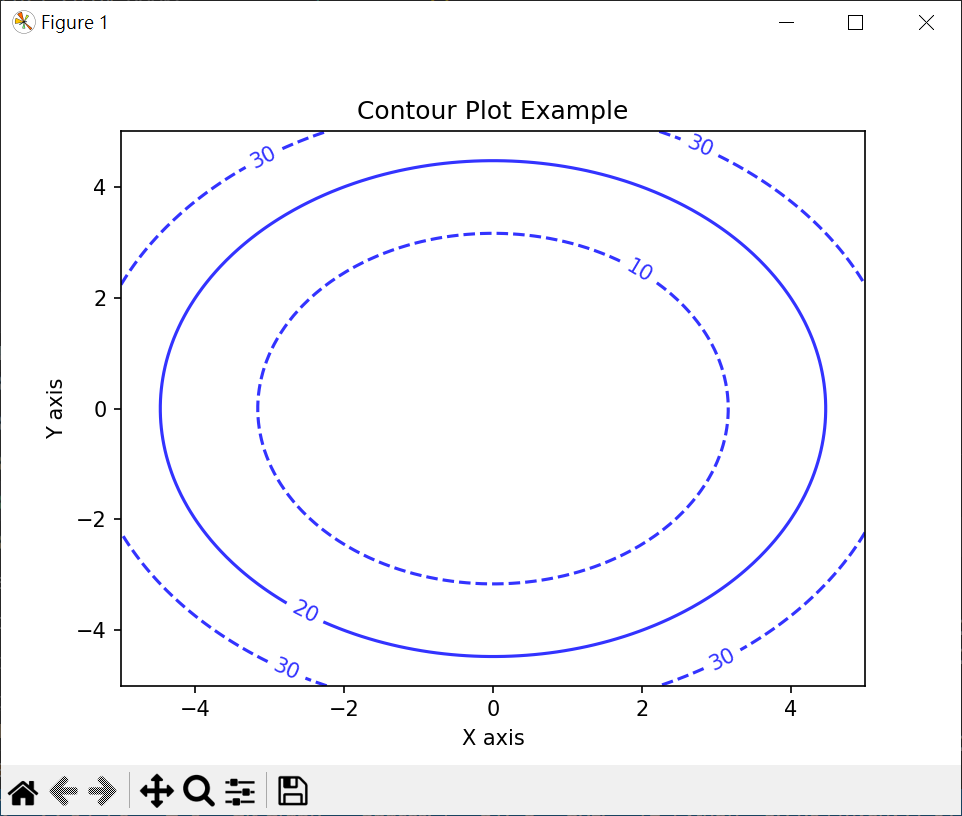
# 繪製分類邊界
箱型圖
# 特徵箱形圖
皮爾遜相關係數熱圖
# 繪製皮爾遜相關係數熱圖
設定圖表區
1
2
3
4
5
6
7
8
9
10
11
12
13
14
15
16
17
18
19
20
21
22
23
# 設定圖表區
import matplotlib.pyplot as plt

# 第一張圖
plt.figure
plt.plot([1,2,3])

# 第二張圖
# figsize [寬,高](inches)
# dpi 解析度
# facecolor 背景顏色
# edgecolor 邊緣顏色
# linewidth 邊線寬度
# frameon 是否有邊框
plt.figure(
figsize=[10,4],
facecolor='whitesmoke',
edgecolor='r',
linewidth=10,
frameon=True
)
plt.plot([1,2,3])
plt.show()
繪製多子圖
# 繪製KNN迴歸曲線
1
2
3
4
5
6
7
8
9
10
11
12
13
14
15
16
17
18
19
20
21
22
23
24
25
26
27
28
29
# 繪製多子圖
from sklearn.datasets import make_regression
import matplotlib.pyplot as plt

# windows 使用 微軟正黑體
plt.rcParams["font.family"] = ["Microsoft JhengHei"]
# 顯示負號
plt.rcParams["axes.unicode_minus"] = False

# 生成數據
X1, y1 = make_regression(n_features=1, noise=0, random_state=10)
X2, y2 = make_regression(n_features=1, noise=10, random_state=10)

# 建立兩個子圖畫布
fig, axs = plt.subplots(nrows=1, ncols=2, figsize=(10,5))
# 繪第1個子圖
axs[0].scatter(X1, y1)
axs[0].set_title("Noise = 0")
# 繪第2個子圖
axs[1].scatter(X2, y2)
axs[1].set_title("Noise = 10")
# 設定標籤
for ax in axs:
ax.set_xlabel("特徵")
ax.set_ylabel("目標")

# 自動調整子圖間距
plt.tight_layout()
plt.show()
欄列排列多張圖
1
2
3
4
5
6
7
8
9
10
11
12
13
14
15
16
17
18
19
20
21
22
23
24
25
26
27
28
29
30
31
32
33
34
35
36
37
38
39
40
41
42
43
44
45
46
47
48
49
50
# 欄列排列多張圖
# subplot(橫列數,直欄數,圖表索引)
import matplotlib.pyplot as plt

# 上下圖
# subplot(2,1,1)
# subplot(2,1,2)
plt.figure(figsize=[8,8])
# fig 1
plt.subplot(2,1,1)
plt.title(label='#1 Chat 1')
plt.plot([1,2,3], 'r:o')
# fig 2
plt.subplot(2,1,2)
plt.title(label='#1 Chat 2')
plt.plot([1,2,3], 'g--o')

# 左右圖
# subplot(1,2,1) subplot(1,2,2)
plt.figure(figsize=[8,8])
# fig 1
plt.subplot(1,2,1)
plt.title(label='#2 Chat 1')
plt.plot([1,2,3], 'r:o')
# fig 2
plt.subplot(1,2,2)
plt.title(label='#2 Chat 2')
plt.plot([1,2,3], 'g--o')

# 四張圖
# subplot(2,2,1) subplot(2,2,2)
# subplot(2,2,3) subplot(2,2,4)
plt.figure(figsize=[8,8])
# fig 1
plt.subplot(2,2,1)
plt.title(label='#3 Chat 1')
plt.plot([1,2,3], 'r:o')
# fig 2
plt.subplot(2,2,2)
plt.title(label='#3 Chat 2')
plt.plot([1,2,3], 'g--o')
# fig 3
plt.subplot(2,2,3)
plt.title(label='#3 Chat 3')
plt.plot([1,2,3], 'b:o')
# fig 4
plt.subplot(2,2,4)
plt.title(label='#3 Chat 4')
plt.plot([1,2,3], 'y--o')
plt.show()
相對位置排列多張圖
1
2
3
4
5
6
7
8
9
10
11
12
13
14
15
16
17
18
19
20
21
# 相對位置排列多張圖
# axes([與左邊界距離,與下邊界距離,寬,高]) 寬,高 相對外框
import matplotlib.pyplot as plt

plt.figure(figsize=[8,4])
plt.axes([0.1,0.1,0.35,0.8])
plt.title(label='#1 Chat 1')
plt.plot([1,2,3], 'r:o')
plt.axes([0.6,0.1,0.35,0.8])
plt.title(label='#1 Chat 2')
plt.plot([1,2,3], 'g--o')

plt.figure(figsize=[8,4])
plt.axes([0.1,0.1,0.8,0.8])
plt.title(label='#2 Chat 1')
plt.plot([1,2,3], 'r:o')
plt.axes([0.55,0.2,0.2,0.2])
plt.title(label='#2 Chat 2')
plt.plot([1,2,3], 'g--o')

plt.show()
圖書分類銷售分析圖
1
2
3
4
5
6
7
8
9
10
11
12
13
14
15
16
17
18
19
20
21
22
23
24
25
26
27
28
29
30
31
32
33
34
35
36
37
38
39
40
41
42
43
44
45
46
47
48
49
50
51
52
53
54
55
# 圖書分類銷售分析圖
import matplotlib.pyplot as plt
# 加入中文字體
import matplotlib
from matplotlib.font_manager import fontManager
# 加入中文字體
fontManager.addfont('NotoSansTC-Regular.ttf')
matplotlib.rc('font', family='Noto Sans TC')

listx = ['商業理財','文學小說','藝術設計','人文科普','電腦語言','心靈養生','生活風格','親子共享']
listm = [0.14,0.16,0.08,0.13,0.16,0.12,0.16,0.05]
listf = [0.1,0.19,0.06,0.1,0.13,0.13,0.2,0.09]
listm = [x*100 for x in listm]
listf = [x*100 for x in listf]

# plt.figure(figsize=[12,9])
# plt.subplot(2,2,1)
plt.figure(figsize=(12,9))
plt.subplot(221)
plt.title(label='分類比率-男性')
plt.pie(listm, labels=listx, autopct = '%2.1f%%',)

# plt.subplot(2,2,2)
plt.subplot(222)
plt.title(label='分類比率-女性')
plt.pie(listf, labels=listx, autopct = '%2.1f%%',)

# plt.subplot(2,2,3)
plt.subplot(223)
plt.title(label='分類長條圖')
width1 = 0.4
listx1 = [x - width1/2 for x in range(len(listx))]
listx2 = [x + width1/2 for x in range(len(listx))]
plt.bar(listx1, listm, width1)
plt.bar(listx2, listf, width1)
# x軸 標示 旋轉
plt.xticks(range(len(listx)), labels=listx, rotation=45)

plt.xlabel('圖書分類', fontsize=12)
plt.ylabel('銷售比率(%)', fontsize=12)
plt.legend()

# plt.subplot(2,2,4)
plt.subplot(224)
plt.title(label='分類長折線圖')
plt.plot(listx, listm, marker='s' ,label='男')
plt.plot(listx, listf, marker='s' ,label='女')
plt.grid(True)
plt.xticks(rotation=45)
plt.xlabel('圖書分類', fontsize=12)
plt.ylabel('銷售比率(%)', fontsize=12)
# x軸 標示 旋轉
plt.legend()

plt.show()
basic
1
2
3
4
5
6
7
8
9
10
11
12
13
14
15
16
17
18
19
20
21
22
23
24
25
26
27
28
29
30
31
32
33
34
35
36
37
38
39
40
41
42
43
44
45
46
47
48
49
50
51
52
53
54
55
56
57
58
59
60
61
62
63
64
65
66
67
68
69
70
71
72
73
74
75
76
77
78
79
80
81
82
83
84
85
86
87
88
89
90
91
92
93
94
95
96
97
98
99
100
101
102
103
104
105
106
107
108
109
110
111
112
113
114
115
116
117
118
119
120
121
122
123
124
125
126
127
128
129
130
131
132
133
134
135
136
137
138
139
140
141
142
143
144
145
146
147
148
149
150
151
152
153
154
155
156
157
158
159
160
161
162
163
164
165
166
167
168
169
170
171
172
173
174
175
176
177
178
179
180
181
182
183
184
185
186
187
188
189
190
191
192
193
194
195
196
197
198
199
200
201
202
203
204
205
206
207
208
209
210
211
212
213
214
# import pylab as plt
import matplotlib.pyplot as plt

mySamples = []
myLinear = []
myQuadratic = []
myCubic = []
myExponential = []

for i in range(0, 30):
mySamples.append(i)
myLinear.append(i)
myQuadratic.append(i**2)
myCubic.append(i**3)
myExponential.append(1.5**i)

# first trial
plt.plot(mySamples, myLinear)
plt.plot(mySamples, myQuadratic)
plt.plot(mySamples, myCubic)
plt.plot(mySamples, myExponential)


# second trial
# 畫新圖
plt.figure('lin')
plt.plot(mySamples, myLinear)
plt.figure('quad')
plt.plot(mySamples, myQuadratic)
plt.figure('cube')
plt.plot(mySamples, myCubic)
plt.figure('expo')
plt.plot(mySamples, myExponential)

# third trial
plt.figure('lin')
# 設定 x, y label
plt.xlabel('sample points')
plt.ylabel('linear function')
plt.plot(mySamples, myLinear)
plt.figure('quad')
plt.plot(mySamples, myQuadratic)
plt.figure('cube')
plt.plot(mySamples, myCubic)
plt.figure('expo')
plt.plot(mySamples, myExponential)
plt.figure('quad')


# fourth trial
plt.figure('lin')
plt.plot(mySamples, myLinear)
plt.figure('quad')
plt.plot(mySamples, myQuadratic)
plt.figure('cube')
plt.plot(mySamples, myCubic)
plt.figure('expo')
plt.plot(mySamples, myExponential)
plt.figure('lin')
# add title
plt.title('Linear')
plt.figure('quad')
plt.title('Quadratic')
plt.figure('cube')
plt.title('Cubic')
plt.figure('expo')
plt.title('Exponential')

# fifth trial
plt.figure('lin')
# clear befor draw - 新的版本不需要
plt.clf()
plt.plot(mySamples, myLinear)
plt.figure('quad')
plt.clf()
plt.plot(mySamples, myQuadratic)
plt.figure('cube')
plt.clf()
plt.plot(mySamples, myCubic)
plt.figure('expo')
plt.clf()
plt.plot(mySamples, myExponential)
plt.figure('lin')
plt.title('Linear')
plt.figure('quad')
plt.title('Quadratic')
plt.figure('cube')
plt.title('Cubic')
plt.figure('expo')
plt.title('Exponential')

# sixth trial
plt.figure('lin')
plt.clf()
# 設定 y 的 limit
plt.ylim(0,1000)
plt.plot(mySamples, myLinear)
plt.figure('quad')
plt.clf()
plt.ylim(0,1000)
plt.plot(mySamples, myQuadratic)
plt.figure('lin')
plt.title('Linear')
plt.figure('quad')
plt.title('Quadratic')

# seventh trial
plt.figure('lin quad')
plt.clf()
# put 2 plot in a picture
plt.plot(mySamples, myLinear)
plt.plot(mySamples, myQuadratic)
plt.figure('cube exp')
plt.clf()
plt.plot(mySamples, myCubic)
plt.plot(mySamples, myExponential)
plt.figure('lin quad')
plt.title('Linear vs. Quadratic')
plt.figure('cube exp')
plt.title('Cubic vs. Exponential')

# eighth trial
plt.figure('lin quad')
plt.clf()
# add plot's label
plt.plot(mySamples, myLinear, label = 'linear')
plt.plot(mySamples, myQuadratic, label = 'quadratic')
plt.legend(loc = 'upper left')
plt.title('Linear vs. Quadratic')
plt.figure('cube exp')
plt.clf()
plt.plot(mySamples, myCubic, label = 'cubic')
plt.plot(mySamples, myExponential, label = 'exponential')
plt.legend()
plt.title('Cubic vs. Exponential')

# ninth trial
plt.figure('lin quad')
plt.clf()
# change display
# b,r,g : blue, red, green
# -,o,^,-- : 線,點,三角形,虛線
plt.plot(mySamples, myLinear, 'b-', label = 'linear')
plt.plot(mySamples, myQuadratic,'ro', label = 'quadratic')
plt.legend(loc = 'upper left')
plt.title('Linear vs. Quadratic')
plt.figure('cube exp')
plt.clf()
plt.plot(mySamples, myCubic, 'g^', label = 'cubic')
plt.plot(mySamples, myExponential, 'r--',label = 'exponential')
plt.legend()
plt.title('Cubic vs. Exponential')

# tenth trial
plt.figure('lin quad')
plt.clf()
# 設定寬度
plt.plot(mySamples, myLinear, 'b-', label = 'linear', linewidth = 2.0)
plt.plot(mySamples, myQuadratic,'r', label = 'quadratic', linewidth = 3.0)
plt.legend(loc = 'upper left')
plt.title('Linear vs. Quadratic')
plt.figure('cube exp')
plt.clf()
plt.plot(mySamples, myCubic, 'g--', label = 'cubic', linewidth = 4.0)
plt.plot(mySamples, myExponential, 'r',label = 'exponential', linewidth = 5.0)
plt.legend()
plt.title('Cubic vs. Exponential')

# eleventh trial
plt.figure('lin quad')
plt.clf()
# 2 row, 1 column - 1st
plt.subplot(211)
plt.ylim(0, 900)
plt.plot(mySamples, myLinear, 'b-', label = 'linear', linewidth = 2.0)
# 2 row, 1 column - 2nd
plt.subplot(212)
plt.ylim(0, 900)
plt.plot(mySamples, myQuadratic,'r', label = 'quadratic', linewidth = 3.0)
# 選 plot label 位置 左上
plt.legend(loc = 'upper left')
plt.title('Linear vs. Quadratic')
plt.figure('cube exp')
plt.clf()
# 1 row, 2 column - 1st
plt.subplot(121)
plt.ylim(0, 140000)
plt.plot(mySamples, myCubic, 'g--', label = 'cubic', linewidth = 4.0)
# 1 row, 2 column - 2nd
plt.subplot(122)
plt.ylim(0, 140000)
plt.plot(mySamples, myExponential, 'r',label = 'exponential', linewidth = 5.0)
# 選 plot label 位置 自動選
plt.legend()
plt.title('Cubic vs. Exponential')

# twelfth trial
plt.figure('cube exp log')
plt.clf()
plt.plot(mySamples, myCubic, 'g--', label = 'cubic', linewidth = 2.0)
plt.plot(mySamples, myExponential, 'r',label = 'exponential', linewidth = 4.0)
# y scale set by log
plt.yscale('log')
plt.legend()
plt.title('Cubic vs. Exponential')
plt.figure('cube exp linear')
plt.clf()
plt.plot(mySamples, myCubic, 'g--', label = 'cubic', linewidth = 2.0)
plt.plot(mySamples, myExponential, 'r',label = 'exponential', linewidth = 4.0)
plt.legend()
plt.title('Cubic vs. Exponential')

# show 圖
plt.show()
複利繪圖
1
2
3
4
5
6
7
8
9
10
11
12
13
14
15
16
17
18
19
20
21
22
23
24
25
26
27
28
29
30
31
32
33
34
35
36
37
38
39
40
41
42
43
44
45
46
47
48
49
50
51
52
53
54
55
56
57
58
59
60
61
62
63
64
65
66
67
68
69
70
71
72
73
74
75
76
77
import matplotlib.pyplot as plt

# monthly : 每月儲存 dollars
# rate : 利率
# terms : 總月數
def retire(monthly, rate, terms):
savings = [0]
base = [0]
monthlyRate = rate/12
for i in range(terms):
base += [i]
savings += [savings[-1]*(1 + monthlyRate) + monthly]
# 月份, all save money list
return base, savings

def displayRetirementWithMonthlies(monthlies, rate, terms):
plt.figure('retireMonth')
plt.clf()
for monthly in monthlies:
xvals, yvals = retire(monthly, rate, terms)
plt.plot(xvals, yvals, label = 'retire:'+str(monthly))
plt.legend(loc = 'upper left')

# change money
displayRetirementWithMonthlies([500, 600, 700, 800, 900, 1000, 1100], .05, 40* 12)

def displayRetirementWithRates(monthly, rates, terms):
plt.figure('retireRate')
plt.clf()
for rate in rates:
xvals, yvals = retire(monthly, rate, terms)
plt.plot(xvals, yvals,
label = 'retire:'+str(monthly)+ ':' + str(int(rate*100)))
plt.legend(loc = 'upper left')

# change rate
displayRetirementWithRates(800,[.03, .05, .07], 40*12)


def displayRetirementWithMonthsAndRates(monthlies, rates, terms):
plt.figure('retireBoth')
plt.clf()
plt.xlim(30*12, 40*12)
for monthly in monthlies:
for rate in rates:
xvals, yvals = retire(monthly, rate, terms)
plt.plot(xvals, yvals,
label = 'retire:'+str(monthly)+ ':' + str(int(rate*100)))
plt.legend(loc = 'upper left')

# change money + rate
displayRetirementWithMonthsAndRates([500, 700, 900, 1100],
[.03, .05, .07], 40*12)


def displayRetirementWithMonthsAndRates2(monthlies, rates, terms):
plt.figure('retireBoth2')
plt.clf()
plt.xlim(30*12, 40*12)
monthLabels = ['r', 'b', 'g', 'k']
rateLabels = ['-', 'o', '--', '^']
for i in range(len(monthlies)):
monthly = monthlies[i]
monthLabel = monthLabels[i%len(monthLabels)]
for j in range(len(rates)):
rate = rates[j]
rateLabel = rateLabels[j%len(rateLabels)]
xvals, yvals = retire(monthly, rate, terms)
plt.plot(xvals, yvals, monthLabel+rateLabel,
label = 'retire:'+str(monthly)+ ':' + str(int(rate*100)))
plt.legend(loc = 'upper left')

# change money + rate : 不同圖形
displayRetirementWithMonthsAndRates2([500, 700, 900, 1100],
[.03, .05, .07], 40*12)

plt.show()

requests

install
1
2
3
4
5
6
pip3 install requests

# list requests
pip3 list | grep requests
requests 2.31.0
requests-oauthlib 1.3.1
get tunes song
1
2
3
4
5
6
7
8
9
10
11
12
13
14
# python itunes.py weezer
import requests
import sys
import json

if len(sys.argv) != 2:
sys.exit()

response = requests.get("https://itunes.apple.com/search?entity=song&limit=50&term=" + sys.argv[1])
# print(json.dumps(response.json(), indent=2))

o = response.json()
for result in o["results"]:
print(result["trackName"])

Pillow

costume1.gif
costume2.gif
costumes.gif
costume.py
1
2
3
4
5
6
7
8
9
10
11
12
13
import sys
from PIL import Image

images = []

for arg in sys.argv[1:]:
image = Image.open(arg)
images.append(image)

# loop=0 --> loop forever
images[0].save(
"costumes.gif", save_all=True, append_images=[images[1]], duration=200, loop=0
)
generate costumes.gif
1
python costumes.py costume1.gif costume2.gif

re - regular expression

pythex
example
1
2
3
4
5
6
7
8
9
10
11
12
13
14
15
16
17
18
19
20
21
22
23
24
25
26
27
28
29
30
31
32
33
34
35
36
37
# validate.py
import re

# .: any character except a newline
# *: 0 or more repetitions
# +: 1 or more repetitions
# ?: 0 or 1 repetition
# {m}: m repetitions,o{2} 含 "oo"
# {m,n}: m-n repetitions
# ^: matches the start of the string
# ^插入符號是比對前開頭,比如你輸入的搜尋條件是 ^eat,那麼你會搜尋到的結果會有 eat、eaten
# $: matchs the end or the string just before the newline at the end of the string
# $ 錢字符號則是比對結尾,如果是 eat$,那麽搜尋到的結果可能是 creat、peat、leat
# []: set of characters(包含)
# [^]: complementing the set(不包含)
# \w: [a-zA-Z0-9_]
# \W: [^a-zA-Z0-9_]
# \d: [0-9]
# \D: [^0-9]
# \s: [ \r\t\n\f]
# \S: [^ \r\t\n\f]
# A|B: either A or B
# (...) : group
# (?:...): non-capturing version

# re.IGNORECASE : ignore case
# re.MULTILINE: multiple line
# re.DOTALL


# re.search(pattern, string, flags=0)
email = input("What's your email? ").strip()
# if re.search(r"^[^@ ]+@[^@]+\.(edu|com|gov|net|org)$", email):
if re.search(r"^\w+@\w+\.edu$", email, re.IGNORECASE):
print("Valid")
else:
print("Invalid")
basic function
1
2
3
4
5
6
7
8
9
10
11
12
13
14
15
16
17
18
19
20
21
22
23
24
25
26
27
28
29
30
31
32
33
34
35
36
37
38
39
40
41
42
43
44
45
46
47
48
49
50
51
52
import re
# match(string) : 傳回符合字串object,不符合傳回Nonw
# search(string) : 傳回第一組符合字串,不符合傳回Nonw
# findall(string) : 傳回所有符合字串 by [],不符合傳回Nonw,無符合傳回空串列

# === match(string) ===
# 傳回物件
# group():傳回符合表達式字串
# start():傳回match開始位置
# end():傳回match結束位置
# span():傳回 match (開始位置,結束位置)
m = re.match(r'[a-z]+','abc123xyz')
print(m)
if m != None:
print(m.group())
print(m.start())
print(m.end())
print(m.span())
# <re.Match object; span=(0, 3), match='abc'>
# abc
# 0
# 3
# (0, 3)
m = re.match(r'[a-z]+','123')
print(m)
# None

# search(string)
m = re.search(r'[a-z]+','abc123xyz')
print("-- search --")
print(m)
if m != None:
print(m.group())
print(m.start())
print(m.end())
print(m.span())

# findall(string)
m = re.findall(r'[a-z]+','abc123xyz')
print("-- findall --")
print(m)
# ['abc', 'xyz']

# 正規表達式取代內容
# re.sub(正規表達式,取代字串,搜尋字串,count=0)
# count 表取代次數, 0 表全部取代
result = re.sub("\d+", "*", "Password:1234, ID=5678")
print(result)
result = re.sub("\d+", "*", "Password:1234, ID=5678",count=1)
print(result)
# Password:*, ID=*
# Password:*, ID=5678
1
2
3
4
# 擷取數字
import re
salary = salary.replace(",", "")
salaries = re.findall(f"\d+\.?\d*", salary)
capture
1
2
3
4
5
6
7
8
9
10
11
12
13
14
15
16
17
18
19
# format.py
# re capture
import re

name = input("What's your name? ").strip()
# matches = re.search(r"^(.+), *(.+)$", name)
# if matches:
# last, first = matches.groups()
# name = f"{first} {last}"
if matches := re.search(r"^(.+), *(.+)$", name):
name = matches.group(2) + ' ' + matches.group(1)
print(f"hello, {name}")

# python .\format.py
# What's your name? Robert Kao
# hello, Robert Kao
# python .\format.py
# What's your name? Kao,Robert
# hello, Robert Kao
get twitter name from URL
1
2
3
4
5
6
7
8
9
10
11
12
13
14
15
16
17
18
19
20
21
22
# twitter.py
import re

# (?:...): non-capturing version

url = input("URL:").strip()

# 對不照格式輸入無效
username = re.sub(r"^(?:https?://)?(?:www\.)?twitter\.com/", "", url)
print(f"re.sub Username: {username}")

if matches := re.search(r"^(?:https?://)?(?:www\.)?twitter\.com/([a-z0-9_]+)$", url, re.IGNORECASE):
print(f"re.research Username: {matches.group(1)}")

# python twitter.py
# URL:http://www.twitter.com/robert
# re.sub Username: robert
# re.research Username: robert
#
# python twitter.py
# URL:www.google.com
# re.sub Username: www.google.com

excel

1
2
3
4
5
6
7
8
9
10
11
12
13
14
15
16
17
18
19
20
21
22
23
24
25
26
27
28
29
30
31
32
33
34
35
36
37
38
39
40
# excel (only support .xlsx)
import openpyxl

# 新增 excell
# 活頁簿
workbook = openpyxl.Workbook()
# 工作表 #1
sheet = workbook.worksheets[0]
# 以位置寫入
sheet['A1'] = '一年甲班'
list_titles = ['座號','姓名','國文','英文','數學']
# 新增一列
sheet.append(list_titles)
# add item
list_datas = [[1, '大熊', 65, 62, 40],
[2, '小明', 85, 90, 87],
[3, '小美', 92, 90, 95]]
for data in list_datas:
sheet.append(data)
# save
workbook.save('test.xlsx')

# modify excel
# load file
workbook2 = openpyxl.load_workbook('test.xlsx')
sheet = workbook2.worksheets[0]
# sheet.max_row 列數
# sheet.max_column 行數
# sheet.cell(row,column) start from 1
for i in range(1, sheet.max_row+1):
for j in range(1, sheet.max_column+1):
print(sheet.cell(row=i, column=j).value, end=' ' )
print()
sheet['A1'] = '二年甲班'
workbook2.save('test2.xlsx')
# 一年甲班 None None None None
# 座號 姓名 國文 英文 數學
# 1 大熊 65 62 40
# 2 小明 85 90 87
# 3 小美 92 90 95
1
2
3
4
5
6
7
8
9
10
11
12
13
# write excel sheet tile
import openpyxl
workbook = openpyxl.Workbook()
sheet = workbook.worksheets[0]
# write sheet title
sheet.title = f"1111 {date_string} {job}"

# read excel sheet title
import pandas as pd
jsb_file = "./job1.xlsx"
xsl = pd.ExcelFile(jsb_file)
# read sheet title
print(xsl.sheet_names[0])
1
2
3
4
5
6
7
8
9
# create sheet
# index=0 1st sheet
sheet = workbook.create_sheet(title=county, index=index)

# remove last sheet
# last is orgiginal sheet
last_sheet_name = workbook.sheetnames[-1]
last_sheet = workbook[last_sheet_name]
workbook.remove(last_sheet)

mypy

1
2
3
4
5
6
7
8
9
10
11
12
13
14
15
16
17
18
19
20
21
# meows.py
# add type define
def meow(n: int):
for _ in range(n):
print("meow")

# slaso support add type define to variable
number: int = input("Number:")
meow(number)

# mypy meows.py
# meows.py:7: error: Argument 1 to "meow" has incompatible type "str"; expected "int" [arg-type]
# Found 1 error in 1 file (checked 1 source file)

# meows.py -2
# define return str
def meow(n: int) -> str:
return "meow\n" * n
number: int = int(input("Number:"))
neows: str = meow(number)
print(neows)

Docstring : just prepare for gernerate document

1
2
3
4
5
6
7
8
9
10
11
12
13
14
15
16
17
# meows.py
def meow(n: int) -> str:
# meow n times
"""
Meow n times.

:param n: Number of times to meow
:type n: int
:raise TypeError: If n is not an int
:return: A string of n meows, one per line
:rtype: str
"""
return "meow\n" * n

number: int = int(input("Number:"))
neows: str = meow(number)
print(neows)

coesay + audio

1
2
3
4
5
6
7
8
9
10
11
12
13
14
15
16
17
18
19
20
21
22
23
# say.py
import cowsay
import pyttsx3

engine = pyttsx3.init()
this = input("What's this? ")
cowsay.cow(this)
engine.say(this)
engine.runAndWait()

# python say.py
# What's this? This is cs50
# ____________
# | This is cs50 |
# ============
# \
# \
# ^__^
# (oo)\_______
# (__)\ )\/\
# ||----w |
# || ||

Ref